

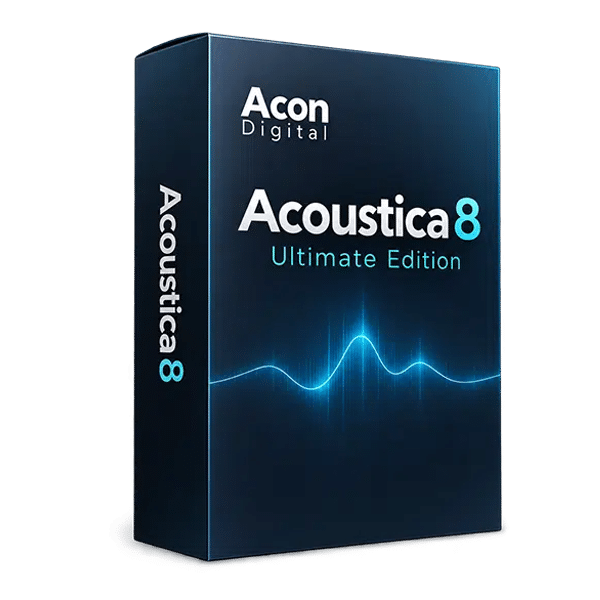
Acon Digital – Acoustica 8 Ultimate Edition (Windows)
£55.99
Discover Acon Digital – Acoustica 8 Ultimate Edition (Windows)
Acon Digital Acoustica 8 Ultimate Edition v8.0.5 is a comprehensive audio-editing and post-production platform designed for music producers, audio engineers, composers, mastering professionals, podcasters, and broadcast specialists. Combining a powerful standalone audio editor with an extensive collection of professional restoration and processing tools, Acoustica provides an integrated environment for repairing recordings, editing audio, mixing tracks,…
De-essing: Control harsh sibilance in spoken and sung vocals.
Wind reduction: Reduce unwanted wind noise in location recordings.
Rustle removal: Address clothing and handling noise.
Explore product features & full description
Acon Digital – Acoustica 8 Ultimate Edition v8.0.5
Professional Audio Editing, Restoration, Mixing, and Mastering Software
Acon Digital Acoustica 8 Ultimate Edition v8.0.5 is a comprehensive audio-editing and post-production platform designed for music producers, audio engineers, composers, mastering professionals, podcasters, and broadcast specialists. Combining a powerful standalone audio editor with an extensive collection of professional restoration and processing tools, Acoustica provides an integrated environment for repairing recordings, editing audio, mixing tracks, and preparing finished productions.
With machine-learning-assisted audio restoration, advanced spectral editing, non-destructive multitrack editing, and immersive audio support up to 9.1.6 channels, Acoustica 8 Ultimate Edition addresses demanding audio-production tasks within one application.
From removing background noise and repairing damaged recordings to separating dialogue, refining mixes, and mastering finished audio, Acoustica offers precision-focused tools for professional music production and post-production workflows.
Advanced Audio Restoration with Machine Learning
Acoustica 8 incorporates intelligent audio-restoration technologies that help identify and address common recording problems. These tools streamline time-consuming cleanup tasks while allowing engineers to maintain control over the final result.
Restore recordings affected by background noise, clicks, hum, clipping, unwanted ambience, wind, rustling, plosives, and other unwanted artifacts. Dedicated restoration processors provide focused solutions for different problems, helping you improve recording quality without relying entirely on manual editing.
These capabilities are particularly valuable for cleaning up field recordings, dialogue, interviews, voiceovers, archival audio, and music recordings captured in less-than-ideal conditions.
Precision Waveform and Spectral Editing
Acoustica provides detailed waveform and spectral editing tools for inspecting, editing, and repairing audio with precision. Spectral editing allows unwanted sounds to be identified visually and addressed in ways that conventional waveform editing may not easily achieve.
Use the integrated editing environment for sample-accurate adjustments, fades, cleanup, processing, and detailed audio repair. Its non-destructive multitrack workflow also supports complex projects in which individual clips can be arranged, edited, and processed without permanently altering the original source material.
For compatible digital audio workstations, ARA integration provides additional workflow flexibility by allowing supported tools to operate directly within the host environment.
Extract 2 – Intelligent Speech Isolation
Extract 2 is designed to separate dialogue from unwanted background noise and ambience. It is particularly useful for recordings in which speech competes with environmental sounds or other unwanted audio.
Use it to improve interviews, podcasts, film dialogue, voiceovers, location recordings, and other speech-focused material. By helping isolate the desired vocal content, it can reduce the amount of manual cleanup required before editing, mixing, or delivery.
Dialogue Cleaning Suite – Specialized Speech Repair
The included Dialogue Cleaning Suite provides dedicated processors for common dialogue problems. Its specialized tools help address issues that can make speech recordings distracting or difficult to understand.
The suite includes processing for:
- De-essing: Control harsh sibilance in spoken and sung vocals.
- Wind reduction: Reduce unwanted wind noise in location recordings.
- Rustle removal: Address clothing and handling noise.
- Buzz reduction: Tackle unwanted buzzing artifacts.
- Click repair: Reduce distracting clicks and short transient noises.
- Plosive control: Manage excessive bursts of low-frequency energy caused by certain consonants.
These tools make Acoustica particularly useful for dialogue editors, podcast producers, film post-production teams, and audio professionals working with challenging recordings.
Restoration Suite 2 – Comprehensive Audio Repair
Acoustica 8 Ultimate Edition includes Restoration Suite 2, a collection of specialized processors for repairing common audio defects.
- DeNoise 3: Reduce unwanted background and broadband noise.
- DeHum 3: Address electrical hum and related tonal interference.
- DeClick 3: Remove or reduce clicks and similar short-duration artifacts.
- DeClip 3: Repair distortion caused by clipped audio signals.
These processors help improve the quality of recordings before further editing, mixing, or mastering. They are useful for restoring music, cleaning dialogue, repairing older recordings, and preparing source material for professional delivery.
DeVerberate 3, DeFilter, and Advanced Restoration
The Ultimate Edition includes additional tools for more specialized audio-repair tasks.
DeVerberate 3 helps reduce unwanted reverberation in recordings, making it useful for dialogue captured in reflective rooms and other environments with excessive room ambience.
DeFilter is designed to correct tonal and frequency-response problems in audio material, helping address unwanted coloration and improve tonal consistency.
AudioFill provides intelligent repair of short clicks and audio discontinuities, supporting more seamless edits and cleaner recordings.
Together, these tools expand Acoustica's capabilities beyond basic noise reduction, providing solutions for more demanding restoration and post-production work.
Professional Mixing and Mastering Tools
Acoustica 8 Ultimate Edition combines audio repair with a selection of processing tools for mixing and mastering. Its processing environment includes equalization, dynamics, multiband dynamics, limiting, dithering, and reverb.
Use these tools to refine frequency balance, manage dynamics, control peaks, and prepare finished audio for distribution. Keeping editing, restoration, and final processing within one application can help simplify workflows when working with stereo masters, individual tracks, or complex audio projects.
For additional mastering flexibility, the included Mix and Mastering Suite provides further tools for shaping and finishing audio.
Drum Production Suite – Cleaner and More Controlled Drums
The included Drum Production Suite provides specialized tools for working with drum recordings and reducing unwanted microphone bleed.
Remix supports drum-focused processing and separation workflows, while DeBleed helps reduce unwanted spill between drum microphones.
These capabilities are useful when working with multitrack acoustic drum recordings, particularly when engineers need greater control over individual drum elements or want to improve separation before mixing.
Music Separation with Remix Technology
Acoustica's Remix technology can separate a complete mix into up to five stems, giving users additional flexibility when original multitrack recordings are unavailable.
Stem separation can support remixing, alternate arrangements, audio editing, and selected restoration workflows. It can also provide greater control over different musical elements when preparing audio for creative or post-production applications.
For producers and composers, this opens up additional possibilities for adapting existing mixes and working with stereo source material.
Immersive Audio Production up to 9.1.6 Channels
The Ultimate Edition supports immersive audio configurations of up to 9.1.6 channels, making it suitable for advanced multichannel production, film post-production, broadcast, gaming, and spatial-audio workflows.
The included Verberate Immersive provides high-quality reverberation for multichannel and immersive projects. Combined with Acoustica's editing, restoration, and mixing capabilities, it offers a comprehensive environment for working with complex audio formats.
This expanded channel support distinguishes the Ultimate Edition as an option for professionals who need more than conventional stereo editing and mastering.
Key Features of Acon Digital Acoustica 8 Ultimate Edition
- Professional standalone audio-editing and post-production application
- Comprehensive collection of audio-restoration and processing tools
- Machine-learning-assisted audio restoration
- Detailed waveform and spectral editing
- Non-destructive multitrack editing
- Support for immersive audio configurations up to 9.1.6 channels
- ARA integration with compatible DAWs
- Restoration Suite 2: DeNoise 3, DeHum 3, DeClick 3, and DeClip 3
- Extract 2 for dialogue isolation
- Dialogue Cleaning Suite for specialized speech repair
- DeVerberate 3 for reducing unwanted reverberation
- DeFilter for tonal and frequency-response correction
- AudioFill for repairing short clicks and discontinuities
- Mix and Mastering Suite
- Drum Production Suite
- Remix and DeBleed
- Music separation into as many as five stems
- Verberate Immersive for immersive audio reverb
- Equalization, dynamics, multiband processing, and limiting
- Dithering and reverb processing
- Tools for music production, dialogue editing, restoration, and mastering
Who Is Acoustica 8 Ultimate Edition For?
Music Producers: Clean recordings, edit samples, repair audio defects, and prepare music for mixing and mastering.
Mixing and Mastering Engineers: Use spectral editing, restoration processors, equalization, dynamics, and limiting to refine audio quality and prepare finished mixes.
Composers and Sound Designers: Edit recordings, restore source material, process sound effects, and work with multichannel audio for film, television, and games.
Podcast and Dialogue Editors: Remove distracting noise, reduce reverberation, isolate speech, and repair common vocal-recording problems.
Audio Restoration Professionals: Address clicks, hum, clipping, unwanted ambience, and other recording defects using specialized repair tools.
Film and Broadcast Professionals: Work with detailed dialogue cleanup, multitrack editing, stem separation, and immersive audio configurations.
Explore More Audio Restoration and Production Software
Discover additional tools in our Audio Restoration and Repair Plugins collection, explore Mixing and Mastering Plugins, or browse our DAW Software category for more audio-production applications.
For the official feature list and edition comparison, visit the Acon Digital Acoustica 8 feature page.
Product Information
Product Name: Acon Digital Acoustica 8 Ultimate Edition
Version: 8.0.5
Product Type: Audio Editing, Restoration, Mixing, and Mastering Software
Audio Support: Immersive configurations up to 9.1.6 channels
Key Technologies: Machine-Learning-Assisted Restoration, Spectral Editing, Stem Separation, and ARA Integration
Primary Applications: Audio Repair, Music Production, Dialogue Editing, Podcast Restoration, Mastering, Broadcast, and Immersive Audio Post-Production
Compatibility checklist
- Windows 10,11 (64Bit Only)
- Standalone
- Formats: Standalone
Requirements vary by supplied version. Confirm your setup with support before purchasing.
Delivery & activation
- Complete your purchaseReview compatibility and purchase details.
- Download your filesAccess available downloads through your order and account.
- Follow the included setup guideContact GetPlugins if you need installation help.
Activation, where included, is provided by GetPlugins. Publisher-account registration, transferable publisher keys and a publisher-issued licence are not included. Read the activation policy.
Frequently asked questions
How do I receive my download?
After payment, access available files from your order details and GetPlugins account. Contact support if a download is missing.
What activation is included?
Follow the activation instructions supplied with your download. Activation is provided by GetPlugins. Confirm device allowances and reinstall arrangements before ordering.
Will this work with my computer and DAW?
Check the compatibility information for this listing and ask us to confirm the exact supplied build. Libraries may require a compatible sampler or additional software.
What if I need installation help?
Email support@getplugins.io with your order number, operating system, DAW and any error message.
Which updates are included?
Activation and updates are separate. Confirm the available version and update arrangements before ordering; do not assume access to future publisher releases.
How do I request a refund?
Contact support with your order number and issue details. Read our Refund Policy for eligibility and the request process.


Reviews
There are no reviews yet.