

Discover Bitwig Studio 5 (Windows)
Bitwig Studio is the single solution for realizing any musical idea across every stage of production.
Explore product features & full description
Customized Workflow To Match Any Style
Bitwig Studio is the single solution for realizing any musical idea across every stage of production.
Powerful Editing Tools
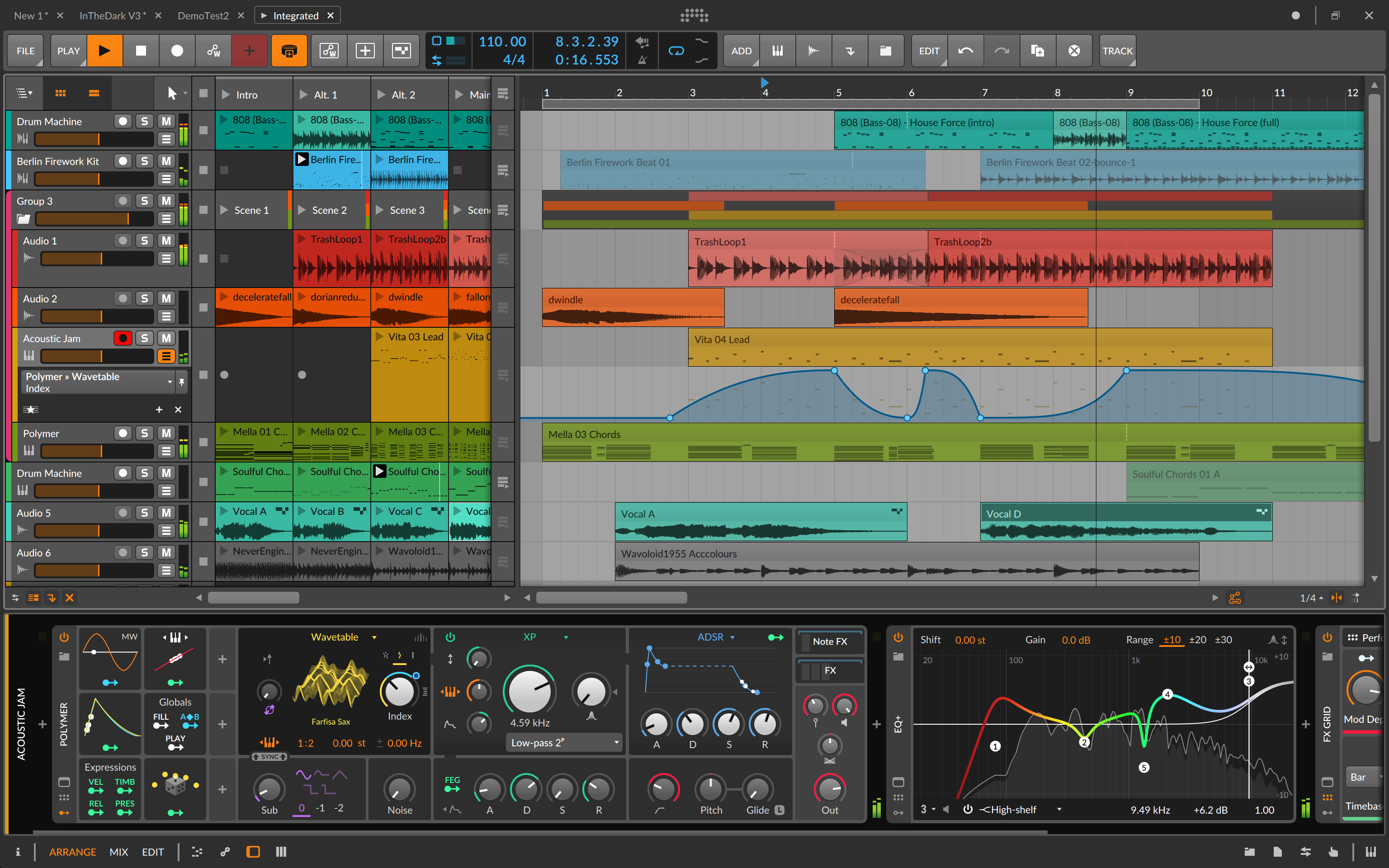
We want to help you make your musical ideas happen, in as few steps as possible. Focus on the music, not the tool.
Audio That Works For You
Audio clips are your musical blocks, and edits can be made within them. Split at onsets, repitch with curves, or scale and stretch in various ways. And when the tempo changes, your audio will match it, courtesy of time-stretching options from us and Zplane.
Notes That Do More
Our notes are dynamic, allowing micro-pitch, pressure, panning, and more for each individual note. So get true polyphony from Bitwig's instruments, or send these notes as MPE or CV signals. Or even add some musical logic with Operators, modulating when and how notes play.
Audio Comping, Anywhere
Comping is a clean workflow for recording and then combining the best parts of many takes. This works on any audio clip in Bitwig, so move freely between the Arranger and Launcher. Even drag in long audio to “fold” a new comp, exploring old tapes in a new way.
Enter The Grid
The Grid is a sound designer's dream. It can be a synth, an audio effect, or most things you can imagine.
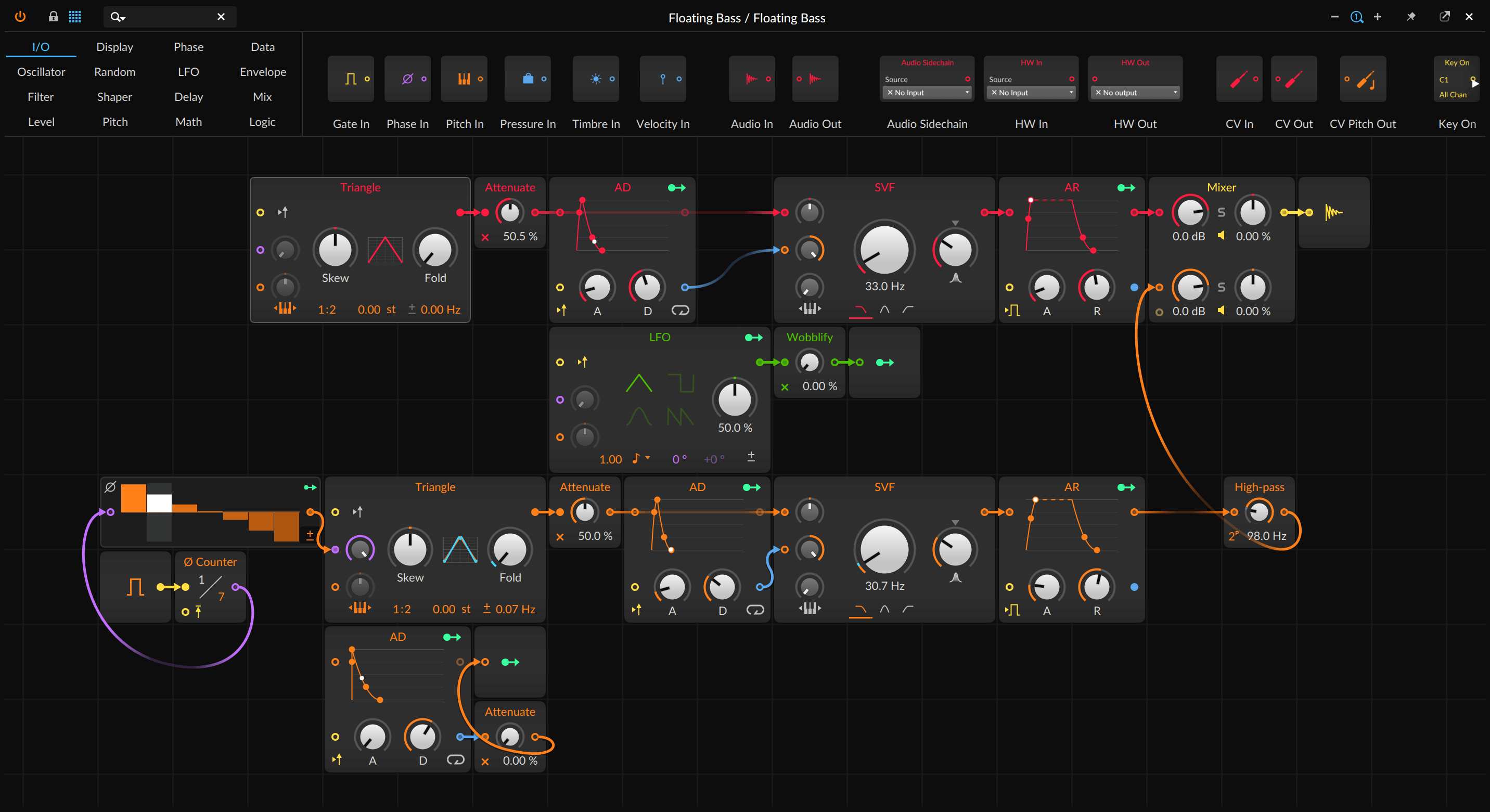
The Grid is a modular sound design environment, open for you to build your own creations from scratch.
It's also an expressive instrument with hundreds of high-quality patches for you to explore, ready to play. It's sophisticated yet easy and fast at the same time.
Explore it, build it, play it.
Compatibility checklist
- Confirm the supplied build, operating system and required host before ordering.
- Formats: Standalone
Requirements vary by supplied version. Confirm your setup with support before purchasing.
Delivery & activation
- Complete your purchaseReview compatibility and purchase details.
- Download your filesAccess available downloads through your order and account.
- Follow the included setup guideContact GetPlugins if you need installation help.
Activation, where included, is provided by GetPlugins. Publisher-account registration, transferable publisher keys and a publisher-issued licence are not included. Read the activation policy.
Frequently asked questions
How do I receive my download?
After payment, access available files from your order details and GetPlugins account. Contact support if a download is missing.
What activation is included?
Follow the activation instructions supplied with your download. Activation is provided by GetPlugins. Confirm device allowances and reinstall arrangements before ordering.
Will this work with my computer and DAW?
Check the compatibility information for this listing and ask us to confirm the exact supplied build. Libraries may require a compatible sampler or additional software.
What if I need installation help?
Email support@getplugins.io with your order number, operating system, DAW and any error message.
Which updates are included?
Activation and updates are separate. Confirm the available version and update arrangements before ordering; do not assume access to future publisher releases.
How do I request a refund?
Contact support with your order number and issue details. Read our Refund Policy for eligibility and the request process.
Reviews
There are no reviews yet.