MAP Audio – MFX v1.1.0
Creative Modular Multi-Effects Plugin for Advanced Sound Design
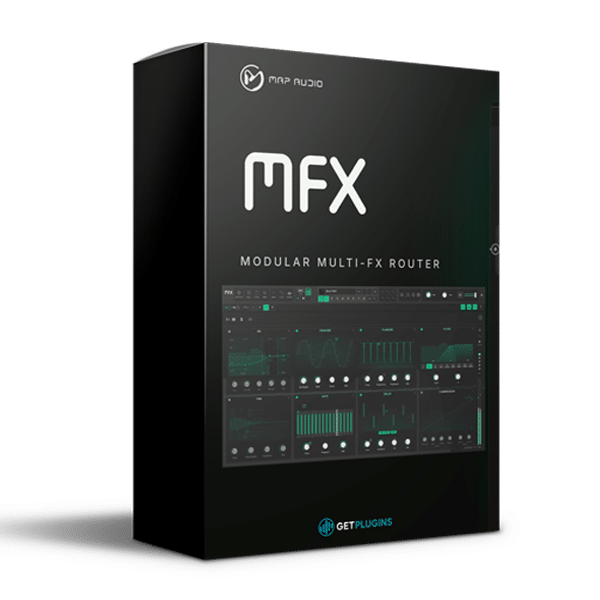
MAP Audio MFX v1.1.0 is a creative modular multi-effects plugin designed for music producers, composers, sound designers, and experimental audio creators who want complete control over their effects routing. Its innovative four-cell architecture lets you connect audio processors in series, parallel, and feedback configurations, creating everything from conventional effects chains to complex, evolving sonic textures.
Unlike traditional multi-effects plugins with fixed signal paths, MFX provides a visual patching environment where you can build custom processing networks by connecting virtual cables. Each processing cell can host its own effects and settings, while independent connection levels give you precise control over how audio moves through the entire patch.
With six global LFOs, envelope followers, sidechain modulation, a step-based parameter sequencer, and assignable macro controls, MAP Audio MFX transforms multi-effects processing into an expressive sound-design environment for electronic music, cinematic audio, ambient textures, rhythmic processing, and experimental productions.
Four-Cell Modular Effects Routing
At the heart of MAP Audio MFX is a flexible routing system built around four independent processing cells. Connect the cells to create straightforward serial chains, parallel processing paths, or intricate feedback networks that produce complex interactions between effects.
Each virtual cable includes an independent level control, allowing you to adjust the amount of signal passed between connected cells. This makes it possible to blend dry and processed signals, balance parallel effects, and control the intensity of feedback paths directly from the routing interface.
Feedback connections include a fixed 64-sample delay before any additional latency introduced by the effects within the loop. Depending on the processors and return levels used, feedback networks can create decaying echoes, sustained textures, resonant effects, or controlled self-oscillation.
This flexible architecture gives producers the freedom to design processing structures that would be difficult to achieve with conventional fixed-chain effects plugins.
Extensive Built-In Effects for Creative Processing
Each MFX cell provides access to a versatile collection of audio processors for sound shaping, mixing, and experimental effects design. Build a different processing chain inside every cell or use the same effect across multiple cells with contrasting settings.
Available processing includes:
- Equalization and filtering for tonal shaping and frequency control.
- Compression and transient shaping for controlling dynamics and emphasizing attacks.
- Delay and modulation for rhythmic movement, stereo effects, and evolving textures.
- Distortion and wavefolding for aggressive harmonics and experimental timbres.
- Resonators for tonal coloration and resonant sound design.
- Vocoding for distinctive robotic and synthetic textures.
- Creative audio degradation for lo-fi effects and unconventional processing.
Combine these processors in different routing configurations to transform ordinary instruments, drum loops, vocals, synthesizers, and recorded audio into original sonic material.
Six Global LFOs for Rhythmic Modulation
MAP Audio MFX includes six global low-frequency oscillators (LFOs) for animating effect parameters throughout a patch. LFOs can run freely or synchronize to your DAW's tempo, making them suitable for both independent modulation and precisely timed rhythmic movement.
Choose factory waveforms for immediate results or draw custom shapes to create unique modulation patterns. Use LFOs to automate filter movement, vary delay parameters, animate modulation effects, and introduce evolving changes across multiple processing cells.
Because the LFOs operate globally, a modulation source can influence different parts of the effects network, helping create coordinated movements across an entire patch.
Envelope Followers and Responsive Sidechain Modulation
MFX provides an envelope follower for each processing cell, allowing parameters to respond dynamically to audio signals. Each follower can react to its own cell's audio or the output of another cell, creating flexible audio-reactive processing possibilities.
The plugin also supports stereo sidechain input, enabling external audio to influence assigned parameters. This is useful for creating responsive filtering, rhythmic pumping, dynamic modulation, and effects that react to drums, vocals, bass, or other elements in a mix.
These modulation options make MFX particularly valuable for producers who want effects to interact with the music rather than remain static throughout a track.
ParamSeq for Step-Based Parameter Modulation
The integrated ParamSeq system changes assigned parameters step by step, making it possible to create sequenced control patterns and evolving effects.
Use ParamSeq to introduce rhythmic filter changes, stepped modulation, glitch-style effects, repeating tonal variations, and automated movement across different stages of a processing network.
Combined with tempo-synchronized LFOs and flexible routing, ParamSeq provides additional ways to create complex rhythmic effects without manually automating every parameter in your DAW.
Patch-Wide Modulation and Creative Control
MFX allows a single modulation source to control parameters across multiple processing cells. This patch-wide approach makes it easier to create coordinated changes throughout a complex effects network without setting up separate modulation systems for every processor.
For example, one modulation source can influence filtering in one cell while changing delay or distortion parameters in another. The result is a more interconnected approach to effects design, particularly useful for evolving pads, ambient textures, experimental percussion, and cinematic soundscapes.
Combo Knobs and DAW Automation
The plugin includes three assignable Combo knobs that can control multiple parameters from different processing cells simultaneously. Assign the parameters you want to manipulate, then use a single macro control to transform several effects settings together.
Combo knobs, individual effect parameters, and global mixer controls are available for host automation. This enables detailed DAW automation, expressive transitions, performance-oriented control, and evolving effects throughout an arrangement.
Instead of automating multiple parameters individually, you can create unified controls for complex sound transformations.
Standalone Operation and Flexible Licensing
MAP Audio MFX includes a standalone application alongside its plugin workflow, providing an additional way to work with its modular effects system.
The supplied product information specifies a perpetual license with updates included and activation on up to three computers. This provides flexibility for producers working across multiple compatible systems.
Key Features of MAP Audio MFX v1.1.0
- Creative modular multi-effects plugin for sound design and audio processing
- Four independent, routable processing cells
- Serial, parallel, and feedback signal routing
- Visual virtual-cable patching interface
- Independent level control for every connection
- Support for backward routing and self-feedback configurations
- Fixed 64-sample delay on feedback connections
- Extensive built-in effects for tonal shaping and creative processing
- EQ, filtering, compression, delay, modulation, distortion, and wavefolding
- Resonators, transient shaping, vocoding, and audio degradation
- Six global LFOs with free-running and tempo-synchronized operation
- Factory LFO waveforms and custom waveform drawing
- Per-cell envelope followers
- Stereo sidechain modulation input
- ParamSeq step-based parameter modulation
- Patch-wide modulation assignments
- Three assignable Combo macro controls
- Extensive DAW automation capabilities
- Standalone application included
- Perpetual license with updates included
- Activation on up to three computers
Who Is MAP Audio MFX For?
Electronic Music Producers: Create rhythmic effects, animated filters, complex delays, distortion patterns, and evolving textures for techno, house, trance, EDM, and experimental electronic music.
Sound Designers: Build unconventional effects networks using feedback, wavefolding, resonators, modulation, and audio degradation.
Film and Game Composers: Develop atmospheric soundscapes, cinematic transitions, evolving textures, and experimental effects for audiovisual projects.
Mixing Engineers: Explore parallel processing, dynamic sidechain effects, and customized signal routing for drums, vocals, instruments, and buses.
Ambient and Experimental Artists: Create sustained feedback textures, generative-style movement, and intricate effects that evolve over time.
Explore More Audio Effects Plugins
Expand your creative toolkit with our collection of Audio Effects Plugins or browse the complete getplugins.io music software collection for additional tools for music production, mixing, and sound design.
For full technical details, visit the official MAP Audio MFX product page.
Product Information
Product Name: MAP Audio MFX
Version: 1.1.0
Product Type: Modular Multi-Effects and Sound Design Plugin
Core Architecture: Four-Cell Effects Routing
Modulation Sources: Six Global LFOs, Envelope Followers, Sidechain, and ParamSeq
Primary Applications: Creative Effects Processing, Modular Routing, Rhythmic Modulation, Experimental Sound Design, and Music Production














Reviews
There are no reviews yet.