Choose from 24 unique filers using Rift’s next-gen morphing filter or use melodic effects with unbounded creativity harnessing Rift’s feedback module.
30 High-Energy Grooves
30 Lush Textural Movements
30 Tuned Melodic Sequences
Explore product features & full description
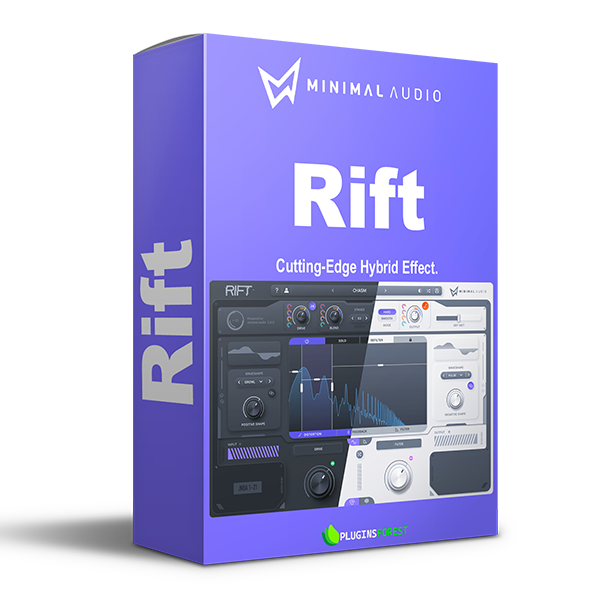
Welcome to Rift, a deeply creative multi-effect plugin. Loved by electronic music producers around the world for its fast workflow and refined sound.
Distortion
Multi-polar processing engine. Create massive distortion effects with 30 unique algorithms hand-tuned for a detailed sound with thoughtful gain staging.
Filter
Far beyond traditional distortion. Physical modeling feedback and advanced morphing filters make Rift much more than another multi-effect plugin.
Feedback
Tune absolutely everything. Intuitive pitch snapping, scale presets, and MIDI tracks blur the line between effect and instrument.
Multiband
Flexible multi-band effects. Send any combination of distortion, feedback, and filtering through the multi-band crossover to keep the effect exactly where you want.
& More
Dark mode. Now built for night owls. Switch between light and dark modes with the click of a button.
Powerful curve sequencing. Effortlessly draw modulation shapes and assign them to any parameter. Save and load presets, randomize, edit, and undo.
Endless preset library. Get inspired by 400+ presets and intelligently randomize them into infinite variations.
Filter & Feedback Lite
Choose from 24 unique filers using Rift’s next-gen morphing filter or use melodic effects with unbounded creativity harnessing Rift’s feedback module.
Hear what the artists have to say:
Motion
Rift Expansion Pack
30 High-Energy Grooves
30 Lush Textural Movements
30 Tuned Melodic Sequences
30 Futuristic Rhythms
30 Curve Shapes
Compatibility checklist
Confirm the supplied build, operating system and required host before ordering.
Complete your purchaseReview compatibility and purchase details.
Download your filesAccess available downloads through your order and account.
Follow the included setup guideContact GetPlugins if you need installation help.
Activation, where included, is provided by GetPlugins. Publisher-account registration, transferable publisher keys and a publisher-issued licence are not included. Read the activation policy.
Frequently asked questions
How do I receive my download?
After payment, access available files from your order details and GetPlugins account. Contact support if a download is missing.
What activation is included?
Follow the activation instructions supplied with your download. Activation is provided by GetPlugins. Confirm device allowances and reinstall arrangements before ordering.
Will this work with my computer and DAW?
Check the compatibility information for this listing and ask us to confirm the exact supplied build. Libraries may require a compatible sampler or additional software.
What if I need installation help?
Email support@getplugins.io with your order number, operating system, DAW and any error message.
Which updates are included?
Activation and updates are separate. Confirm the available version and update arrangements before ordering; do not assume access to future publisher releases.
How do I request a refund?
Contact support with your order number and issue details. Read our Refund Policy for eligibility and the request process.
Customer Reviews
Reviews
There are no reviews yet.
Be the first to review “Minimal Audio – Rift (Windows)” Cancel reply







Reviews
There are no reviews yet.