

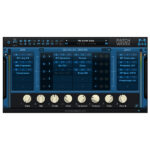

Discover Synchro Arts – Revoice Pro 4 (Windows)
Vocal and instrumental double tracks: Tighten the timing, pitch, and vibrato of “stacked” tracks while keeping them natural-sounding.
Audio File Format: As supported by the host editor
Works with all Pro Tools hardware
Studio One Professional 3.0 to 5.1.2.62686
Explore product features & full description
MICROSOFT WINDOWS

- Windows 10
- Audio File Format: As supported by the host editor
- Works with all Pro Tools hardware
Compatible DAWs include
- Studio One Professional 3.0 to 5.1.2.62686
- FL Studio 12
- Cubase Pro 6.0 to 11.0.10
- Reaper 5.35 to 6.19
- Nuendo 4.3 to 11.0.40
- SONAR PROFESSIONAL X3 to 2017.2
Applications for the APT process include:
Vocal and instrumental double tracks: Tighten the timing, pitch, and vibrato of “stacked” tracks while keeping them natural-sounding.
Dialog replacement: Lip-sync dialogue (ADR) and vocals by the same or different performers, even when there are noisy guide tracks.
Transfer a performance: Change the inflection in dialog (ADR, voice-overs, etc.) with the desired pattern changes provided by recording the director or dialog editor's voices.
Fix corrupted live vocal recordings: Replace and sync problematic vocals with clean retakes.
Compatibility checklist
- Confirm the supplied build, operating system and required host before ordering.
Requirements vary by supplied version. Confirm your setup with support before purchasing.
Delivery & activation
- Complete your purchaseReview compatibility and purchase details.
- Download your filesAccess available downloads through your order and account.
- Follow the included setup guideContact GetPlugins if you need installation help.
Activation, where included, is provided by GetPlugins. Publisher-account registration, transferable publisher keys and a publisher-issued licence are not included. Read the activation policy.
Frequently asked questions
How do I receive my download?
After payment, access available files from your order details and GetPlugins account. Contact support if a download is missing.
What activation is included?
Follow the activation instructions supplied with your download. Activation is provided by GetPlugins. Confirm device allowances and reinstall arrangements before ordering.
Will this work with my computer and DAW?
Check the compatibility information for this listing and ask us to confirm the exact supplied build. Libraries may require a compatible sampler or additional software.
What if I need installation help?
Email support@getplugins.io with your order number, operating system, DAW and any error message.
Which updates are included?
Activation and updates are separate. Confirm the available version and update arrangements before ordering; do not assume access to future publisher releases.
How do I request a refund?
Contact support with your order number and issue details. Read our Refund Policy for eligibility and the request process.







Reviews
There are no reviews yet.