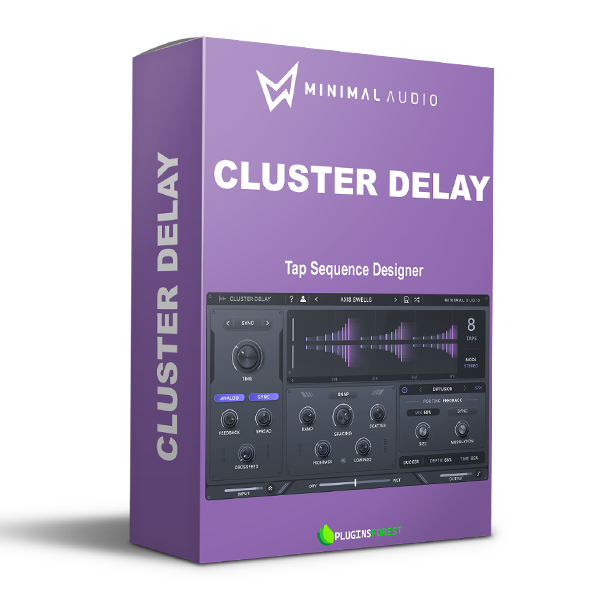
Minimal Audio – Cluster Delay (Windows)

Explore Minimal Audio – Cluster Delay (Windows) for your music production setup.
Formats: VST3 · VST

£20.00

Out of stock

Discover Minimal Audio – Cluster Delay (Windows)

Explore Minimal Audio – Cluster Delay (Windows) for your music production setup.

Explore product features & full description

Introducing Cluster Delay, a delay plugin with a personality. Create unique musical effects that blend seamlessly into your tracks.

Sequence

Complex delays, effortless control. Cluster Delay's easy-to-use interface allows you to ramp, space, and scatter up to eight processed delay taps in time.

Space

Lush spaces and echo soundscapes. Explore ambiance and transform any dry sound into expansive spaces. Use integrated diffusion and modulation to create reverb-type effects.

Effect

Six integrated FX and more. Create nuanced and unique sounding delays with six routable effects. Keep your mix clean with built-in ducking, filters, and mid-side control.

Diverse preset library. Choose from 100 versatile presets ranging from retro tape delays to modern soundscapes.

Feature Overview

Compatibility checklist

  • Confirm the supplied build, operating system and required host before ordering.
  • Formats: VST3 · VST

Requirements vary by supplied version. Confirm your setup with support before purchasing.

Delivery & activation

  1. Complete your purchaseReview compatibility and purchase details.
  2. Download your filesAccess available downloads through your order and account.
  3. Follow the included setup guideContact GetPlugins if you need installation help.

Activation, where included, is provided by GetPlugins. Publisher-account registration, transferable publisher keys and a publisher-issued licence are not included. Read the activation policy.

Frequently asked questions

How do I receive my download?

After payment, access available files from your order details and GetPlugins account. Contact support if a download is missing.

What activation is included?

Follow the activation instructions supplied with your download. Activation is provided by GetPlugins. Confirm device allowances and reinstall arrangements before ordering.

Will this work with my computer and DAW?

Check the compatibility information for this listing and ask us to confirm the exact supplied build. Libraries may require a compatible sampler or additional software.

What if I need installation help?

Email support@getplugins.io with your order number, operating system, DAW and any error message.

Which updates are included?

Activation and updates are separate. Confirm the available version and update arrangements before ordering; do not assume access to future publisher releases.

How do I request a refund?

Contact support with your order number and issue details. Read our Refund Policy for eligibility and the request process.

Customer Reviews

Reviews

There are no reviews yet.

Be the first to review “Minimal Audio – Cluster Delay (Windows)”

Your email address will not be published. Required fields are marked *