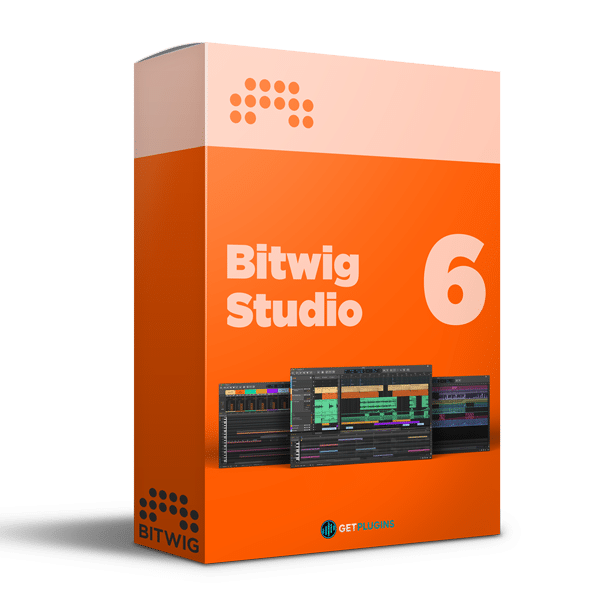
Bitwig Studio 6.1 With Factory Content
Bitwig Studio 6.1 – Advanced Music Production, Creative Sound Design & Professional Audio Editing
Bitwig Studio 6.1 is a powerful digital audio workstation (DAW) designed for music producers, composers, electronic musicians, recording artists, and sound designers. Combining advanced audio and MIDI editing, flexible arrangement tools, creative modulation, and an innovative sound design environment, Bitwig Studio provides a comprehensive platform for modern music production.
With its versatile workflow and extensive creative capabilities, Bitwig Studio enables users to compose music, record audio, program MIDI sequences, design unique sounds, automate parameters, and develop complete productions within one integrated workspace.
The included Factory Content provides a collection of built-in sounds and production resources to help you explore musical ideas and begin creating without relying entirely on external content.
ADVANCED AUTOMATION & CREATIVE CONTROL
Bitwig Studio 6 introduces an enhanced automation workflow designed to make parameter control, arrangement editing, and creative transitions more intuitive. Its automation tools help producers shape dynamic changes across instruments, effects, and entire musical arrangements.
Key automation capabilities include:
- Automation Clips for organizing and editing parameter movements.
- Flexible automation curves for precise control over sound and effects.
- Improved automation editing and gesture-based interactions.
- Track overlays for convenient automation visualization.
- Quick access to recently used parameters.
- A Detail Editor Panel for focused editing tasks.
These features are especially useful for creating evolving synthesizer sounds, filter sweeps, volume changes, effect transitions, and detailed mix automation.
INTUITIVE INTERFACE & WORKFLOW IMPROVEMENTS
Bitwig Studio provides a flexible interface designed to keep essential editing tools accessible throughout the production process. Its updated editing environment helps musicians work efficiently across audio, MIDI, and automation tasks.
Interface highlights include:
- Convenient editing tool palette.
- Customizable grid settings for individual editors.
- Dynamic track headers that adapt to available workspace.
- Improved screen-space management.
- Responsive track resizing.
- Streamlined access to important editing controls.
These workflow enhancements help maintain an organized workspace, particularly when working on complex arrangements with numerous tracks and layered instruments.
ARRANGER AUTO-ZOOM & TRACK NAVIGATION
The Auto-Zoom feature helps focus on the selected track in the Arranger, making detailed editing easier while retaining an overview of the wider project.
This approach is beneficial when working with large sessions, layered arrangements, and intricate musical compositions.
Use the improved navigation workflow for:
- Multitrack music production.
- Detailed audio editing.
- MIDI arrangement and sequencing.
- Automation adjustments.
- Complex instrumental layers.
- Large-scale compositions and sound design projects.
AUDITION TOOL FOR FASTER EDITING
The Audition tool helps you preview tracks and clips directly within your project, making it easier to evaluate musical sections and audio material during editing.
Whether you are comparing recordings, reviewing sample-based arrangements, or refining individual clips, auditioning supports a more focused workflow with fewer interruptions.
STEP INPUT FOR MIDI COMPOSITION
Bitwig Studio includes a Step Input tool that supports precise MIDI note entry for melodies, chords, rhythmic patterns, and musical sequences.
This workflow is particularly useful for producers who prefer entering notes individually rather than recording every performance in real time.
Step Input is useful for:
- Melody and bassline programming.
- Chord progressions and harmonies.
- Piano roll composition.
- Rhythmic sequencing.
- Synthesizer arrangements.
- Detailed MIDI editing.
Combined with Bitwig Studio's instrument and modulation capabilities, MIDI editing provides a flexible foundation for creating both straightforward musical ideas and intricate electronic arrangements.
POWERFUL SOUND DESIGN & MODULATION
Bitwig Studio is well suited to experimental sound design and electronic music production. Its creative environment supports the development of evolving textures, rhythmic effects, synthesized instruments, and unconventional sonic elements.
Producers can combine instruments, audio effects, modulation, and automation to create distinctive sounds for modern productions.
Explore creative possibilities such as:
- Synthesizer programming and sound shaping.
- Atmospheric pads and evolving textures.
- Rhythmic modulation and movement.
- Experimental effects processing.
- Cinematic soundscapes.
- Dynamic transitions and risers.
- Custom instrument and effect chains.
A COMPLETE ENVIRONMENT FOR MODERN MUSIC PRODUCTION
Bitwig Studio brings essential composition, recording, editing, arrangement, and sound design workflows together in one application.
It supports a broad range of production styles, including:
- EDM, House & Techno
- Hip-Hop & Trap
- Pop & Electronic Music
- Ambient & Experimental Music
- Cinematic & Trailer Composition
- Film Scoring & Sound Design
- Audio Recording & Editing
- MIDI Composition & Sequencing
- Live Electronic Performance
Whether you are producing a beat, composing a soundtrack, recording musical performances, or designing complex electronic textures, Bitwig Studio provides a flexible environment for turning creative ideas into finished productions.
BITWIG STUDIO 6.1 WITH FACTORY CONTENT – KEY HIGHLIGHTS
- Advanced digital audio workstation for modern music creation.
- Audio recording, editing, and arrangement capabilities.
- MIDI composition and step-based note entry.
- Creative automation and parameter control.
- Flexible editing tools and track navigation.
- Instruments, effects, and sound design workflows.
- Included Factory Content for exploring musical ideas.
- Suitable for producers, composers, musicians, and sound designers.
WHY CHOOSE BITWIG STUDIO 6.1?
Bitwig Studio 6.1 combines a flexible production workflow with powerful editing and creative sound design tools. Its integrated approach makes it suitable for musicians who want to compose, arrange, record, automate, and experiment within a single DAW.
From initial sketches to detailed productions, Bitwig Studio offers a versatile workspace for developing musical ideas and creating original sounds.
Official Website: https://www.bitwig.com/
Explore More: DAW Software


Reviews
There are no reviews yet.