

Discover Zynaptiq – Unveil (Windows)
Unmask the true clarity of your audio with Zynaptiq UNVEIL, the ultimate reverb removal and enhancement plugin powered by cutting-edge AI-driven MAP technology. Whether you’re mixing music, editing dialogue, restoring archival audio, or designing cinematic soundscapes, UNVEIL puts real-time control over reverb and spatial detail directly in your hands — even from mono or stereo…
Explore product features & full description
🎧 Zynaptiq UNVEIL (Windows)
Unmask the true clarity of your audio with Zynaptiq UNVEIL, the ultimate reverb removal and enhancement plugin powered by cutting-edge AI-driven MAP technology. Whether you’re mixing music, editing dialogue, restoring archival audio, or designing cinematic soundscapes, UNVEIL puts real-time control over reverb and spatial detail directly in your hands — even from mono or stereo files. 🌀✨

⚙️ Standout Features:
🧠 Smart AI Reverb Detection – Distinguish between key audio and reverb like a human ear
🚀 Real-Time Performance – Tweak while you listen, no delays or bouncing required
🌫️ Remove the “Mud” – Eliminate sonic clutter and bring clarity to your mix
🌊 Add Lush Reverb – Need more space? Dial it in with natural, smooth results
🎤 Dialogue Enhancement – Clean up room tone, reflections, and location noise
📡 Mono to Multichannel – Works on mono, stereo, and immersive formats
🧼 Focus Your Mix – Make vocals, leads, or FX stand out without EQ tricks
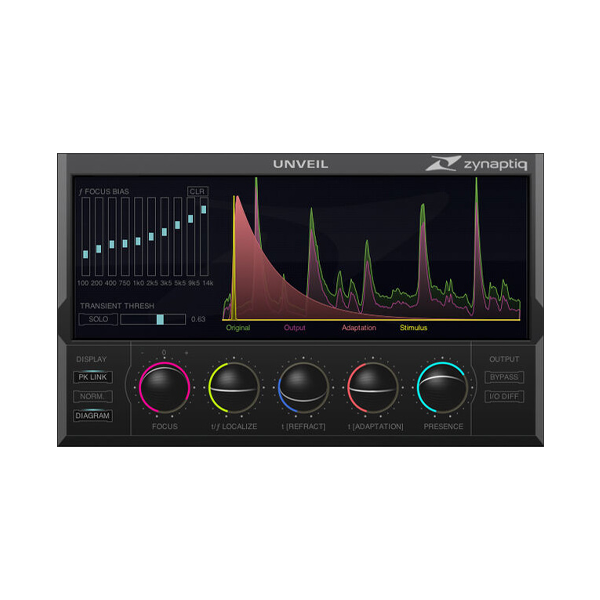
🎛️ Sleek & Streamlined Interface – Professional control with zero confusion
🔍 Why UNVEIL is a Game-Changer:
Unlike conventional tools that rely on outdated reverb suppression methods, UNVEIL uses psychoacoustic modeling to intelligently identify and separate reverberant elements from your main signal. It doesn't just treat the sound — it understands it. 💡🔬
🎧 Turn roomy audio into clean, close-miked perfection
🎙️ Push instruments forward or set them deeper in the mix
🎚️ Tighten up final masters with surgical precision
🎞️ Fix bad room recordings for broadcast, film, and VO
🎯 Ideal For:
🎬 Post-Production Pros – Clean up dialogue, match ambiances
🎙️ Podcasters & VO Artists – Remove room reflections & noise
🎶 Producers & Mix Engineers – Tighten drums, vocals, and instruments
🔍 Audio Restoration Specialists – Recover lost intelligibility in old recordings
🌌 Sound Designers – Play with spatial depth creatively
🧪 Creative & Technical Power Combined:
🔇 Remove Reverb: Instantly clear muddy room sound and reflections
🔊 Add Reverb: Match ambiance or bring life to dry recordings
🎯 Unveil Details: Boost intelligibility and definition across the mix
🧼 Tame the Mud: Strip away low-priority audio that masks your brilliance
✅ Why Zynaptiq UNVEIL?
✔️ World-Class AI Audio Technology – Trusted by top engineers
✔️ All Formats Supported – From mono clips to surround mixes
✔️ Intuitive Design – Get pro results without a steep learning curve
✔️ Creative Freedom – Shape space & depth with total control
✔️ No Artifacts, No Guesswork – Just pristine, polished audio
Compatibility checklist
- Windows 10,11 (64-bit Only)
- VST,VST3
- Formats: VST3 · VST
Requirements vary by supplied version. Confirm your setup with support before purchasing.
Delivery & activation
- Complete your purchaseReview compatibility and purchase details.
- Download your filesAccess available downloads through your order and account.
- Follow the included setup guideContact GetPlugins if you need installation help.
Activation, where included, is provided by GetPlugins. Publisher-account registration, transferable publisher keys and a publisher-issued licence are not included. Read the activation policy.
Frequently asked questions
How do I receive my download?
After payment, access available files from your order details and GetPlugins account. Contact support if a download is missing.
What activation is included?
Follow the activation instructions supplied with your download. Activation is provided by GetPlugins. Confirm device allowances and reinstall arrangements before ordering.
Will this work with my computer and DAW?
Check the compatibility information for this listing and ask us to confirm the exact supplied build. Libraries may require a compatible sampler or additional software.
What if I need installation help?
Email support@getplugins.io with your order number, operating system, DAW and any error message.
Which updates are included?
Activation and updates are separate. Confirm the available version and update arrangements before ordering; do not assume access to future publisher releases.
How do I request a refund?
Contact support with your order number and issue details. Read our Refund Policy for eligibility and the request process.







Reviews
There are no reviews yet.