InstaComposer
New Generation
Sometimes inspiration comes at you thick and fast... but sometimes not. Instacomposer is your savior when creativity runs dry, or when you just need your talent topped up. This MIDI generation plugin can conjure melody, rhythm, bass, pads, and chords at the click of a button - all using artificial intelligence to create genuinely useful musical riffs. This is the next step in automatic composition, using a complex algorithm to determine notes, harmonies, and chords based on your personal preferences. With this much-composing power at your fingertips, you’ll never be stuck in a musical rut again.
Artificial Intelligence
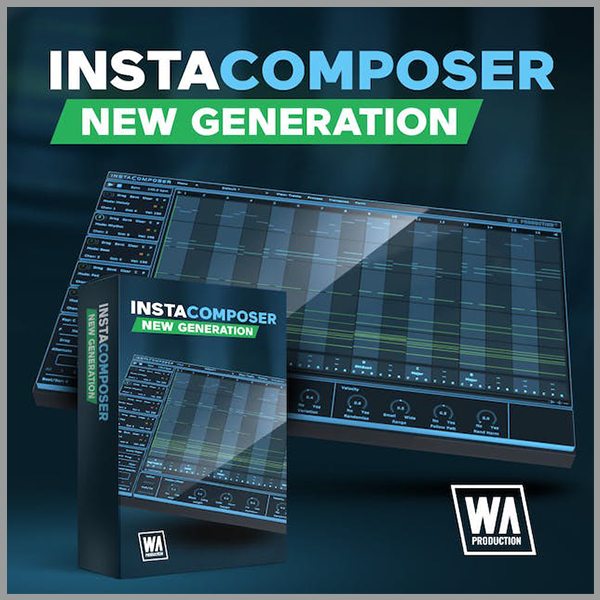
The backbone of Instacomposer is a behind-the-scenes decision-making matrix that creates notes based on both mathematics and musical knowledge. Plus, the artificial intelligence factors in a whole host of parameters that you can set in the bottom panel, from repetition probability to the complexity of chord shapes. Harmonic variations, strumming techniques, and note density are just some of the myriad of options that can be adjusted, feeding the algorithm your own personal set of preferences.
Total Flexibility
Instacomposer is as unique as you are, taking into account your chosen scale, time signature, and riff length. Choose to create new sequences for one, some or all of the 5 tracks, and in any combination of melody, rhythm, bass, pad, and chord.
MIDI Editor
The onboard MIDI editor can be used to tweak the output of Instacomposer within the interface itself. This means that you can manipulate the music before it leaves the plugin, adding your own creativity and personal style on top of what the plugin has offered you. Move, copy, and delete notes within a familiar piano-roll interface, even changing the velocity.
MIDI Export
Drag the MIDI tracks straight out of Instacomposer and into your DAW for ultimate ease of use. Alternatively, set up multi-channel instruments and route the MIDI from Instacomposer into your favorite VSTis. In this way, you can preview all 5 tracks simultaneously, without ever leaving the Instacomposer environment.
Presets
Instacomposer includes a huge number of factory presets; and useful musical motifs to get you up and running quickly which can eventually become the basis for whole tracks.
W. A. Production are real-life producers making creative plugins to help you achieve studio quality processing quickly and easily. Enjoy!
Features
- Intelligent MIDI Generation plugin
- Create Melodies, Phrases, Riffs, Chords & more
- Infinite ideas at the click of a button
- Generate 5 tracks simultaneously
- Multi-track and Multi-channel routing
- Automatic harmonies and chord progression generation
- Comprehensive MIDI editing
- MIDI drag and drop
- Multiple time signatures
- Many controls for Probability, Complexity & Variation
- Factory Presets
- Full PDF Manual & Tutorial video










Reviews
There are no reviews yet.