

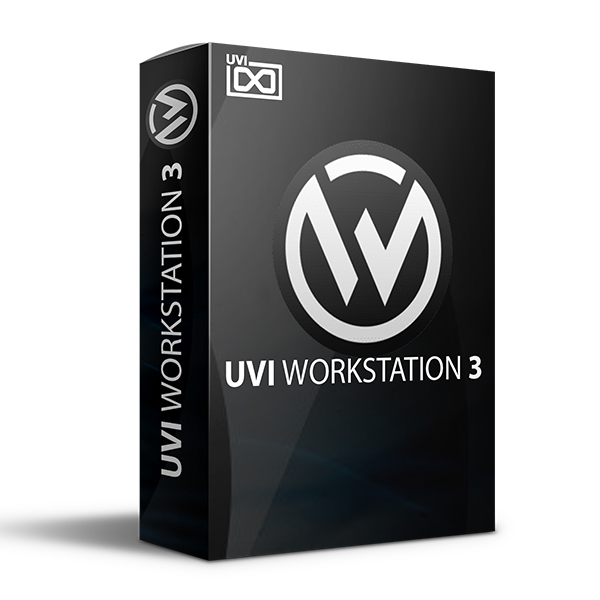
Discover UVI Workstation 3 (Windows)
This product is a powerful and convenient instrument, offering a huge number of different libraries and excellent performance, making it a useful tool for music production and sound design.
Excellent and convenient instrument
Huge number of different libraries
Same emulator as in the cured Falcon (UVIEMU v1.0.8 or UVIEMU v1.0.9)
Explore product features & full description
This product is a powerful and convenient instrument, offering a huge number of different libraries and excellent performance, making it a useful tool for music production and sound design.
Overview of UVI Workstation
Cured player from UVI is an excellent and very convenient instrument, and a huge number of different libraries will immerse you in a new musical world. It uses the same emulator as in the cured Falcon (UVIEMU v1.0.8 or UVIEMU v1.0.9) If you already have it installed, then you don’t need to install it again – just run Setup UVI Workstation v3.1.12.exe
Features of UVI Workstation
-
Excellent and convenient instrument
-
Huge number of different libraries
-
Same emulator as in the cured Falcon (UVIEMU v1.0.8 or UVIEMU v1.0.9)
-
Support for EDEN-encrypted SoundBank by emulation
-
Legit SoundBank owners can generate R2RUVI with the emulator
-
Use all UVISoundBank and Falcon Expansion
-
Share SoundBanks
-
Better performance than legit
-
No iLok driver is required to run
-
Custom directory for UVI libraries
-
Rescaling UVI Workstation GUI
WHAT'S NEW IN V3
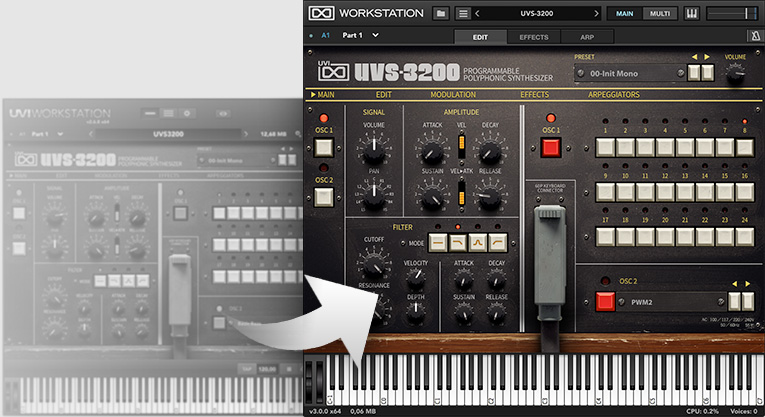
- Favorites tagging option to recall presets
- User-interface scaling to adapt to all screens
IN-DEPTH
Sound Gateway
Compatibility checklist
- Windows 10,11 (64Bit Only)
- VST, VST3, AAX and Standalone
- Formats: VST3 · AAX · Standalone · VST
Requirements vary by supplied version. Confirm your setup with support before purchasing.
Delivery & activation
- Complete your purchaseReview compatibility and purchase details.
- Download your filesAccess available downloads through your order and account.
- Follow the included setup guideContact GetPlugins if you need installation help.
Activation, where included, is provided by GetPlugins. Publisher-account registration, transferable publisher keys and a publisher-issued licence are not included. Read the activation policy.
Frequently asked questions
How do I receive my download?
After payment, access available files from your order details and GetPlugins account. Contact support if a download is missing.
What activation is included?
Follow the activation instructions supplied with your download. Activation is provided by GetPlugins. Confirm device allowances and reinstall arrangements before ordering.
Will this work with my computer and DAW?
Check the compatibility information for this listing and ask us to confirm the exact supplied build. Libraries may require a compatible sampler or additional software.
What if I need installation help?
Email support@getplugins.io with your order number, operating system, DAW and any error message.
Which updates are included?
Activation and updates are separate. Confirm the available version and update arrangements before ordering; do not assume access to future publisher releases.
How do I request a refund?
Contact support with your order number and issue details. Read our Refund Policy for eligibility and the request process.

Reviews
There are no reviews yet.