This product is a powerful hybrid synthesizer, offering a vast collection of cutting-edge tools in an open, scalable, semi-modular environment, making it a useful tool for music production and sound design.
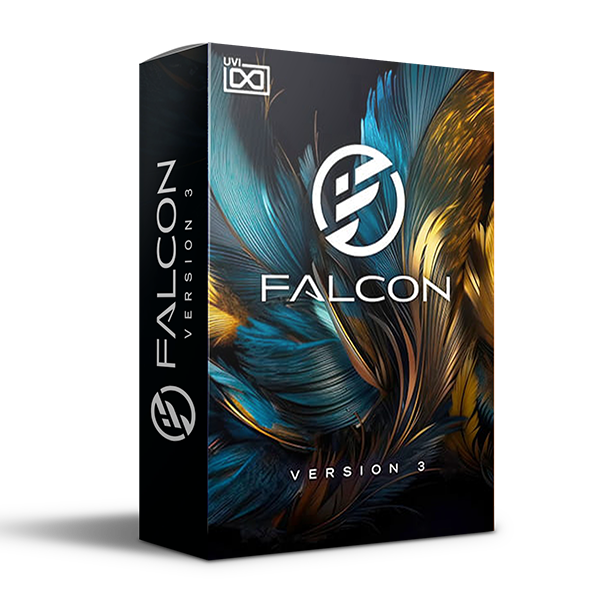
Falcon gives you everything you need to create the sound of your dreams, offering a vast collection of cutting-edge tools in an open, semi-modular environment.
Falcon 3 is a powerful tool for seasoned professionals and newbies alike, and can be easily adapted to suit a variety of needs. Whether you’re looking for inspiring sounds for a new song or diving deep into creative sound design, Falcon can be as nimble or calculated as the task demands.
Explore sound with precision and finesse, from basic sample slicing and synth design to modulated multi-timbral hybrids, create incredible layered synths, expressive MPE instruments, powerful drums, intricately sliced breaks, multi-channel surround sound, creative sound design, generative sequences, wild effects and more.
Creative Hybrid Instrument
- 20 oscillator types, 100+ effects, modulators, MIDI processing and scripting in a semi-modular environment
- Advanced sample engines with time-stretching, pitch bending, slicing and granular processing
- Deep synthesis capabilities including subtractive, FM, FM, wavetable, additive, physical modeling, formant and more
Unlimited Sound Sources
Falcon includes 20 oscillators providing a wide range of sample-based synthesis and sound generation, including virtual analog, wavetable, phase distortion, FM, additive, drum, noise, formant, plucked, harmonic resonators, bowed strings, samples, stretches, granular and more. Layer them, match them, modulate them, make them your own.
Powerful, inspiring effects
Over 100 high-quality effects are included, giving you numerous options for delay, reverb, modulation, filtering, EQ, amps, distortion, dynamics, analyzers and more. Effects can be instantiated throughout your patch, used in parallel and deeply modulated. UVI’s proprietary DSP delivers impeccable quality, from lush modulated reverbs to incredibly accurate physically modeled compressors and more.
Modulation
Add movement and dynamics to any part of your sound with envelopes, MSEGs, LFOs, drunk and random oscillators and more. Modulate your oscillators, your effects, even modulate your modulators! Remap and quantize them with Mappers or make it physical with extensive support for MIDI CC, OSC and host automation sources.
Events and scenarios
Manipulate incoming MIDI or generate it algorithmically using a wide range of included scripts to enhance, augment, and modulate your performances – then feed that data into the rest of your studio, all without needing to know how to program. And for those familiar with Lua, Falcon offers a powerful way to extend its functionality and create unique processors and instruments of your own design.
Workflow
Falcon’s interface is easily adapted to your needs: from exploring presets with a brand new browser to editing sounds, creating instruments, mixing multi-channel performances and much more. Features such as UI snapshots, program templates, an extensive implementation of presets and a tree structure make it much faster to implement your ideas.
What’s new in version 3.1
Redesigned Browser
Explore sounds faster with the updated Falcon Browser. The new interface offers a fast and intuitive experience with improved search functionality, favorites, tagging , and an optimized layout. Browsing in Falcon has never been easier.
Audio Previews
Listen to presets before loading them with Falcon’s new audio previews. Every preset in the entire UVI catalog now has an audio preview, allowing you to quickly find the sound you need without interrupting your workflow.
Preset Tags
Streamline your searches by tagging the entire UVI catalog. Over 50,000 presets have been carefully tagged, making it easier than ever to find the sounds you need.
https://youtu.be/Oxyt1qt5Lyk

Reviews
There are no reviews yet.