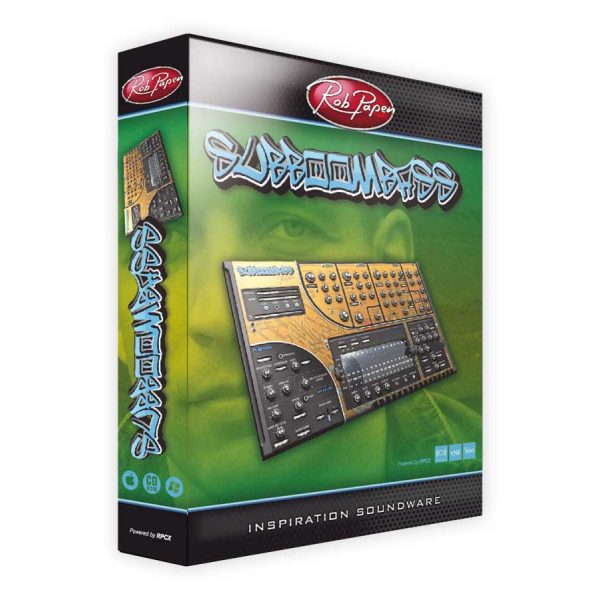
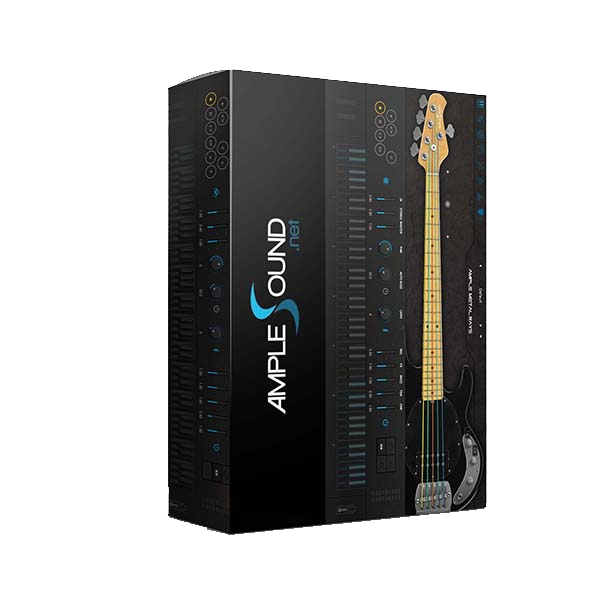
Rob Papen – SubBoomBass 2 virtual synthesizer (Windows)

SubBoomBass-2 is the successor of the legendary SubBoomBass! Its GUI (graphical user interface) has received a makeover for…
Formats: VST3 · AAX · VST

£15.00

Discover Rob Papen – SubBoomBass 2 virtual synthesizer (Windows)

SubBoomBass-2 is the successor of the legendary SubBoomBass! Its GUI (graphical user interface) has received a makeover for more comfortable control of all features. SubBoomBass-2 still has its analog-modeled waveforms on board, but the sound color has been expanded with new spectrum waveforms, creative ‘think out of the box’ high-quality samples, and introducing a Karplus-Strong…

6 Voice virtual Analog / Hybrid Synthesizer with included Sequencer

GUI size 100%, 125%, 150%, and 200%

Different tunings are possible using .tun files

Explore product features & full description

SubBoomBass-2 is the successor of the legendary SubBoomBass!
Its GUI (graphical user interface) has received a makeover for more comfortable control of all features.
SubBoomBass-2 still has its analog-modeled waveforms on board, but the sound color has been expanded with new spectrum waveforms, creative ‘think out of the box’ high-quality samples, and introducing a Karplus-Strong string synthesis!

You will understand that these new features generate fresh and unheard-of sounds!
But there is more… An X/Y screen, a new pattern mode for running 4 sequences, and just like in Predator-2 it has the easy-to-use Bank Manager with star feature so that you can quickly find and go to your favorite sounds straight away.

And yes, all the original SubBoomBass presets are on board! This instrument is excellent for any style of contemporary music… any music style including
video game music, film scores, and anywhere you need a great bass and fresh sound!

FEATURES

 General

  • 6 Voice virtual Analog / Hybrid Synthesizer with included Sequencer
  • GUI size 100%, 125%, 150%, and 200%
  • Different tunings are possible using .tun files
  • Responds to MIDI Program change and MIDI Bank Select
  • MIDI MPE mode available
  • Over 2250 presets

Top GUI Section:

  • Presets
    SubBoomBass-2 uses a Preset/Bank menu to select and manage Presets.
    You may store up to 256 Presets, but the amount of factory Presets do not exceed 128 due to the MIDI program change limit.
    The menu features: Quick Browser / Recently Browsed / Favourites / Default Preset/ Convert Blade 1 Bank or Preset / 100/125/150/200 Screen Size
  • Banks
    SubBoomBass-2 uses a Bank menu to select and manage bank Folders. The menu features: Create New Bank Folder
  • Edit / Orig
    As soon as you start editing a Preset the Edit button will light up. If you click on the Orig button it will return the Preset to its original settings.
  • ECS (External MIDI Control)
    The ECS button allows you to load and save the entire external MIDI controller setup. Once set, it is shared by all Presets and all instances of Blade-2 that are loaded into your DAW.
    The menu options are: Load ECS / Save ECS / Clear MIDI
  • Help
    Opens up SubBoomBass-2’s PDF Manual.
  • Easy
    It opens SubBoomBass-2’s, Easy Page.
  • Bank Manager
    It opens SubBoomBass-2’s Bank Manager screen.
  • SubBoomBass-2 Logo
    Clicking on the Blade-2 logo takes you to the Back Panel. The Back Panel shows global settings and infrequently accessed controls.
  • Control Menu (3 lines ICON at the right-hand side)
    Clicking on the Control Menu icon will pop up the Control Menu, where you can set the screen size, set how SubBoomBass-2 reacts to MIDI, and, other options.

Compatibility checklist

  • Confirm the supplied build, operating system and required host before ordering.
  • Formats: VST3 · AAX · VST

Requirements vary by supplied version. Confirm your setup with support before purchasing.

Delivery & activation

  1. Complete your purchaseReview compatibility and purchase details.
  2. Download your filesAccess available downloads through your order and account.
  3. Follow the included setup guideContact GetPlugins if you need installation help.

Activation, where included, is provided by GetPlugins. Publisher-account registration, transferable publisher keys and a publisher-issued licence are not included. Read the activation policy.

Frequently asked questions

How do I receive my download?

After payment, access available files from your order details and GetPlugins account. Contact support if a download is missing.

What activation is included?

Follow the activation instructions supplied with your download. Activation is provided by GetPlugins. Confirm device allowances and reinstall arrangements before ordering.

Will this work with my computer and DAW?

Check the compatibility information for this listing and ask us to confirm the exact supplied build. Libraries may require a compatible sampler or additional software.

What if I need installation help?

Email support@getplugins.io with your order number, operating system, DAW and any error message.

Which updates are included?

Activation and updates are separate. Confirm the available version and update arrangements before ordering; do not assume access to future publisher releases.

How do I request a refund?

Contact support with your order number and issue details. Read our Refund Policy for eligibility and the request process.

Customer Reviews

Reviews

There are no reviews yet.

Be the first to review “Rob Papen – SubBoomBass 2 virtual synthesizer (Windows)”

Your email address will not be published. Required fields are marked *