TAL-U-NO-LX V2 – Classic Juno-Style Analog Synthesizer Plugin
Experience the Legendary Analog Sound
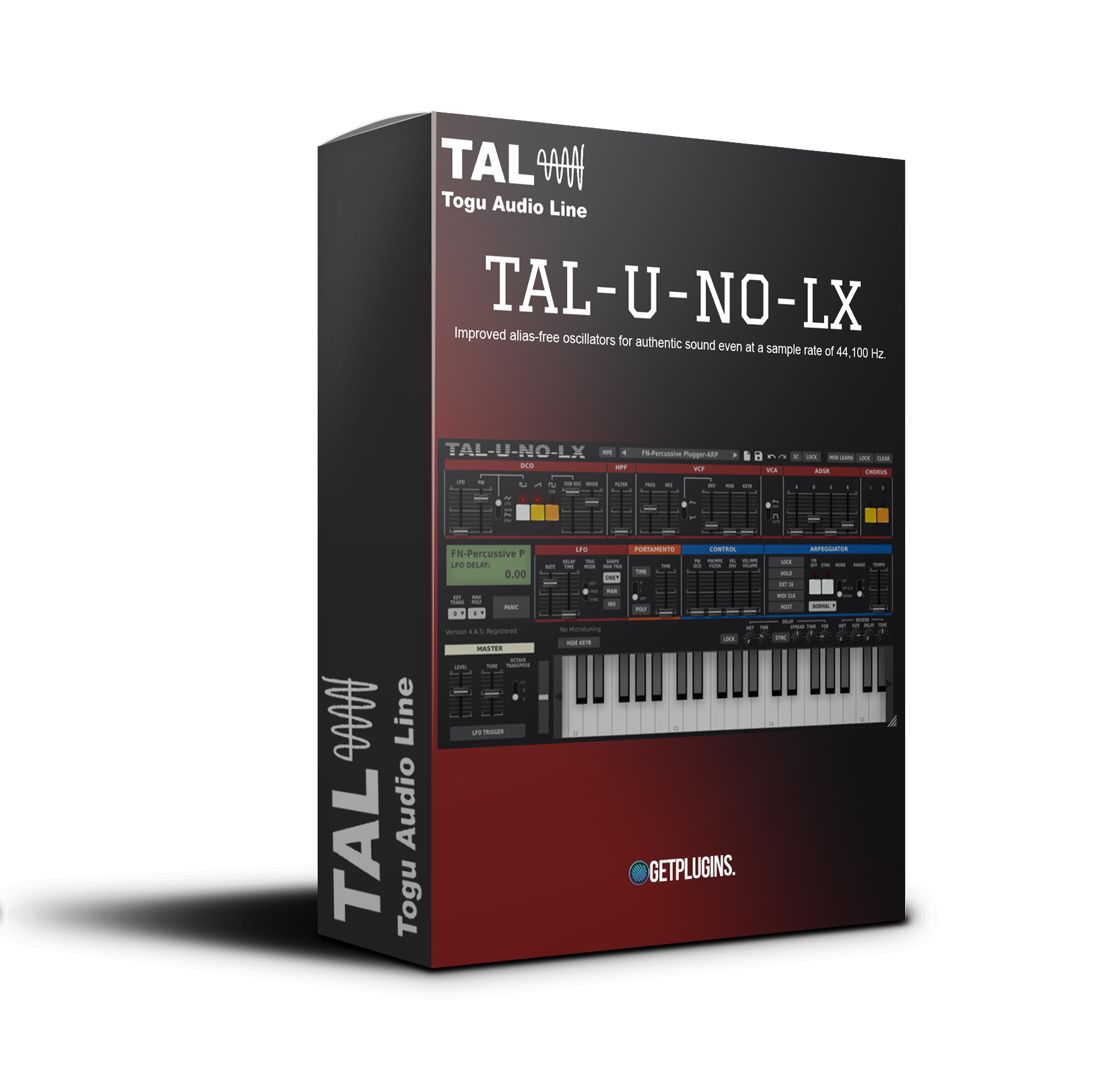
TAL-U-NO-LX V2 is a modern recreation of the iconic Juno-60 synthesizer, faithfully capturing its warm analog character while introducing a completely redesigned audio engine, improved interface, and modern production features. Carefully modeled from original hardware, this virtual instrument delivers lush pads, rich basses, bright leads, classic plucks, and vintage synth textures with exceptional authenticity.
Designed for producers, composers, and sound designers, TAL-U-NO-LX V2 combines the unmistakable sound of classic analog synthesis with the flexibility and convenience of modern software.
Authentic Analog Modeling
At the heart of TAL-U-NO-LX V2 is a newly developed synthesis engine featuring improved alias-free oscillators and a self-oscillating zero-feedback delay filter. Every parameter has been carefully calibrated using an original TAL hardware unit, ensuring the plugin delivers the same warmth, depth, and musical response as the legendary Juno-60.
The 24 dB low-pass filter offers smooth resonance, rich harmonic movement, and authentic analog behavior, making it ideal for everything from silky pads to punchy basslines.
Powerful Performance Features
TAL-U-NO-LX V2 includes several modern enhancements while preserving the classic workflow of the original synthesizer.
Key Features
- Completely redesigned synthesis engine
- Authentic Juno-60 analog emulation
- Self-oscillating 24 dB zero-feedback delay low-pass filter
- Improved alias-free oscillators
- Up to 12-voice polyphony
- Portamento and mono modes
- Multiple LFO waveforms
- Manual LFO trigger
- Sustain pedal support
- MPE compatibility (±48 semitones)
- Microtuning support (TUN & MTS files)
- Full MIDI Learn and automation
- Modern preset browser
Built-In Arpeggiator
Create inspiring rhythmic sequences with the integrated arpeggiator featuring multiple synchronization options.
- Host Sync
- MIDI Clock Sync
- Free Running Mode
- Hold Function
Perfect for electronic music, synthwave, pop, house, techno, cinematic scoring, and ambient production.
Extensive Preset Library
TAL-U-NO-LX V2 includes more than 300 professionally designed factory presets created by leading sound designers, along with the original Juno Factory Bank A, allowing users to instantly access classic analog sounds or use them as starting points for custom patches.
Perfect For
- Synthwave
- EDM
- House
- Techno
- Pop
- Ambient
- Film Scoring
- Lo-Fi
- Retro Music Production
- Sound Design
Why Choose TAL-U-NO-LX V2?
TAL-U-NO-LX V2 faithfully recreates the timeless sound of the Juno-60 while adding modern workflow improvements such as MPE support, expanded polyphony, advanced preset management, and microtuning compatibility. It delivers classic analog warmth, lush choruses, and expressive synth tones, making it an essential instrument for producers seeking authentic vintage sounds in a modern production environment.




Reviews
There are no reviews yet.