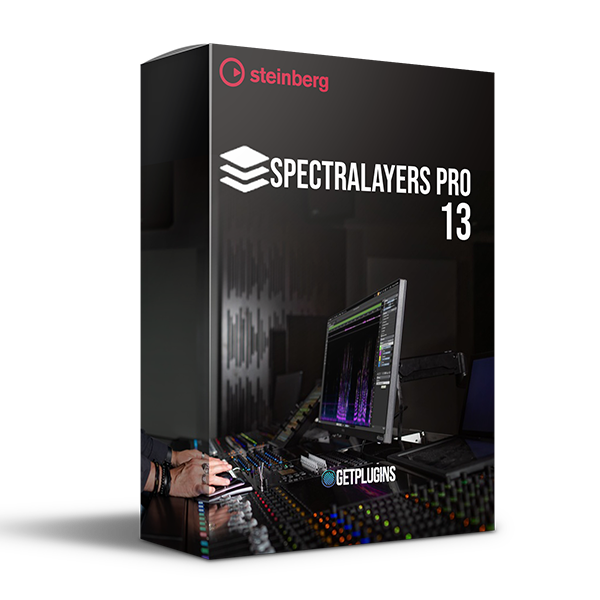
Steinberg – SpectraLayers Pro 13 v13.0.10
Advanced AI Spectral Audio Editing, Restoration & Sound Design
Steinberg SpectraLayers Pro 13 is a professional spectral audio editor designed for detailed sound editing, audio restoration, music production, sound design, and post-production. Combining advanced spectral editing with AI-powered processing, SpectraLayers Pro provides powerful tools for separating, repairing, transforming, and restoring complex audio recordings.
With intelligent Unmix technology, advanced voice restoration, improved noise reduction, and precise spectral editing tools, SpectraLayers Pro 13 gives audio professionals detailed control over individual elements within a recording.
AI-Powered Audio Separation
SpectraLayers Pro 13 introduces powerful tools for separating individual elements from complex recordings.
Unmix Chorus
Separate lead vocals from backing vocals for greater control over vocal arrangements and live recordings.
Unmix Crowd Noise
Separate crowd noise from live performances, opening up new possibilities for cleaning and remixing concert recordings.
Improved Unmix Song
Automatically separate up to seven individual instruments from a song or mix.
Useful for:
- Stems
- Drums
- Vocals
- Instrument separation
- Remixing
- Music restoration
AI Voice Restoration
Restore damaged and problematic speech recordings with AI-powered processing.
Voice DeClip
Recover clipped speech recordings using an AI algorithm trained on thousands of clipped and unclipped recordings.
Enhanced Voice DeNoise
Reduce excessive noise while preserving the character and intelligibility of voice recordings.
Perfect for:
- Dialogue restoration
- Interviews
- Podcasts
- Film audio
- Voice recordings
- Archival audio
Advanced Spectral Editing
Work directly with the visual representation of your audio for extremely precise editing.
Tools include:
- Transfer Brush
- Transient Pencil
- Spectral editing
- Layer-based editing
- Transient reconstruction
- Audio restoration
- Detailed frequency manipulation
The Transfer Brush lets you move audio content between source and target layers in real time, while the Transient Pencil allows you to draw or reconstruct transients directly within the spectrogram.
Improved Layer Workflow
Manage complex spectral projects more efficiently.
Features include:
- Multiple layer selection
- Merge layers
- Duplicate layers
- Delete layers
- Group layers
- Drag layers into Cubase and Nuendo
- ARA workflow support
- Unlimited layers
Batch Processing
Speed up repetitive audio workflows with improved batch processing.
You can:
- Drag and drop files into the batch dialog
- Select export parameters
- Preview results
- View results as a mix
- View independent layers
- Process multiple files efficiently
Redesigned Interface
SpectraLayers Pro 13 features a redesigned graphical interface for a more streamlined editing experience.
Improvements include:
- New main screen
- Compact panel view
- Improved workflow
- Better layer management
- More efficient editing environment
Key Features
- AI-powered spectral audio editing
- Unmix Chorus
- Unmix Crowd Noise
- Improved Unmix Song
- Up to 7 instrument separation
- AI Voice DeClip
- Enhanced Voice DeNoise
- Transfer Brush
- Transient Pencil
- Advanced audio restoration
- Batch processing
- Unlimited layers
- ARA2 support
- AAX support
- Metadata editing
- Marker editing
- Cubase and Nuendo integration
Supported Formats
Import: AAC, AC3, AIFF, ALAC, AU, CAF, FLAC, MP3, OGG, Opus, RAW, WAV, WMA
Export: AAC, AC3, AIFF, CAF, FLAC, MP3, OGG, Opus, RAW, WAV
Maximum Sample Rate: 384 kHz
Maximum Channels: 8
Plugin Formats: ARA2, AAX
Maximum Layers: Unlimited
Perfect For
- Audio Engineers
- Music Producers
- Mixing Engineers
- Mastering Engineers
- Sound Designers
- Audio Restoration Specialists
- Film Editors
- Post-Production Engineers
- Podcast Producers
- Broadcast Professionals
Why Choose SpectraLayers Pro 13?
Steinberg SpectraLayers Pro 13 combines precise spectral editing with advanced AI-powered separation and restoration tools. Whether you're isolating instruments, repairing damaged recordings, removing unwanted noise, restoring clipped speech, or creating detailed sound-design elements, SpectraLayers Pro provides an exceptionally deep environment for professional audio manipulation.

Reviews
There are no reviews yet.