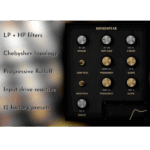
Soundspear – S1 (Windows)
£20.00
Discover Soundspear – S1 (Windows)
Transform your mix with Soundspear – S1, a versatile stereo imaging tool that intelligently widens or reshapes your audio based on signal energy. Designed for mixing and mastering, the S1 uses a VCA detection circuit to dynamically enhance stereo width while maintaining phase coherence, clarity, and punch. 🎧
Explore product features & full description
🎚️ Soundspear – S1 (Windows) | Intelligent Stereo Imaging Plugin ✨🎶
Transform your mix with Soundspear – S1, a versatile stereo imaging tool that intelligently widens or reshapes your audio based on signal energy. Designed for mixing and mastering, the S1 uses a VCA detection circuit to dynamically enhance stereo width while maintaining phase coherence, clarity, and punch. 🎧
With multiple stereo imaging algorithms — including Haas delay, Mid-Side gain adjustment, and SRS-style emulation — the S1 lets you sculpt your stereo field with precision, whether you want subtle widening or bold, immersive depth. 🚀
🔑 Key Features
✅ VCA Detection Circuit – Transient-driven stereo widening
✅ Threshold & Speed Controls – Fine-tune detection sensitivity & response
✅ Frequency Band Targeting – High-Pass & Low-Pass filters for surgical imaging 🎛️
✅ Peak Gain Control – Define maximum widening amount
✅ Selectable Algorithms – Haas, Mid-Side, SRS-style imaging options
✅ Makeup Control – Compensate for stereo dispersion automatically
✅ Side Compression (Comp) – Dynamic shaping with the detection circuit
✅ Lowpass Filter – Refine input signal for precise stereo behavior
💡 Why Soundspear – S1?
Unlike basic stereo wideners, S1 reacts dynamically to your mix, ensuring a natural, musical stereo image. From subtle mastering enhancements to experimental stereo sound design, it’s a powerful tool for creating width, depth, and space in your productions. 🌌
Compatibility checklist
- Windows 10,11 (64Bit Only)
- VST3, VST
- Formats: VST3 · VST
Requirements vary by supplied version. Confirm your setup with support before purchasing.
Delivery & activation
- Complete your purchaseReview compatibility and purchase details.
- Download your filesAccess available downloads through your order and account.
- Follow the included setup guideContact GetPlugins if you need installation help.
Activation, where included, is provided by GetPlugins. Publisher-account registration, transferable publisher keys and a publisher-issued licence are not included. Read the activation policy.
Frequently asked questions
How do I receive my download?
After payment, access available files from your order details and GetPlugins account. Contact support if a download is missing.
What activation is included?
Follow the activation instructions supplied with your download. Activation is provided by GetPlugins. Confirm device allowances and reinstall arrangements before ordering.
Will this work with my computer and DAW?
Check the compatibility information for this listing and ask us to confirm the exact supplied build. Libraries may require a compatible sampler or additional software.
What if I need installation help?
Email support@getplugins.io with your order number, operating system, DAW and any error message.
Which updates are included?
Activation and updates are separate. Confirm the available version and update arrangements before ordering; do not assume access to future publisher releases.
How do I request a refund?
Contact support with your order number and issue details. Read our Refund Policy for eligibility and the request process.

Reviews
There are no reviews yet.