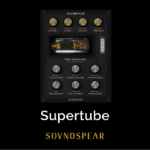
Soundspear – Superfilter (Windows)
£22.00
Discover Soundspear – Superfilter (Windows)
Take filtering beyond the ordinary with Soundspear – Superfilter, a next-generation audio filter plugin inspired by the legendary Akai S950. Combining vintage analog grain with modern flexibility, Superfilter is designed to deliver everything from smooth tonal shaping to bold frequency sculpting — all with unparalleled precision. 🎧
Explore product features & full description
🎛️ Soundspear – Superfilter (Windows) | Advanced Analog-Style Filtering 🎶✨
Take filtering beyond the ordinary with Soundspear – Superfilter, a next-generation audio filter plugin inspired by the legendary Akai S950. Combining vintage analog grain with modern flexibility, Superfilter is designed to deliver everything from smooth tonal shaping to bold frequency sculpting — all with unparalleled precision. 🎧
Its standout feature is the continuous slope adjustment, letting you sweep seamlessly from 1 dB/oct to 36 dB/oct. This unique control unlocks gentle warmth, subtle textures, or aggressive cuts, making Superfilter a must-have tool for mixing, mastering, and creative sound design. 🚀
🔑 Key Features
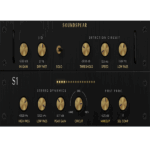
✅ Low-Pass & High-Pass Filters – Switchable modes for versatile shaping
✅ Continuous Slope Control – 1 dB/oct ➡️ 36 dB/oct for precise roll-off 🎚️
✅ Frequency Cutoff Control – Smooth, surgical adjustments
✅ Input Gain – Add harmonic drive for analog-style grit
✅ Output Gain – Perfectly balance your signal
✅ X-Over Blend – Seamlessly mix filtered & unfiltered signals
✅ Surge Control – Vintage-inspired analog coloration 🌟
✅ Designed for musicality, flexibility & precision
💡 Why Superfilter?
Unlike static emulations, Superfilter evolves filter technology — blending classic analog charm with modern DSP innovations. It’s equally powerful for subtle mastering polish or experimental sound design chaos. 🎵
Compatibility checklist
- Windows 10,11 (64Bit Only)
- VST3, VST
- Formats: VST3 · VST
Requirements vary by supplied version. Confirm your setup with support before purchasing.
Delivery & activation
- Complete your purchaseReview compatibility and purchase details.
- Download your filesAccess available downloads through your order and account.
- Follow the included setup guideContact GetPlugins if you need installation help.
Activation, where included, is provided by GetPlugins. Publisher-account registration, transferable publisher keys and a publisher-issued licence are not included. Read the activation policy.
Frequently asked questions
How do I receive my download?
After payment, access available files from your order details and GetPlugins account. Contact support if a download is missing.
What activation is included?
Follow the activation instructions supplied with your download. Activation is provided by GetPlugins. Confirm device allowances and reinstall arrangements before ordering.
Will this work with my computer and DAW?
Check the compatibility information for this listing and ask us to confirm the exact supplied build. Libraries may require a compatible sampler or additional software.
What if I need installation help?
Email support@getplugins.io with your order number, operating system, DAW and any error message.
Which updates are included?
Activation and updates are separate. Confirm the available version and update arrangements before ordering; do not assume access to future publisher releases.
How do I request a refund?
Contact support with your order number and issue details. Read our Refund Policy for eligibility and the request process.

Reviews
There are no reviews yet.