


Discover Sound Radix – Surfer EQ2 (Windows)
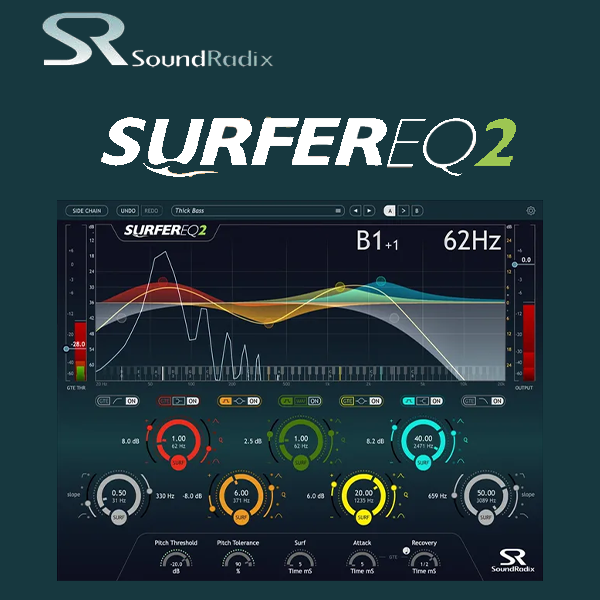
SURFEREQ is a ground-breaking pitch-tracking equalizer plug-in that tracks a monophonic instrument or vocal and moves the selected bands with the music.
Groundbreaking pitch-tracking equalizer
Original asymmetric, morphing EQ algorithms
Innovative Harmonic Filter
Explore product features & full description
SurferEQ® 2
SURFEREQ is a ground-breaking pitch-tracking equalizer plug-in that tracks a monophonic instrument or vocal and moves the selected bands with the music.
Synthesizer filters can track the pitch to maintain the timbre of the sound throughout the instrument’s voices. However, sound equalizers have always been static. While being effective for broad tone-shaping and room resonance correction, standard EQs do a poor job of maintaining the vocal or instrument’s timbre as the music changes.
SURFEREQ tracks the pitch of a monophonic instrument or a vocal source and can adapt its bands’ frequencies relative to the music in real time, maintaining the natural harmonic balance of the sound source and making it possible to shape the source’s timbre relative to the notes being played.
SURFEREQ follows the pitch of a monophonic instrument or vocal in real-time and can adjust any of its bands accordingly, thus “Surfing” the sound waves.
FEATURES

- Groundbreaking pitch-tracking equalizer
- Original asymmetric, morphing EQ algorithms
- Innovative Harmonic Filter
- Side-chain input enabling external pitch detection
- Spectral Gate (normal and reversed)
- 3-mode MIDI control, including an innovative EQ Instrument mode
- Zero-latency mode
- Spectrum analyzer and Spectral Level Meters
- Undo/redo
- 64-bit internal processing
Compatibility checklist
- Windows 10,11 (64Bit Only)
- VST2, VST3, AAX, NKS
- Formats: VST3 · VST2 · AAX
Requirements vary by supplied version. Confirm your setup with support before purchasing.
Delivery & activation
- Complete your purchaseReview compatibility and purchase details.
- Download your filesAccess available downloads through your order and account.
- Follow the included setup guideContact GetPlugins if you need installation help.
Activation, where included, is provided by GetPlugins. Publisher-account registration, transferable publisher keys and a publisher-issued licence are not included. Read the activation policy.
Frequently asked questions
How do I receive my download?
After payment, access available files from your order details and GetPlugins account. Contact support if a download is missing.
What activation is included?
Follow the activation instructions supplied with your download. Activation is provided by GetPlugins. Confirm device allowances and reinstall arrangements before ordering.
Will this work with my computer and DAW?
Check the compatibility information for this listing and ask us to confirm the exact supplied build. Libraries may require a compatible sampler or additional software.
What if I need installation help?
Email support@getplugins.io with your order number, operating system, DAW and any error message.
Which updates are included?
Activation and updates are separate. Confirm the available version and update arrangements before ordering; do not assume access to future publisher releases.
How do I request a refund?
Contact support with your order number and issue details. Read our Refund Policy for eligibility and the request process.






Reviews
There are no reviews yet.