
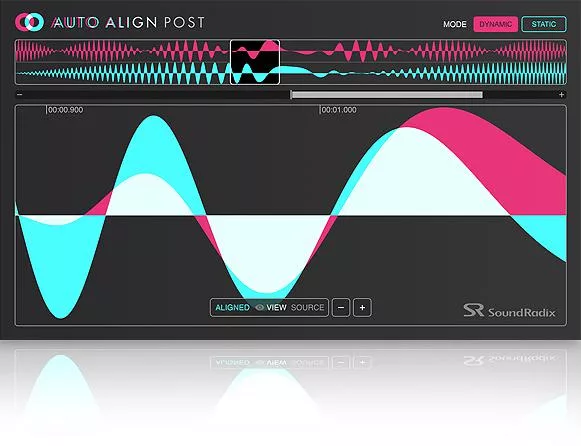
Discover Sound Radix – Auto Align Post (Windows)
Phase issues are the bane of any post-production audio engineer's existence (they cause ulcers, migraines, and more here at Sweetwater). But multi-microphone recordings, and the resultant phase complications they can produce, are par for the course in film work. And oftentimes, the mics are moving around, causing comb filtering and other unwanted artifacts. But now…
Automatic, sample-accurate time and phase alignment
Phase polarity detection
Alternate matching points for improving phase correlation while preserving delay
Explore product features & full description
FEATURES
- Automatic, sample-accurate time and phase alignment
- Phase polarity detection
- Alternate matching points for improving phase correlation while preserving delay
- Displays distance in samples, milliseconds, inches or centimeters
SYSTEM REQUIREMENTS
- Mac: Intel Core CPU, 2GB RAM, OS X 10.7 or higher
- Windows: Intel Core CPU, 2GB RAM, graphics card supporting OpenGL 2.1, Windows 7 or higher
- Plug-in formats: AAX, VST, VST3
- Free iLok account and iLok License Manager (iLok USB key is not required)
Powerful, no-fuss phase correction
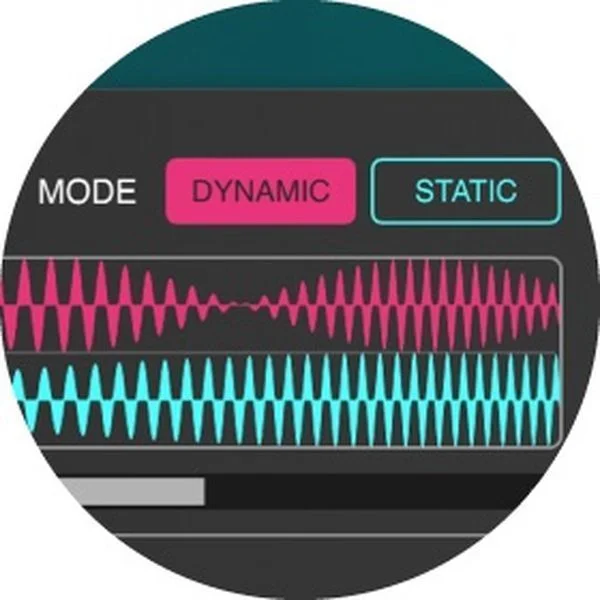
Phase issues are the bane of any post-production audio engineer's existence (they cause ulcers, migraines, and more here at Sweetwater). But multi-microphone recordings, and the resultant phase complications they can produce, are par for the course in film work. And oftentimes, the mics are moving around, causing comb filtering and other unwanted artifacts. But now Sound Radix's Auto-Align Post plug-in is here, and it makes short work of these pesky problems. Auto-Align Post corrects for distances of up to 112 feet or a delay of ±100ms. Performing continuous phase/time correction for moving actors or cameras is no problem, courtesy of this plug-in's Dynamic mode, and stationary microphones are even easier to fix, thanks to its Static mode. Best of all, everything is automatic — no manual adjustments are required!
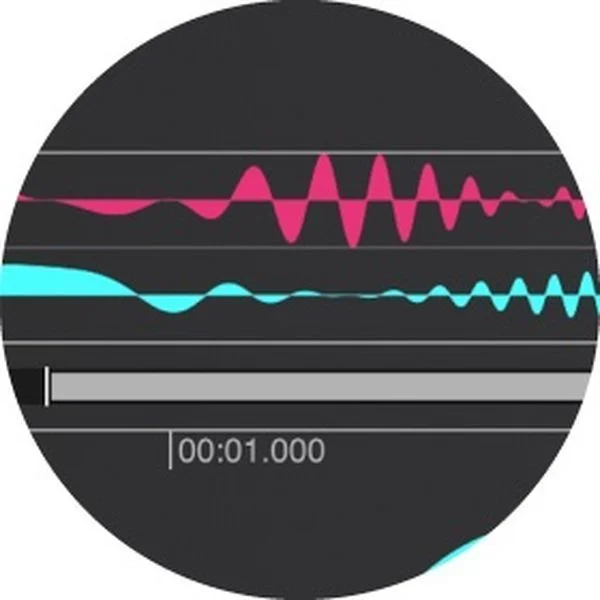
What the pros are saying about Sound Radix's Auto-Align Post:
- "It’s helped me in my workflow to give me options — it’s very satisfying to do just two clicks and have everything in sync. I don’t have to zoom into the waveform level, futz it around, and make sure that the waveforms are in sync. It just works." — Justin Walker, The Dub Stage, Los Angeles
- "I deliberately created a piece of content to try it out where I set up a fixed boom mic, put a personal radio mic on myself, and then walked around in a reverberant space. When I came to play it back, it was like, 'wow'." — Mike Thornton, Production Expert Editor, London
Sound Radix Auto-Align Post Features:
- Automatic phase-alignment plug-in for post production
- Solves the delay and comb-filtering that creep up when working with multi-mic recordings
- Corrects for distances of up to 112 feet, or a delay of ±100ms
- Dynamic mode performs continuous phase/time correction for moving actors or cameras
- Static mode performs fixed phase/time correction for stationary microphones
- Everything is automatic — no manual adjustments are required
- Transparent, filter-free design ensures amazing sound quality
- Supports multi-channel sessions
Compatibility checklist
- Confirm the supplied build, operating system and required host before ordering.
Requirements vary by supplied version. Confirm your setup with support before purchasing.
Delivery & activation
- Complete your purchaseReview compatibility and purchase details.
- Download your filesAccess available downloads through your order and account.
- Follow the included setup guideContact GetPlugins if you need installation help.
Activation, where included, is provided by GetPlugins. Publisher-account registration, transferable publisher keys and a publisher-issued licence are not included. Read the activation policy.
Frequently asked questions
How do I receive my download?
After payment, access available files from your order details and GetPlugins account. Contact support if a download is missing.
What activation is included?
Follow the activation instructions supplied with your download. Activation is provided by GetPlugins. Confirm device allowances and reinstall arrangements before ordering.
Will this work with my computer and DAW?
Check the compatibility information for this listing and ask us to confirm the exact supplied build. Libraries may require a compatible sampler or additional software.
What if I need installation help?
Email support@getplugins.io with your order number, operating system, DAW and any error message.
Which updates are included?
Activation and updates are separate. Confirm the available version and update arrangements before ordering; do not assume access to future publisher releases.
How do I request a refund?
Contact support with your order number and issue details. Read our Refund Policy for eligibility and the request process.







Reviews
There are no reviews yet.