3 Great Ways to Restore Flawed Audio
The Sonnox Restore Collection gives you three high-quality restoration plug-ins that will remove pops, clicks, crackles, scratches, hum, buzzes, and any other unwanted sounds from your recordings. Whether you're restoring old recordings or cleaning up recordings that were made under less-than-ideal circumstances, these powerful plug-ins provide you with advanced noise reduction algorithms that will accurately rehabilitate your impaired recordings. On top of that, their easy-to-use graphic interfaces and intuitive controls make noise removal almost effortless. At Sweetwater, we've found these plug-ins to be invaluable tools for archiving, mastering, and post-production. If you need an effective audio restoration that sounds great and doesn't take hours to apply, then you need the Sonnox Restore Collection!
Sonnox Restore Collection Features at a Glance:
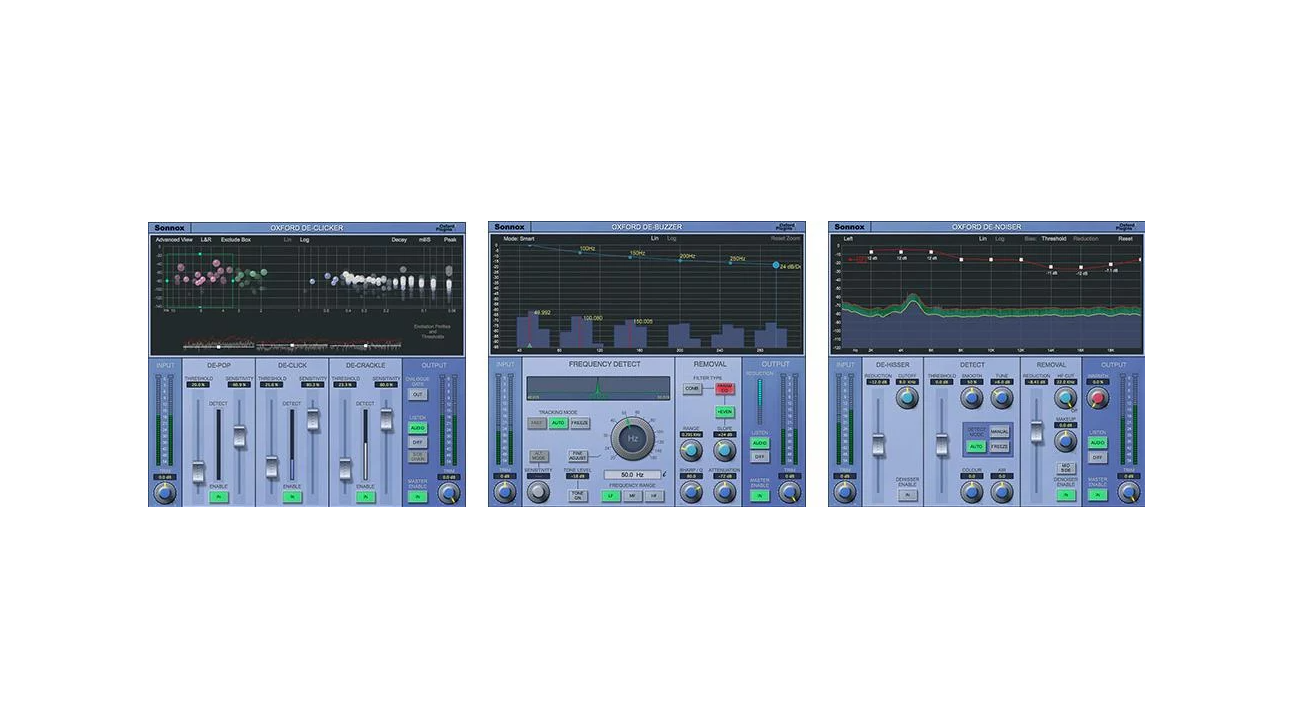
- Oxford DeClicker removes pops, clicks, and crackle
- Oxford DeBuzzer removes hum and buzz
- Oxford DeNoiser provides you with advanced noise removal
Oxford DeClicker removes pops, clicks, and crackle
- Separate DePop, DeClick, and DeCrackle sections with individual thresholds and controls
- Event display gives intuitive visual feedback of energy and duration of events
- Exclude Box to select events that should not be repaired
- Two separate sets of control settings distinguished by input level
- Excitation displays to aid accurate setting of threshold controls
- Three audition modes, including option to listen to only removed events
- Advanced algorithms for accurate detection and high quality repair
Oxford DeBuzzer removes hum and buzz
- Separate Detect and Remove Sections for intuitive workflow
- High resolution FFT of input signal shows strongest harmonics and removal filter
- Very accurate setting of fundamental over 3 frequency ranges
- Integrating frequency display shows strength of fundamental
- Tracking mode can be set to Automatic or Fast to follow fundamentals that wander in frequency
- Tracking mode can be set to Freeze for fundamentals that vary in amplitude
- Choice of comb and parametric EQ removal filters
- Two audition modes, including option to listen to the removed buzz
Oxford DeNoiser provides you with advanced noise removal
- Separate DeHisser, Detect, and Remove Sections for intuitive workflow
- High resolution FFT of input signal showing noise profile
- Efficient DeHisser for preparation before wide-band noise reduction
- Detector noise profile can be set to automatic, freeze or manual
- Noise threshold and reduction are controllable using adjustable bias curve
- Two audition modes, including the option to listen to the removed noise
- Warmth control for sweetening after noise removal
- Make-up gain for true A/B comparisons
Fixing tarnished audio is easy with the Sonnox Restore Collection!









Reviews
There are no reviews yet.