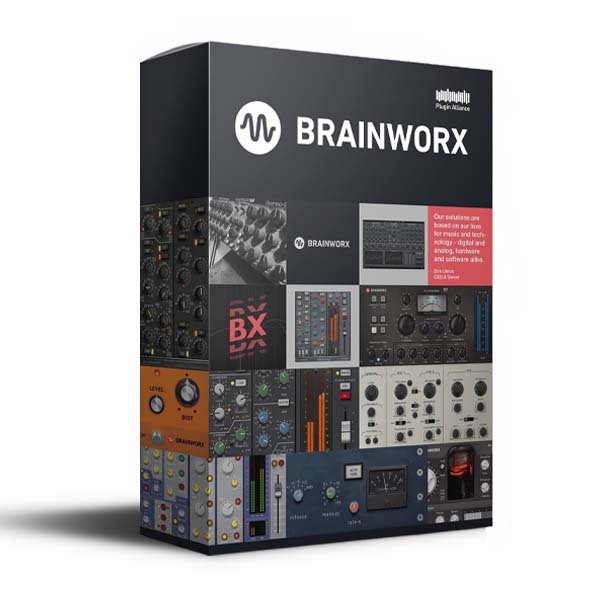
Plugin Alliance & Brainworx – Plugins Bundle (Windows)

Plugin Alliance Brainworx bx_Plugins Bundle for Windows. Since 2006, Brainworx Audio has gained a reputation for creating audio-leading…
Formats: VST3 · AAX · VST

£39.99

Discover Plugin Alliance & Brainworx – Plugins Bundle (Windows)

Plugin Alliance Brainworx bx_Plugins Bundle for Windows. Since 2006, Brainworx Audio has gained a reputation for creating audio-leading plugins, as well as multi-platform development tools that are unparalleled.

bx_blackdist2 v1.9.1

bx_bluechorus2 v1.11.1

bx_cleansweep Pro v1.10.1

Explore product features & full description

Plugin Alliance Brainworx bx_Plugins Bundle for Windows. Since 2006, Brainworx Audio has gained a reputation for creating audio-leading plugins, as well as multi-platform development tools that are unparalleled.

Plugin Alliance LLC – based in Boston, MA – is more than just a website. Plugin Alliance is a new “Über-standard”, supporting all major plugin formats and uniting some of the best-known international audio companies under one, virtual roof.

Plugin Alliance empowers world-renowned analog hardware companies with a digital strategy and provides software developers with services that allow them to develop products with increasing quality and quantity. We do this by providing world-class marketing and distribution as well as platform features like a state-of-the-art authorization system.

INCLUDED PLUGINS
  • bx_2098 EQ v1.8.1
  • bx_bassdude v1.11.1
  • bx_blackdist2 v1.9.1
  • bx_bluechorus2 v1.11.1
  • bx_boom v2.16.1
  • bx_cleansweep Pro v1.10.1
  • bx_cleansweep V2 v2.16.1
  • bx_clipper v1.0.1
  • bx_console AMEK 200 v1.0.0
  • bx_console AMEK 9099 v1.3.1
  • bx_console Focusrite SC v1.5.1
  • bx_console N v1.9.1
  • bx_console SSL 4000 E v1.7.1
  • bx_console SSL 4000 G v1.7.1
  • bx_console SSL 9000 J v1.4.1
  • bx_control V2 v2.16.1
  • bx_crispytuner v1.1.0
  • bx_delay2500 v1.8.1
  • bx_digital V3 v3.10.1
  • bx_distorange v1.11.1
  • bx_dynEQ V2 v2.16.1
  • bx_enhancer v1.0.0
  • bx_glue v1.0.0
  • bx_greenscreamer v1.11.1
  • bx_hybrid V2 v2.13.1
  • bx_limiter v1.15.2
  • bx_limiter True Peak v1.2.1
  • bx_masterdesk v1.7.1
  • bx_masterdesk Pro v1.1.1
  • bx_masterdesk True Peak v1.1.1
  • bx_megadual v1.12.1
  • bx_megasingle v1.12.1
  • bx_metal2 v1.9.1
  • bx_meter v1.17.1
  • bx_oberhausen v1.6.1
  • bx_opto v1.10.1
  • bx_opto Pedal v1.10.1
  • bx_panEQ v1.9.1
  • bx_refinement v1.12.1
  • bx_rockergain100 v1.3.1
  • bx_rockrack V3 v3.9.1
  • bx_rockrack V3 Player v3.9.1
  • bx_rooMS v1.9.1
  • bx_saturator V2 v2.12.1
  • bx_shredspread v1.18.1
  • bx_solo v1.16.1
  • bx_stereomaker v1.14.1
  • bx_subfilter v1.9.1
  • bx_subsynth v1.9.1
  • bx_townhouse Buss Compressor v1.8.1
  • bx_tuner v1.11.1
  • bx_XL V2 v2.16.1
  • bx_yellowdrive v1.11.1

Compatibility checklist

  • Windows 10,11 (64Bit Only)
  • Full Version
  • VST, VST3, AAX
  • Formats: VST3 · AAX · VST

Requirements vary by supplied version. Confirm your setup with support before purchasing.

Delivery & activation

  1. Complete your purchaseReview compatibility and purchase details.
  2. Download your filesAccess available downloads through your order and account.
  3. Follow the included setup guideContact GetPlugins if you need installation help.

Activation, where included, is provided by GetPlugins. Publisher-account registration, transferable publisher keys and a publisher-issued licence are not included. Read the activation policy.

Frequently asked questions

How do I receive my download?

After payment, access available files from your order details and GetPlugins account. Contact support if a download is missing.

What activation is included?

Follow the activation instructions supplied with your download. Activation is provided by GetPlugins. Confirm device allowances and reinstall arrangements before ordering.

Will this work with my computer and DAW?

Check the compatibility information for this listing and ask us to confirm the exact supplied build. Libraries may require a compatible sampler or additional software.

What if I need installation help?

Email support@getplugins.io with your order number, operating system, DAW and any error message.

Which updates are included?

Activation and updates are separate. Confirm the available version and update arrangements before ordering; do not assume access to future publisher releases.

How do I request a refund?

Contact support with your order number and issue details. Read our Refund Policy for eligibility and the request process.

Customer Reviews

Reviews

There are no reviews yet.

Be the first to review “Plugin Alliance & Brainworx – Plugins Bundle (Windows)”

Your email address will not be published. Required fields are marked *