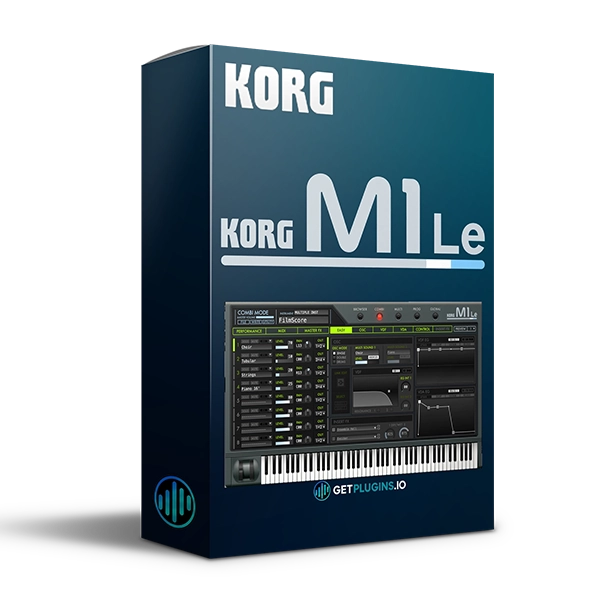
KORG M1 Le v2.1.0
Legendary KORG M1 Workstation Sounds in a Modern Software Synthesizer
KORG M1 Le v2.1.0 is a limited-edition software synthesizer that faithfully recreates the iconic sounds of the legendary KORG M1 music workstation. Originally introduced as a groundbreaking music workstation, the M1 became one of the most recognizable instruments in electronic, pop, dance, and contemporary music.
M1 Le brings the classic M1 sound into a convenient software-based environment, making it easier for modern producers and musicians to incorporate its distinctive character into their productions.
Whether you're creating house, techno, pop, hip-hop, R&B, electronic music, or retro-inspired productions, KORG M1 Le provides access to the unmistakable sonic character associated with the original workstation.
Explore our synthesizer plugins for more virtual instruments and music-production tools.
Classic M1 Sound
The KORG M1 became famous for its distinctive combination of synthesized sounds, keyboard instruments, drums, basses, strings, organs, and atmospheric textures.
M1 Le recreates the characteristic sound of the original workstation in software form, making those iconic tones accessible within a modern production workflow.
Create:
- Classic M1-style sounds
- Electronic melodies
- Dance music patterns
- Vintage synth parts
- Basslines
- Pads and atmospheric textures
- Keyboard parts
- Retro-inspired productions
Iconic Music Workstation Legacy
The original KORG M1 played an important role in shaping the sound of late-1980s and 1990s music.
Its recognizable sounds became especially influential in:
- House music
- Techno
- Dance music
- Pop
- R&B
- Hip-hop
- Trance
- Electronic music
- Retro productions
M1 Le provides a software-based way to bring that classic workstation character into modern DAW projects.
Software Synthesizer Workflow
M1 Le is designed to provide the familiar sonic character of the original M1 while fitting naturally into a computer-based music-production environment.
Use it alongside your favorite DAW, effects, MIDI controllers, and mixing tools to build complete productions around its distinctive sound palette.
Check out our music production plugins collection for additional instruments and effects.
Key Features
- Faithful KORG M1 sound recreation
- Limited-edition M1 software synthesizer
- Based on the iconic KORG M1 workstation
- M1 V2 technology
- Classic KORG workstation sounds
- Designed for modern computer-based production
- Suitable for electronic and contemporary music
- Ideal for vintage and retro productions
- Part of the KORG Software Bundle
Perfect For
- Music Producers
- Electronic Music Producers
- House Producers
- Techno Producers
- Trance Producers
- Pop Producers
- Hip-Hop Producers
- R&B Producers
- Keyboard Players
- Sound Designers
- Retro Music Producers
- Synth Enthusiasts
Why Choose KORG M1 Le?
KORG M1 Le v2.1.0 combines the legendary character of one of KORG's most influential workstations with a convenient software format. Its recognizable sounds make it especially useful for producers looking to recreate classical electronic, dance, pop, and retro-inspired music.
For producers who love the distinctive sound of the original KORG M1, M1 Le offers a practical way to incorporate that iconic workstation character into modern music production.
Explore more virtual synthesizers and instruments to expand your sound library.
For official product information, visit the KORG official website

Reviews
There are no reviews yet.