IK Multimedia-MixBox Audio Effects Rack Plug-in (Windows)
£26.99
Discover IK Multimedia-MixBox Audio Effects Rack Plug-in (Windows)
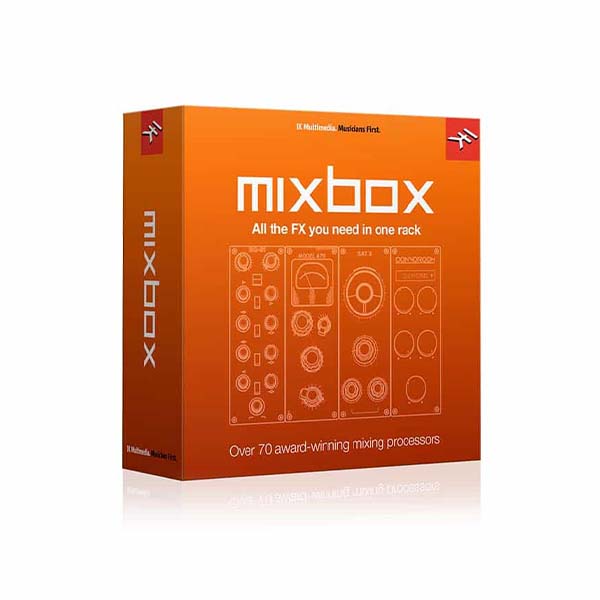
With IK Multimedia's Mixbox Audio Effects Rack, mixing and mastering your tracks has never been more convenient. Mixbox is loaded with 70 of IK Multimedia's revered mixing processors from T-RackS, AmpliTube, and SampleTank. Choose from high-quality models of classic analog gear or cutting-edge digital effects, including four never-before-seen reverb algorithms. It's all packed into an…
500 Series-style effects rack plug-in for mixing and mastering
Drag 'n drop workflow makes setting up a channel strip easier than ever
Includes 70 effects from T-RackS, AmpliTube, and SampleTank
Explore product features & full description
Get the Most Out of Your Mix
With IK Multimedia's Mixbox Audio Effects Rack, mixing and mastering your tracks has never been more convenient. Mixbox is loaded with 70 of IK Multimedia's revered mixing processors from T-RackS, AmpliTube, and SampleTank. Choose from high-quality models of classic analog gear or cutting-edge digital effects, including four never-before-seen reverb algorithms. It's all packed into an elegant 500 Series-style layout with drag 'n drop workflow for quick channel strip assembly. You can save and recall your favorite creations or select from more than 600 presets to get a jump start on your project. Throw Mixbox into your favorite DAW or use it by itself and start taking your mixes to the next level.
Related Videos: MixBox Audio Effects Rack Plug-in
Create custom processing chains
MixBox's effects and processors come from IK Multimedia's award-winning T-RackS, AmpliTube, and SampleTank plug-ins. To help get you started, IK Multimedia included more than 600 effects presets. However, if you're like the mix engineers at Sweetwater, you'll prefer to develop your signature processing chains. MixBox gives you up to eight slots per rack, which provides you with plenty of opportunities to create the perfect channel strip. Plus, the drag 'n drop workflow helps you assemble your effects chains in mere seconds. You can save and recall every one of your custom effects chains for future use too!
Agile, effective workflow
MixBox's intuitive workflow is designed to help you get the most out of the software. The compact GUI keeps all the parameters within easy reach at all times, eliminating the hassle of juggling between windows to find the one you need. The 500 Series-style layout features a Dry/Wet slider on each module to give you full control over your gain staging and the final sound. And if you're working in Standalone mode, MixBox will provide you with eight racks of effects, each with eight processors, for complex mixing applications.

IK Multimedia MixBox Audio Effects Rack Plug-in Features:
- 500 Series-style effects rack plug-in for mixing and mastering
- Drag 'n drop workflow makes setting up a channel strip easier than ever
- Includes 70 effects from T-RackS, AmpliTube, and SampleTank
- 600 presets give you a starting point for any situation
- Save and recall function lets you store your custom channel strip configurations
- Standalone mode offers 8 racks of space
Compatibility checklist
- Confirm the supplied build, operating system and required host before ordering.
- Formats: VST3 · VST2 · AAX · Standalone
Requirements vary by supplied version. Confirm your setup with support before purchasing.
Delivery & activation
- Complete your purchaseReview compatibility and purchase details.
- Download your filesAccess available downloads through your order and account.
- Follow the included setup guideContact GetPlugins if you need installation help.
Activation, where included, is provided by GetPlugins. Publisher-account registration, transferable publisher keys and a publisher-issued licence are not included. Read the activation policy.
Frequently asked questions
How do I receive my download?
After payment, access available files from your order details and GetPlugins account. Contact support if a download is missing.
What activation is included?
Follow the activation instructions supplied with your download. Activation is provided by GetPlugins. Confirm device allowances and reinstall arrangements before ordering.
Will this work with my computer and DAW?
Check the compatibility information for this listing and ask us to confirm the exact supplied build. Libraries may require a compatible sampler or additional software.
What if I need installation help?
Email support@getplugins.io with your order number, operating system, DAW and any error message.
Which updates are included?
Activation and updates are separate. Confirm the available version and update arrangements before ordering; do not assume access to future publisher releases.
How do I request a refund?
Contact support with your order number and issue details. Read our Refund Policy for eligibility and the request process.

Reviews
There are no reviews yet.