Fuse Audio Labs – OCELOT Limiter 🎛️🚀
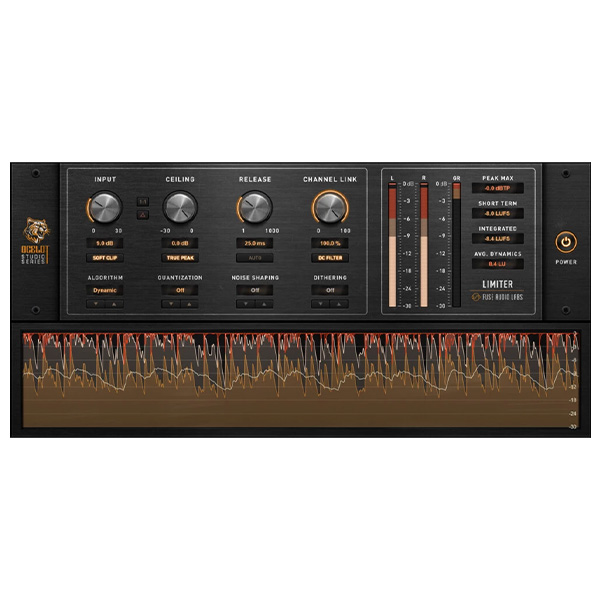
The OCELOT Limiter from Fuse Audio Labs is a powerful, transparent, and musical peak limiter designed to provide maximum loudness with minimal artifacts. Whether you're working on mixing, mastering, or broadcast processing, OCELOT delivers pristine dynamics control while preserving the natural feel of your audio.
🎛️ Key Features & Sound Characteristics
✅ High-Precision Peak Limiting – Maintain natural transients and musicality while achieving competitive loudness.
✅ Transparent & Dynamic Sound – Keeps the punch and detail of your mix intact.
✅ Zero-Latency Operation – Perfect for tracking, mixing, and real-time processing.
✅ Smooth Adaptive Release – Adjusts dynamically to your material, preventing unwanted pumping.
✅ Intelligent Lookahead & True Peak Detection – Ensures clipping-free, artifact-free limiting.
✅ Simple, Intuitive Interface – Get great results quickly without excessive tweaking.
✅ Low CPU Usage – Optimized for efficiency, allowing you to use multiple instances without lag.
✅ Analog Warmth & Precision – Subtle harmonic saturation adds character without unwanted distortion.
🔧 How It Works
The OCELOT Limiter combines fast, transparent peak limiting with a musical, adaptive release system that prevents harsh pumping or distortion. It features:
🎚️ Threshold Control – Adjusts how aggressively the limiter reacts to peaks.
🎚️ Output Ceiling – Ensures your audio never exceeds a set level, making it perfect for mastering.
🎚️ Lookahead Processing – Analyzes peaks in advance to apply smooth, distortion-free limiting.
🎚️ True Peak Mode – Prevents inter-sample clipping for pristine sound on all playback systems.
🎵 Perfect for...
🔊 Mastering – Achieve loud, clear, and competitive masters without losing dynamics.
🎙 Mix Bus Processing – Control peaks on your full mix while maintaining musical integrity.
🥁 Drum Bus Processing – Tighten transients and enhance impact on drums and percussion.
🎸 Guitar & Bass Tracks – Keep consistent levels without over-compression.
🎤 Vocals & Speech – Smooth out peaks for clear, natural-sounding vocals.
📻 Broadcast & Streaming – Maintain consistent loudness levels for radio, TV, and online platforms.
🎛️ Why Choose OCELOT?
✅ Analog warmth meets digital precision
✅ Smooth, artifact-free limiting
✅ Easy to use yet highly effective
✅ Low CPU usage for efficient processing
✅ Perfect for mixing & mastering workflows
🚀 Achieve professional loudness with pristine clarity—OCELOT gives you absolute control over your peaks without sacrificing musicality! 🎶🔥
Would you like some preset suggestions or workflow tips to integrate OCELOT into your projects? 🚀









Reviews
There are no reviews yet.