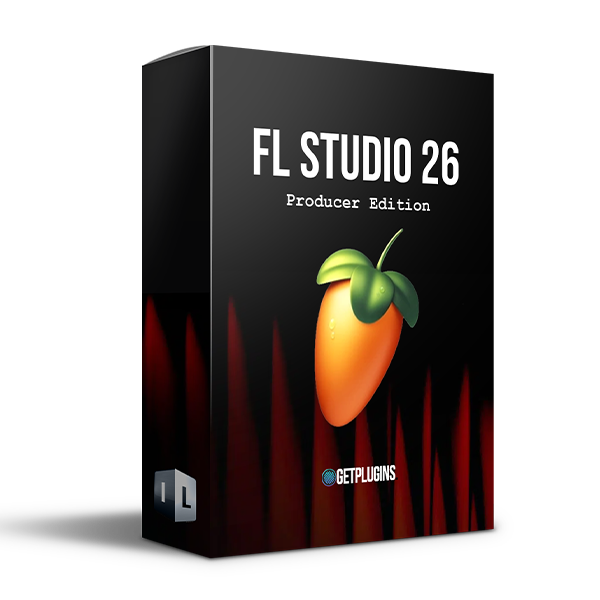
Discover FL Studio 2026 All Plugins Edition (Windows)
FL Studio Producer Edition v26.1.7 is a powerful digital audio workstation designed for creating, recording, arranging, mixing, and mastering music. With its flexible workflow, extensive collection of instruments and effects, advanced MIDI capabilities, and powerful audio editing tools, FL Studio provides everything producers need to turn musical ideas into finished tracks.
Genre-based loop generation
Instant musical ideas
Creative starting points
Explore product features & full description
FL Studio Producer Edition 26
Professional DAW for Music Production, Recording, Mixing & Mastering
FL Studio Producer Edition v26.1.7 is a powerful digital audio workstation designed for creating, recording, arranging, mixing, and mastering music. With its flexible workflow, extensive collection of instruments and effects, advanced MIDI capabilities, and powerful audio editing tools, FL Studio provides everything producers need to turn musical ideas into finished tracks.
FL Studio 26 introduces a range of new creative and workflow improvements, including Loop Starter, the AI-powered Gopher production assistant, expanded mixer capabilities, Bassline mode, the Emphasis mastering limiter, enhanced clip editing, and selected instruments and effects from FL Studio Mobile.
Start Quickly with Loop Starter
Get your next project moving without starting from an empty playlist.
Features include:
Genre-based loop generation
Instant musical ideas
Creative starting points
Fast workflow
Flexible loop-based production
Expanded Mixer
Build larger and more flexible projects with an improved mixer workflow.
Features include:
Up to 500 mixer tracks
Add or remove mixer tracks
Flexible project organization
Large-scale production support
Customizable workflow
Gopher AI Production Assistant
Get instant assistance while working inside FL Studio.
Gopher provides:
FL Studio help
Music production guidance
Answers in multiple languages
AI-powered assistance
Expert-trained production information
Emphasis Mastering Limiter
Increase loudness while maintaining a clean and transparent mix.
Designed for:
Mastering
Final loudness optimization
Mix bus processing
Release-ready tracks
Transparent limiting
FL Studio Mobile Content on PC
Access selected instruments and effects from FL Studio Mobile directly on your computer.
Includes:
7 instruments
29 effects
Minisynth
Wow & Flutter
Tape Stop
Low CPU processing
Create Basslines from Chord Progressions
The enhanced Chord Progression Tool includes a Bassline mode for generating bass grooves that complement your chord progressions.
Perfect for:
Basslines
Chord-based songwriting
Electronic music
EDM
House
Pop
Hip-hop
Enhanced Audio Clip Editing
Edit individual audio clips more quickly with expanded Clip Properties controls.
Includes:
Time stretching
Pitch shifting
Reverse
Per-clip processing
Faster editing workflow
Flexible audio manipulation
Key Features
Full digital audio workstation
Loop Starter
Gopher AI production assistant
Up to 500 mixer tracks
Emphasis mastering limiter
Bassline mode
Advanced Chord Progression Tool
Enhanced audio clip editing
FL Studio Mobile instruments and effects
Audio recording
MIDI sequencing
Mixing and mastering
Synthesizers and effects
Flexible arrangement workflow
Perfect For
Music Producers
Beat Makers
EDM Producers
Hip-Hop Producers
Electronic Music Producers
DJs
Songwriters
Recording Engineers
Mixing Engineers
Home Studio Musicians
Sound Designers
Why Choose FL Studio Producer Edition?
FL Studio Producer Edition v26.1.7 combines a fast, flexible workflow with powerful music creation, recording, mixing, and mastering capabilities. From generating ideas with Loop Starter and creating basslines from chord progressions to building large projects with the expanded mixer, FL Studio 26 provides a modern production environment for beginners and professional producers alike.
Complete your purchaseReview compatibility and purchase details.
Download your filesAccess available downloads through your order and account.
Follow the included setup guideContact GetPlugins if you need installation help.
Activation, where included, is provided by GetPlugins. Publisher-account registration, transferable publisher keys and a publisher-issued licence are not included. Read the activation policy.
Frequently asked questions
How do I receive my download?
After payment, access available files from your order details and GetPlugins account. Contact support if a download is missing.
What activation is included?
Follow the activation instructions supplied with your download. Activation is provided by GetPlugins. Confirm device allowances and reinstall arrangements before ordering.
Will this work with my computer and DAW?
Check the compatibility information for this listing and ask us to confirm the exact supplied build. Libraries may require a compatible sampler or additional software.
What if I need installation help?
Email support@getplugins.io with your order number, operating system, DAW and any error message.
Which updates are included?
Activation and updates are separate. Confirm the available version and update arrangements before ordering; do not assume access to future publisher releases.
How do I request a refund?
Contact support with your order number and issue details. Read our Refund Policy for eligibility and the request process.
Customer Reviews
Reviews
There are no reviews yet.
Be the first to review “FL Studio 2026 All Plugins Edition (Windows)” Cancel reply

Reviews
There are no reviews yet.