


Discover Steinberg – Cubase Pro 12 (Windows)
Thanks to Cubase’s Automatic Audio Alignment function, locking different audio tracks together is simple. This is a must-have professional tool for aligning harmony vocals and stacking double-tracked guitars. It’s also ideal for solving the phasing problems that often occur when using multi-microphone techniques.
MIDI Remote integration: MIDI Remote scripts are revolutionizing production workflows — map functions to your MIDI devices for faster control
VariAudio with Scale Assistant: Improved precision pitch editing for both processed and organic vocal corrections
Audio to MIDI chords: Groundbreaking drag-and-drop Chord Track lets software automate MIDI recreations of audio files, great for study, inspiration, and more
Explore product features & full description
Fresh features for Cubase 12 Pro
- MIDI Remote integration: MIDI Remote scripts are revolutionizing production workflows — map functions to your MIDI devices for faster control
- VariAudio with Scale Assistant: Improved precision pitch editing for both processed and organic vocal corrections
- Audio to MIDI chords: Groundbreaking drag-and-drop Chord Track lets software automate MIDI recreations of audio files, great for study, inspiration, and more
- FX Modulator: A robust multi-effect modulator hub for adding texture and depth to sounds
- AudioWarp improvements: Correct audio and timing issues with fewer clicks than in previous Cubase versions
- Workflow improvements: Updated workflow functions and command keys
- Raiser: This new Cubase limiter is a flexible dynamics processing tool that’s useful for mastering
- Sample accurate volume automation: Incredibly precise automated sample volumes independent from the buffer size
- Logical Editor improvements: Expanded Logical Editor for customized and empowering command and control setups
- Verve: A timely new felt piano sample suite that adds the dreamy warm intimacy of felt-padded keys to your bag of tricks
- Dolby Atmos tools: Full mixing support for Dolby’s Atmos surround sound system right out of the box
- Postproduction perks: Several new features borrowed straight from Steinberg’s powerful Nuendo postproduction program
- Full digital licensing: Say goodbye to Steinberg USB authenticator keys, it's all digital now!
Match the timing of audio events with Automatic Audio Alignment
Thanks to Cubase’s Automatic Audio Alignment function, locking different audio tracks together is simple. This is a must-have professional tool for aligning harmony vocals and stacking double-tracked guitars. It’s also ideal for solving the phasing problems that often occur when using multi-microphone techniques.
.jpeg.auto.webp)
Compose music the easy way with Chord Pads and Chord Track
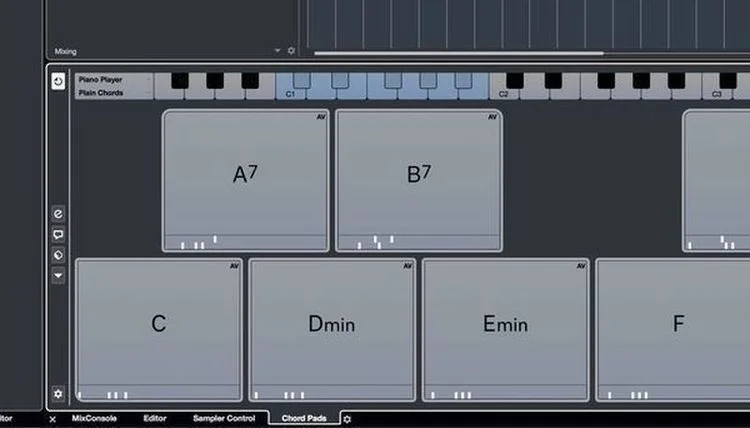
Writing chord progressions with Cubase is super fast thanks to its easy-to-use Chord Pads. Play with chords and patterns in real-time, while using Cubase parameters to change chords as you go. You can play Chord Pads with your MIDI keyboard with real-time effects for easy writing and experimentation with the ability to change voicings, harmonic tensions, and more as inspiration strikes. Plus, Cubase 12 Pro’s new adds Chord Track enables automatic conversion of audio files into MIDI data for rapid adaptation of audio to your tracks.
Create a perfect track with Comping
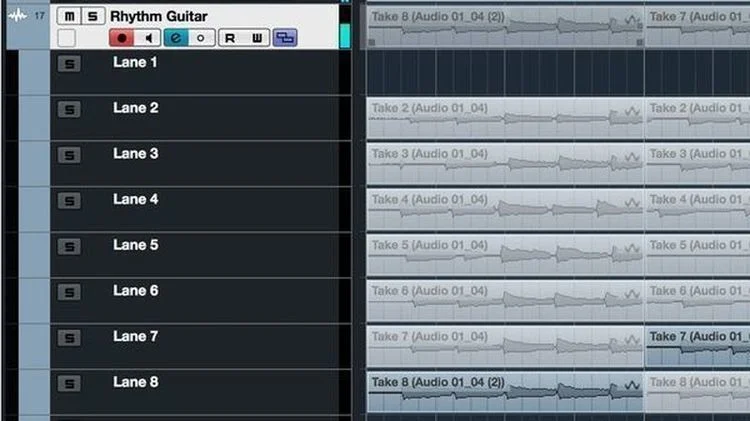
Here at Sweetwater, we know that perfect takes usually take time which often means managing multiple takes of a single track in your DAW. That’s where Comping comes in. While you’re tracking, Cubase instantly creates a Lane Track for each take. You can easily swipe across the best parts after completing multiple takes while Cubase automatically creates a master take from your selected parts. Building a perfect track couldn’t be easier! Once you have the perfect takes, Cubase 12 Pro also features Steinberg’s cutting-edge Raiser limiter plug-in and select Nuendo post-production tools for making essential final tweaks.
Transform your audio with AudioWarp Quantize
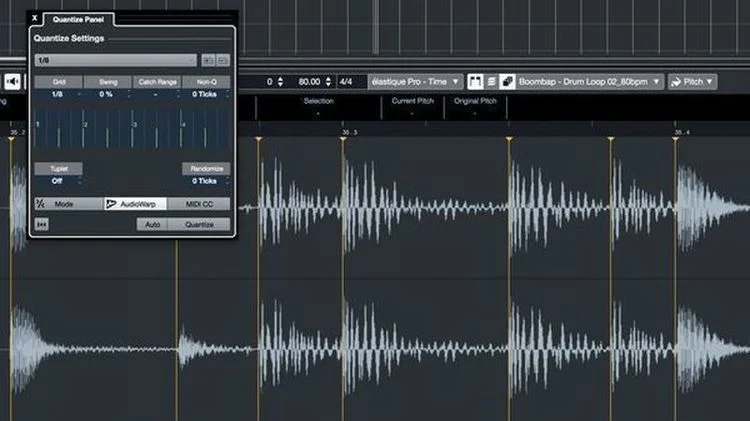
Ever wish you could quantize audio the same way you quantize MIDI? With Cubase you can, using the convenient Quantize panel! A single mouse click is enough to non-destructively quantize single audio loops as well as your entire project. And because the audio events are warped rather than sliced, they automatically follow tempo or pitch changes within your project. In Cubase 12, AudioWarp is new and improved for streamlined workflows and track integration with fewer clicks.
Bring your visions to life with Channel Strip
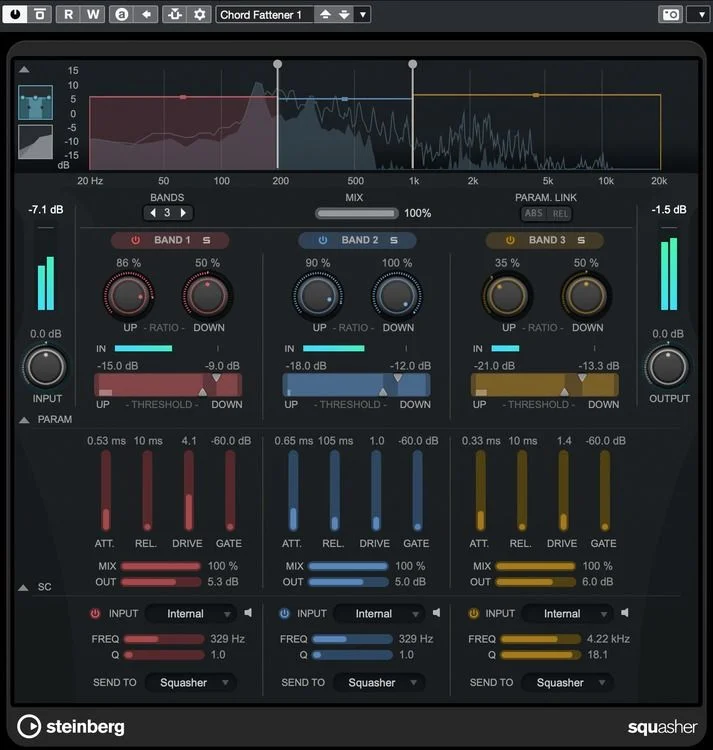
Cubase’s Channel Strip was developed in collaboration with seasoned audio engineers, and it shows — it’s jam-packed with the feel and flavor of a top-tier analog console. Channel Strip modules are integrated into every mixer channel, ready to transform your songs into premium productions.
Turbocharge your mixing workflow with MixConsole
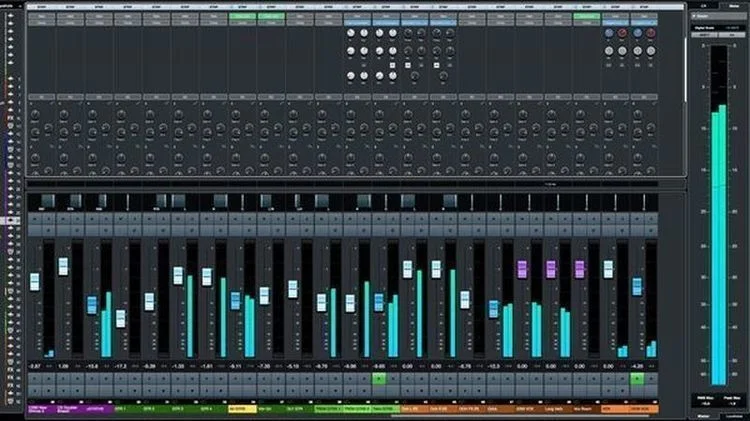
Not only does it shine with regard to usability, look, and feel, Cubase’s MixConsole also captures the sonic essence of a high-end analog console. Its scalable full-screen mode is tailor-made for mouse-free operation, allowing you to use your computer keyboard to access its channel elements. It’s also optimized for screen readers for the visually impaired. View Sets and Channel Zones ensure maximum flexibility, while features like VCA faders, 1-click direct routing, customizable track icons, a track notepad, drag-and-drop support, and plug-in/channel search functions make you feel like you have a state-of-the-art mixing console in your computer.
Integrate performer mixes and monitoring setups with Control Room
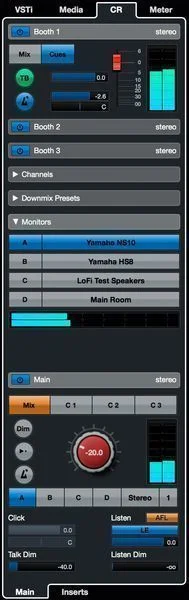
Cubase is designed to be the heart of your studio, seamlessly integrating performer mixes and monitoring setups into your recording and mixing workflow. Thanks to its Control Room environment, you can create and manage up to four unique performer mixes, manage feeds from external audio sources, and utilize the built-in talkback function for communicating with performers.
What the pros are saying...
"I have been working with Cubase since 1988, when it was still called Steinberg, on an Atari computer. Cubase has always worked the best for my needs, and throughout the years, it has adjusted itself beautifully to the new and upcoming compositional challenges and requirements. It is always so intuitive and easy to operate, but hand in hand, it is also very powerful and has everything the modern composer should need to create all kinds of scores, whether it be classical, electronic, or other styles. I HIGHLY recommend!" — Inon Zur, Emmy Award winner, 3-time BAFTA-nominated composer, and composer of Starfield, Fallout, Dragon Age, and Syberia soundtracks
Compatibility checklist
- Windows 10, 11 (64-Bit Only)
- Full Version
Requirements vary by supplied version. Confirm your setup with support before purchasing.
Delivery & activation
- Complete your purchaseReview compatibility and purchase details.
- Download your filesAccess available downloads through your order and account.
- Follow the included setup guideContact GetPlugins if you need installation help.
Activation, where included, is provided by GetPlugins. Publisher-account registration, transferable publisher keys and a publisher-issued licence are not included. Read the activation policy.
Frequently asked questions
How do I receive my download?
After payment, access available files from your order details and GetPlugins account. Contact support if a download is missing.
What activation is included?
Follow the activation instructions supplied with your download. Activation is provided by GetPlugins. Confirm device allowances and reinstall arrangements before ordering.
Will this work with my computer and DAW?
Check the compatibility information for this listing and ask us to confirm the exact supplied build. Libraries may require a compatible sampler or additional software.
What if I need installation help?
Email support@getplugins.io with your order number, operating system, DAW and any error message.
Which updates are included?
Activation and updates are separate. Confirm the available version and update arrangements before ordering; do not assume access to future publisher releases.
How do I request a refund?
Contact support with your order number and issue details. Read our Refund Policy for eligibility and the request process.
Reviews
There are no reviews yet.