🎛️ Boz Digital Labs – T-Bone 2
🔥 Shape Your Sound with Creative Tone Control
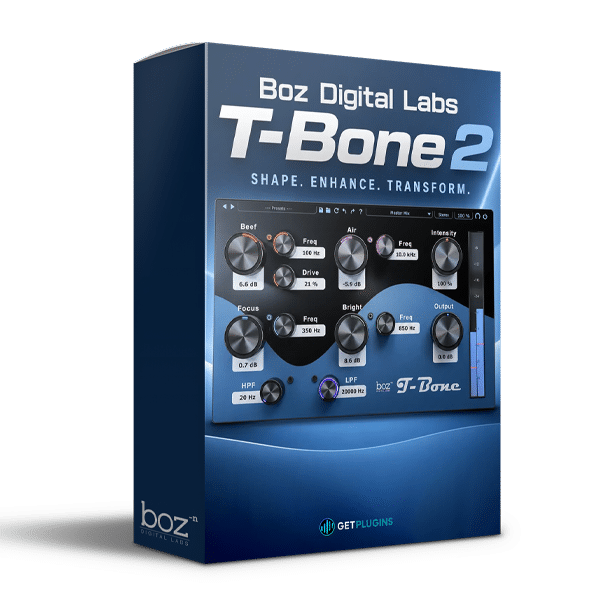
Boz Digital Labs T-Bone 2 is a creative audio processing plugin designed for music producers, mixing engineers, composers, and sound designers who want greater control over the tonal character of their tracks. Built to support creative mixing and sound shaping, T-Bone 2 offers a practical way to experiment with frequency balance and refine the character of audio within your production workflow.
Whether you're working with vocals, drums, bass, guitars, synthesizers, or full mixes, T-Bone 2 can help you explore tonal adjustments and bring greater clarity and definition to your sound.
🎚️ Creative Tone Shaping & Audio Processing
Take a more creative approach to mixing with Boz Digital Labs T-Bone 2. Tonal shaping is an important part of music production, helping you balance frequency content and create a sound that works within your arrangement.
Use the plugin as part of your mixing process to explore different tonal characteristics and refine individual elements within a track.
- 🎛️ Tonal Adjustment: Explore frequency balance to suit different audio sources.
- 🎧 Mix Refinement: Shape the tonal character of individual tracks within your mix.
- 🔊 Sound Definition: Work toward a balanced relationship between instruments and other mix elements.
- 🎹 Instrument Processing: Experiment with tonal adjustments on synthesizers, guitars, bass, and other sources.
- ✨ Creative Mixing: Explore different sonic directions to complement your production style.
🎹 Designed for Modern Music Production
Boz Digital Labs T-Bone 2 can be incorporated into a variety of studio workflows, from detailed track processing to broader mixing tasks.
Use tonal adjustments to help individual sounds sit more naturally in an arrangement, refine the balance between instruments, and develop a cohesive overall mix.
- 🎤 Vocal Mixing: Explore tonal adjustments that complement the character of vocal recordings.
- 🥁 Drum Processing: Refine the tonal balance of percussion and drum tracks.
- 🔊 Bass & Guitar: Shape the frequency character of low-end instruments and guitar parts.
- 🎹 Synthesizer Mixing: Adjust the tonal character of leads, pads, and electronic textures.
- 🎼 Mix Preparation: Work toward a balanced tonal presentation before final mastering.
🎧 A Useful Tool for Mixing Engineers & Producers
Whether you're producing electronic music, recording live instruments, or mixing contemporary songs, tonal control plays an important role in creating a cohesive production.
🎛️ Music Producers: Refine individual sounds and explore creative tonal variations.
🎚️ Mixing Engineers: Incorporate tonal shaping into your track-processing workflow.
🎬 Composers: Work with the tonal character of instruments and textures in complex arrangements.
🎹 Electronic Musicians: Shape synthesizers and electronic elements to complement the rest of the mix.
🎧 Home Studio Creators: Add another option to your collection of mixing and audio-processing tools.
💻 Enhance Your DAW Mixing Workflow
Integrate Boz Digital Labs T-Bone 2 into your existing digital audio workstation and use it alongside your preferred equalizers, compressors, saturation tools, and other mixing plugins.
A well-organized processing workflow can help you identify tonal imbalances, refine individual elements, and create a more consistent sonic presentation across your projects.
🌟 Why Choose Boz Digital Labs T-Bone 2?
- 🎛️ Creative audio processing for tonal shaping and mix refinement.
- 🎧 Versatile studio applications across different instrument types.
- 🎹 Useful for music production and mixing workflows.
- ✨ Flexible creative possibilities for exploring different sonic characteristics.
- 🚀 A potential addition to a modern producer's audio plugin collection.
🎵 Refine Your Sound with Greater Creative Control
Explore new tonal possibilities with Boz Digital Labs T-Bone 2. Incorporate creative processing into your mixing workflow, experiment with the character of individual tracks, and work toward a balanced sound that supports your musical vision.
For producers, composers, and mixing engineers looking to expand their audio-processing toolkit, T-Bone 2 offers another option to explore within a modern music production environment. 🎶

Reviews
There are no reviews yet.