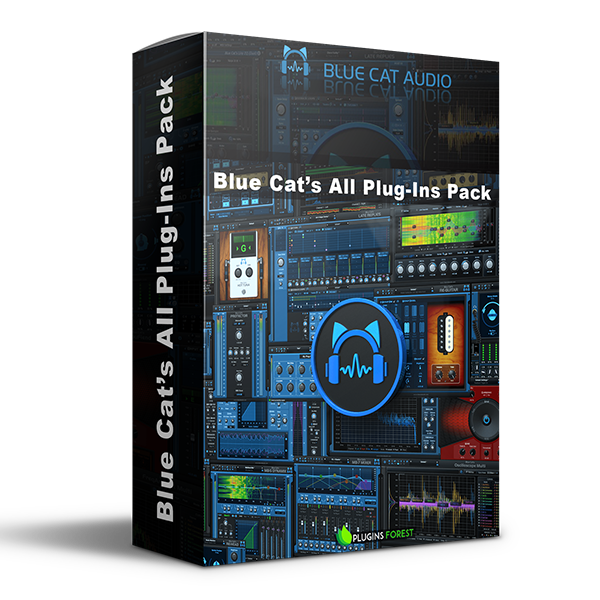
Explore Blue Cat’s All Plug-Ins Pack (Windows) for your music production setup.
Blue Cat's All Plug-Ins Pack is a powerhouse bundle of professional-grade audio tools designed to cover every aspect of mixing, mastering, sound…
Blue Cat's Re-Guitar v1.3.1 – Virtually transform your guitar's tone (pickup/body emulation).
Blue Cat's Destructor v2.0.2 – Amp sim, distortion, and tone shaping monster.
Explore product features & full description
Blue Cat's All Plug-Ins Pack is a powerhouse bundle of professional-grade audio tools designed to cover every aspect of mixing, mastering, sound design, and performance. Whether you're a producer, engineer, or musician, this comprehensive suite offers unparalleled flexibility, creative potential, and sonic precision.
🎛️ What's Included in the Pack
🔊 Guitar & Amp Tools
Blue Cat's Axiom v2.1.0 – Amp and effects modeling platform for guitar & bass.
Blue Cat's Re-Guitar v1.3.1 – Virtually transform your guitar's tone (pickup/body emulation).
Blue Cat's Destructor v2.0.2 – Amp sim, distortion, and tone shaping monster.
Blue Cat's PolyVibe v1.0.2 – Vintage-inspired modulation for guitar and beyond.
Blue Cat's Spinal Vibe v1.0.0 – Stereo vibrato effect plugin with motion control.
Blue Cat's Hot Tuna v1.2.1 – Precision guitar/bass tuner.
Blue Cat's Re-Head v1.3.0 – Binaural headphone mix monitor for guitarists and engineers.
🔄 Modular & Signal Routing
Blue Cat's PatchWork v2.7.1 – Plugin chainer and host inside your DAW or standalone.
Blue Cat's MB-7 Mixer v3.6.0 – Multiband hosting and processing.
Blue Cat's Connector v1.3.1 – Send/receive audio and MIDI between applications and machines.
🎚️ Mixing & Dynamics
Blue Cat's MB-5 Dynamix v2.2.2 – Multiband dynamics processor.
Blue Cat's Dynamics v4.4.2 – Fully-featured broadband dynamics processor.
Blue Cat's Protector v2.3.2 – Brickwall limiter for mastering-grade loudness control.
Blue Cat's Fader Hub v1.1.0 – Remote-control virtual mixing console.
Blue Cat's Remote Control v3.1.2 – MIDI-controllable virtual control surface.
🎙️ Metering & Analysis
Blue Cat's DP Meter Pro v4.4.0 – Peak, RMS, crest factor, and more.
Blue Cat's Oscilloscope Multi v2.4.2 – Multi-channel real-time waveform comparison.
Blue Cat's FreqAnalyst Multi v2.4.2 – Real-time spectrum analysis across multiple tracks.
Blue Cat's StereoScope Multi v2.4.2 – Stereo field analysis tool.
Blue Cat's FreqAnalyst Pro v2.1.2 – Advanced single-channel spectrum analysis.
Blue Cat's StereoScope Pro v2.1.2 – Detailed stereo field imaging.
🎨 Creative FX & Utilities
Blue Cat's Late Replies v1.6.7 – Creative delay and reverb powerhouse with plugin hosting.
Blue Cat's Liny EQ v5.2.2 – Linear phase EQ with zero latency options.
Blue Cat's Plug'n Script v3.4.0 – Scripting environment for creating custom plugins.
Blue Cat's AcouFiend v1.1.2 – Virtual acoustic feedback simulator for expressive playing.
🔧 Why Choose Blue Cat’s All Plug-Ins Pack?
✅ Fully modular and flexible ecosystem
✅ Host third-party plugins inside many of the included tools
✅ Ideal for live performance setups or complex studio routing
✅ Creative tools that go far beyond typical mixing bundles
✅ Cross-platform & well-optimized for minimal CPU use
Whether you’re sculpting tones, designing effects, hosting other plugins, or analyzing every detail of your mix, Blue Cat’s All Plug-Ins Pack is your complete creative and technical toolkit. A must-have suite for forward-thinking sound professionals.
Complete your purchaseReview compatibility and purchase details.
Download your filesAccess available downloads through your order and account.
Follow the included setup guideContact GetPlugins if you need installation help.
Activation, where included, is provided by GetPlugins. Publisher-account registration, transferable publisher keys and a publisher-issued licence are not included. Read the activation policy.
Frequently asked questions
How do I receive my download?
After payment, access available files from your order details and GetPlugins account. Contact support if a download is missing.
What activation is included?
Follow the activation instructions supplied with your download. Activation is provided by GetPlugins. Confirm device allowances and reinstall arrangements before ordering.
Will this work with my computer and DAW?
Check the compatibility information for this listing and ask us to confirm the exact supplied build. Libraries may require a compatible sampler or additional software.
What if I need installation help?
Email support@getplugins.io with your order number, operating system, DAW and any error message.
Which updates are included?
Activation and updates are separate. Confirm the available version and update arrangements before ordering; do not assume access to future publisher releases.
How do I request a refund?
Contact support with your order number and issue details. Read our Refund Policy for eligibility and the request process.
Customer Reviews
Reviews
There are no reviews yet.
Be the first to review “Blue Cat’s All Plug-Ins Pack (Windows)” Cancel reply










Reviews
There are no reviews yet.