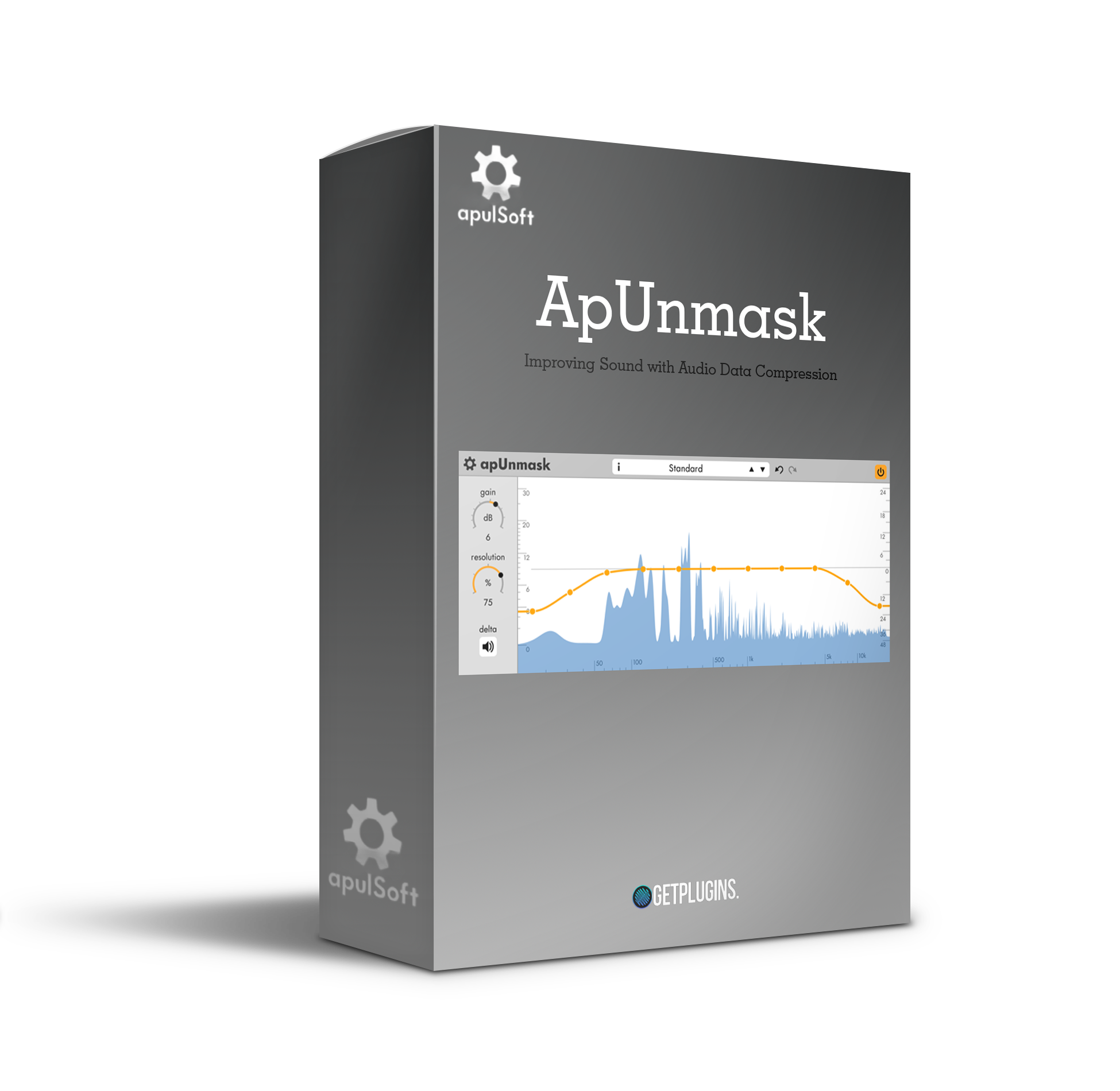
Apulsoft – ApUnmask (Windows)

ApUnmask by Apulsoft is a professional spectral unmasking plugin built for producers, composers, and modern music creators who…
Formats: VST3 · VST

£30.00

Discover Apulsoft – ApUnmask (Windows)

ApUnmask by Apulsoft is a professional spectral unmasking plugin built for producers, composers, and modern music creators who want crystal-clear separation and perfect mix clarity. Say goodbye to frequency clashes—ApUnmask ensures every instrument shines without compromise.

Explore product features & full description

🎚️ Apulsoft – ApUnmask

Reveal Every Detail in Your Mix with Precision

ApUnmask by Apulsoft is a professional spectral unmasking plugin built for producers, composers, and modern music creators who want crystal-clear separation and perfect mix clarity. Say goodbye to frequency clashes—ApUnmask ensures every instrument shines without compromise.

🔍 Intelligent Frequency Unmasking

ApUnmask uses advanced spectral analysis to detect overlapping frequencies in your mix and automatically reduce masking effects. This allows each element—vocals, synths, or drums—to stand out naturally without harsh EQ cuts.

✔ Remove frequency clashes effortlessly
✔ Highlight instruments without coloring the sound
✔ Perfect for transparent, professional mixes

🎛️ Flexible Control & Precision

With intuitive controls, ApUnmask lets you target individual instruments, adjust sensitivity, and fine-tune unmasking strength. Gain complete creative control over your mix while maintaining musical balance.

✔ Target individual instruments or groups
✔ Adjustable sensitivity and unmasking strength
✔ Preserve natural tone while enhancing clarity

🧠 Smart Workflow & Visual Feedback

ApUnmask’s clean, modern interface provides real-time spectral visualization, so you can see masking issues instantly and make quick, informed adjustments.

✔ Real-time spectral display
✔ Fast and intuitive workflow
✔ Perfect for mixing, mastering, and sound design

🎶 Perfect for Every Genre

Whether you produce EDM, pop, hip-hop, rock, or cinematic music, ApUnmask enhances clarity, separation, and punch, making your mixes sound professional and polished on any playback system.

✔ Ideal for producers, composers & engineers
✔ Reveal every subtle detail in your mix
✔ Works across all modern music genres

🚀 Optimized Performance & Stability

ApUnmask is designed with efficient DSP processing, providing low CPU usage and stable performance, even in large, multi-track projects.

✔ Lightweight and CPU-efficient
✔ Stable across all major DAWs
✔ Perfect for professional workflows

🎯 Why Choose ApUnmask?

ApUnmask is more than a mixing tool—it’s a clarity enhancer that allows you to separate, balance, and define every element in your production.

🔥 Achieve crystal-clear mixes
🔥 Remove masking without affecting tone
🔥 Essential plugin for modern music creators
Compatibility checklist

  • Windows 10,11 (64-bit Only)
  • VST, VST3
  • Formats: VST3 · VST

Requirements vary by supplied version. Confirm your setup with support before purchasing.

Delivery & activation

  1. Complete your purchaseReview compatibility and purchase details.
  2. Download your filesAccess available downloads through your order and account.
  3. Follow the included setup guideContact GetPlugins if you need installation help.

Activation, where included, is provided by GetPlugins. Publisher-account registration, transferable publisher keys and a publisher-issued licence are not included. Read the activation policy.

Frequently asked questions

How do I receive my download?

After payment, access available files from your order details and GetPlugins account. Contact support if a download is missing.

What activation is included?

Follow the activation instructions supplied with your download. Activation is provided by GetPlugins. Confirm device allowances and reinstall arrangements before ordering.

Will this work with my computer and DAW?

Check the compatibility information for this listing and ask us to confirm the exact supplied build. Libraries may require a compatible sampler or additional software.

What if I need installation help?

Email support@getplugins.io with your order number, operating system, DAW and any error message.

Which updates are included?

Activation and updates are separate. Confirm the available version and update arrangements before ordering; do not assume access to future publisher releases.

How do I request a refund?

Contact support with your order number and issue details. Read our Refund Policy for eligibility and the request process.

Customer Reviews

Reviews

There are no reviews yet.

Be the first to review “Apulsoft – ApUnmask (Windows)”

Your email address will not be published. Required fields are marked *