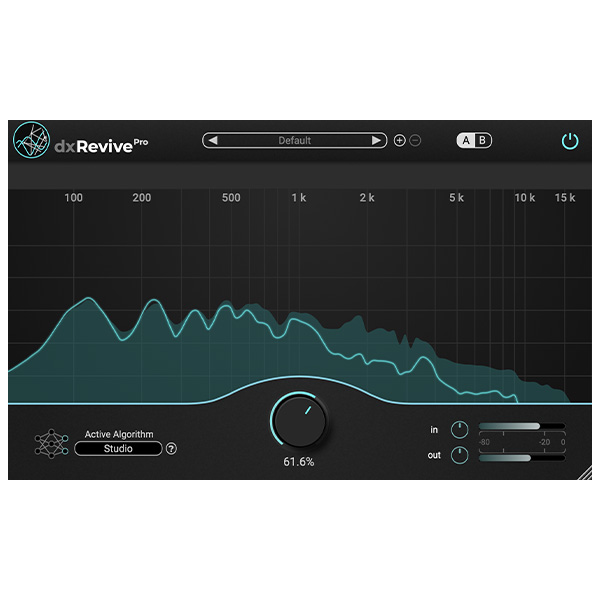
dxRevive is a universal speech restoration plugin designed to improve the quality of recordings of various dialogues. Unlike many other restoration plugins, dxRevive does not simply filter the signal. It goes further, identifying and restoring missing frequency components, which allows you to get studio recordings from various source materials.
Noise Removal
- Suppress reverberation.
- Restore missing frequencies.
- Remove codec artifacts (e.g. when recording via Skype or Zoom).
- Restore clipped audio.
- Apply spectral corrections.
- Restore audio with a limited frequency range, such as phone recordings.
MACHINE LEARNING ENGINE
- Highly optimized neural network.
- dxRevive uses highly optimized algorithms based on artificial neural networks. All processing happens locally, without transferring data to the cloud and without the use of special hardware.
- No need for delays when uploading or sharing protected audio!
MULTILINGUAL EXPERTISE
- Global speech database.
- Our algorithms are trained on a wide range of languages. They are exposed to a variety of linguistic nuances and accents of speakers from all over the world using our specially recorded speech database. Regardless of the type of input speech, dxRevive restores all the subtleties of pronunciation with high accuracy.
What’s new in dxRevive 1.2.0
- We are pleased to release version 1.2.0 of our flagship speech restoration plugin dxRevivePro, which introduces three new algorithms.
- The new algorithms do not replace the existing ones, and the new version is fully compatible with the previous ones!
Improved algorithms: Studio 3 and Natural 2
The two new algorithms are improved versions of the Studio and Natural algorithms. These updated versions handle a wide range of different recordings more reliably. High-frequency noise is removed more effectively, and missing low frequencies are resynthesized more efficiently. Remember that in some cases the older versions produce more desirable results, so if in doubt, double-check using the different versions available in the algorithm selection window. However, in most cases the newest versions, Studio 3 or Natural 2, are the best choice!
New Algorithm: EQ Restore
EQ Restore is a completely new addition to our existing algorithms. The main difference is that it does not aim to remove noise or reverberation; instead, it corrects spectral problems by applying equalization and spectral resynthesis if necessary. This way, the natural ambience is preserved and speech is only improved.
An important aspect of EQ Restore is that it applies equalization only to speech, without changing the frequencies of the underlying noise or environment. Such a selective approach is not possible with a conventional equalizer, which modifies the entire signal, affecting both speech and background components.









Reviews
There are no reviews yet.