


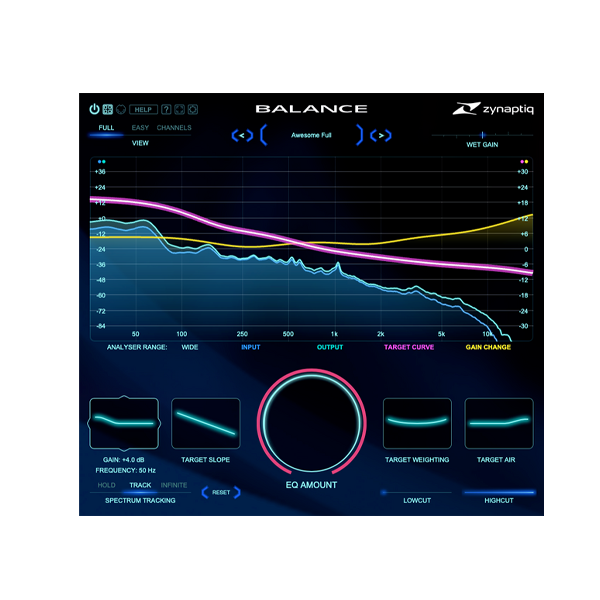
Discover Zynaptiq – Balance (Windows)
Streamline your mix, polish your sound, and find perfect tonal balance—fast.Zynaptiq BALANCE for Windows is an intelligent, adaptive EQ that lets you instantly shape your entire mix or individual tracks using a simple, powerful interface. With support for up to 16 channels, blazing-fast processing, and minimal CPU load, BALANCE is your go-to tool for next-level…
Instantly place any track in the mix
Add clarity, warmth, or air with a few knobs
Shape full mixes or individual stems in seconds
Explore product features & full description
🎛️ Zynaptiq BALANCE (Windows) – Smart EQ Control with Ultra-Clean Sound 🎧🔥
Streamline your mix, polish your sound, and find perfect tonal balance—fast.
Zynaptiq BALANCE for Windows is an intelligent, adaptive EQ that lets you instantly shape your entire mix or individual tracks using a simple, powerful interface. With support for up to 16 channels, blazing-fast processing, and minimal CPU load, BALANCE is your go-to tool for next-level tone control. 🎶💼
🧠 Smart. Musical. Effortless.
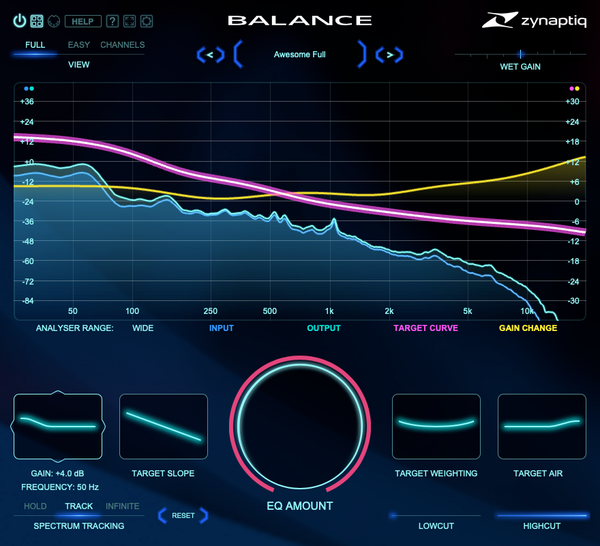
BALANCE intelligently analyzes and adjusts your audio’s frequency response to match a target EQ curve you set. It behaves like a match EQ, feels as simple as a tilt EQ, and sounds as stunning as you'd expect from Zynaptiq. 🎯
-
Instantly place any track in the mix
-
Add clarity, warmth, or air with a few knobs
-
Shape full mixes or individual stems in seconds
💥 Optimized for Performance
Built with custom minimum-phase filters, BALANCE delivers pristine sound with just 3 samples of latency—no pre-ringing, no fuss. It’s light enough to run hundreds of instances on modern systems, making it ideal for everything from simple sessions to large immersive projects. 🚀💻
🔑 Key Features
-
🧠 Smart Adaptive EQ Engine – Automatically balances tonal response
-
🔄 Ultra-Low Latency – Just 3 samples with near-zero CPU load
-
🎚️ 16-Channel Support – Ideal for surround, Atmos & immersive formats
-
🎛️ Shape Controls – Adjust SLOPE, WEIGHTING, BASS & AIR with ease
-
📈 Global EQ Amount & Wet Gain – Control tonal intensity and loudness
-
✂️ High-Cut & Low-Cut Filters – Smooth 12dB/oct response
-
🖥️ GPU-Accelerated Analyzer – Fast, clear visuals powered by Metal/Direct3D
-
🪄 EASY Mode UI – Streamlined view for focused workflows
-
🔍 Double Precision Option – Maximum fidelity when it counts
-
🔧 Scalable, Vectorized Interface – Crisp visuals on any screen size
👥 Who’s It For?
Whether you're a music producer, film sound designer, mix engineer, or content creator, BALANCE gives you the power to shape your sound faster, cleaner, and smarter. 🎬🎙️🎼
🌟 Why BALANCE?
-
Match tonal curves with unmatched precision
-
Clean up or enhance any recording in seconds
-
Use across your entire session with zero performance bottlenecks
Compatibility checklist
- Windows 10,11 (64-bit Only)
- VST,VST3
- Formats: VST3 · VST
Requirements vary by supplied version. Confirm your setup with support before purchasing.
Delivery & activation
- Complete your purchaseReview compatibility and purchase details.
- Download your filesAccess available downloads through your order and account.
- Follow the included setup guideContact GetPlugins if you need installation help.
Activation, where included, is provided by GetPlugins. Publisher-account registration, transferable publisher keys and a publisher-issued licence are not included. Read the activation policy.
Frequently asked questions
How do I receive my download?
After payment, access available files from your order details and GetPlugins account. Contact support if a download is missing.
What activation is included?
Follow the activation instructions supplied with your download. Activation is provided by GetPlugins. Confirm device allowances and reinstall arrangements before ordering.
Will this work with my computer and DAW?
Check the compatibility information for this listing and ask us to confirm the exact supplied build. Libraries may require a compatible sampler or additional software.
What if I need installation help?
Email support@getplugins.io with your order number, operating system, DAW and any error message.
Which updates are included?
Activation and updates are separate. Confirm the available version and update arrangements before ordering; do not assume access to future publisher releases.
How do I request a refund?
Contact support with your order number and issue details. Read our Refund Policy for eligibility and the request process.







Reviews
There are no reviews yet.