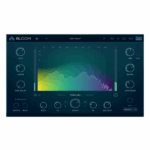
Venomode – Mesa (Windows)
£20.00
Discover Venomode – Mesa (Windows)
Take your music production to the next level with Venomode Mesa, the ultimate spectral processing and sound-shaping plugin for modern creators. Perfect for producers, composers, and sound designers, Mesa delivers clarity, depth, and professional tonal control to every track. 🎛️✨
Precise spectral shaping for professional, polished mixes
Enhances clarity, depth, and tonal balance
Ideal for mixing, sound design, and cinematic scoring
Explore product features & full description
🌟 Venomode – Mesa (Windows)
Take your music production to the next level with Venomode Mesa, the ultimate spectral processing and sound-shaping plugin for modern creators. Perfect for producers, composers, and sound designers, Mesa delivers clarity, depth, and professional tonal control to every track. 🎛️✨
⚡ Precise Spectral Control
Gain complete control over your sound spectrum. Mesa lets you split, process, and manipulate frequencies independently, giving your mixes, synths, and layered instruments unmatched clarity, definition, and punch. Achieve transparent, professional results with ease. 🌈🎶
🎨 Creative Sound Design
From subtle tonal adjustments to radical transformations, Mesa empowers you to sculpt immersive textures and unique sounds. Apply dynamic spectral effects, EQ shaping, and precise frequency modulation to bring your compositions to life. 🌀🎧
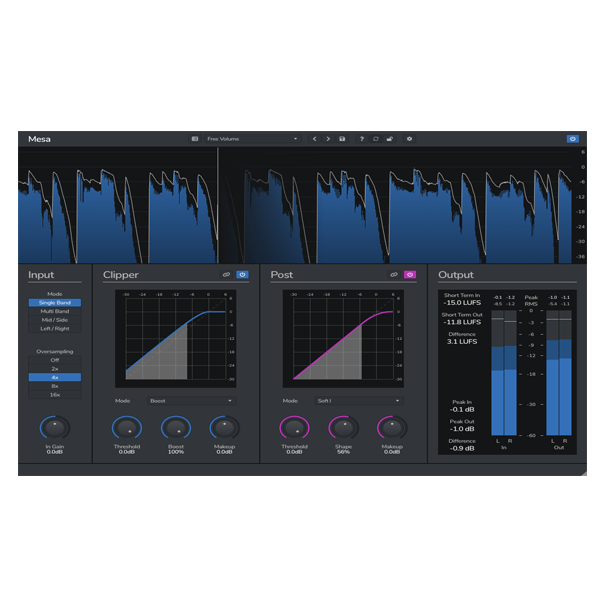
🖥️ Intuitive & Visual Interface
Designed for efficiency and creativity, Mesa features a clean, responsive interface for real-time spectral editing. Adjust frequency bands, modulation, and dynamics effortlessly while staying fully in your creative workflow. 🚀🧩
🎹 Why Modern Producers & Composers Love It
-
Precise spectral shaping for professional, polished mixes
-
Enhances clarity, depth, and tonal balance
-
Ideal for mixing, sound design, and cinematic scoring
-
Trusted in electronic, pop, and film music productions
Compatibility checklist
- Windows 10,11 (64-bit Only)
- VST, VST3, AAX
- Formats: VST3 · AAX · VST
Requirements vary by supplied version. Confirm your setup with support before purchasing.
Delivery & activation
- Complete your purchaseReview compatibility and purchase details.
- Download your filesAccess available downloads through your order and account.
- Follow the included setup guideContact GetPlugins if you need installation help.
Activation, where included, is provided by GetPlugins. Publisher-account registration, transferable publisher keys and a publisher-issued licence are not included. Read the activation policy.
Frequently asked questions
How do I receive my download?
After payment, access available files from your order details and GetPlugins account. Contact support if a download is missing.
What activation is included?
Follow the activation instructions supplied with your download. Activation is provided by GetPlugins. Confirm device allowances and reinstall arrangements before ordering.
Will this work with my computer and DAW?
Check the compatibility information for this listing and ask us to confirm the exact supplied build. Libraries may require a compatible sampler or additional software.
What if I need installation help?
Email support@getplugins.io with your order number, operating system, DAW and any error message.
Which updates are included?
Activation and updates are separate. Confirm the available version and update arrangements before ordering; do not assume access to future publisher releases.
How do I request a refund?
Contact support with your order number and issue details. Read our Refund Policy for eligibility and the request process.

Reviews
There are no reviews yet.