Unison – Chord Genie
AI Chord Progression Generator for Modern Music Production
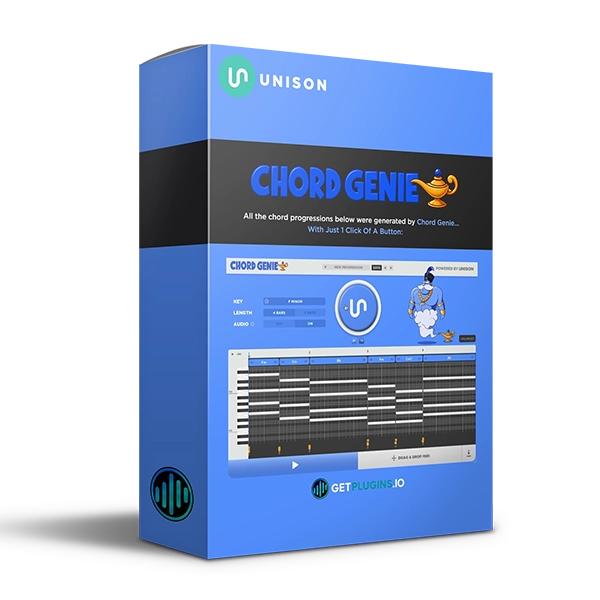
Unison Chord Genie is an AI-powered chord progression generator designed to help music producers create professional-sounding chord progressions instantly—without requiring advanced music theory knowledge.
Simply choose your key, click Create, and generate a complete chord progression that fits your musical idea. The built-in piano roll allows you to edit and customize every chord before dragging the MIDI directly into your DAW.
Whether you're producing pop, hip-hop, EDM, R&B, trap, house, or electronic music, Chord Genie provides a fast and inspiring way to discover new harmonic ideas.
For more creative music-production tools, explore our MIDI and music production plugins.
Generate Chord Progressions in One Click
Chord Genie removes the complexity from creating chord progressions.
Simply:
1. Select
Choose your preferred key and duration.
2. Create
Click the Create button to generate a professional chord progression.
3. Customize
Edit the generated chords using the built-in piano roll.
4. Export
Drag and drop the MIDI into your DAW or export it as a MIDI file.
This simple workflow lets you move from an empty project to a playable musical idea in seconds.
AI-Powered Chord Generation
Chord Genie uses AI-powered generation to create musical chord progressions that can serve as the foundation for complete songs.
Generate endless ideas and experiment with different harmonic combinations without manually building every chord from scratch.
It's particularly useful when you're stuck on a melody, need a new harmonic direction, or simply want to discover unexpected chord combinations.
Built-In Piano Roll
Chord Genie includes a fully editable piano roll, giving you complete control over your generated MIDI.
You can refine your progression and adjust the musical idea before moving it into your DAW.
This makes the plugin useful not only for generating ideas but also for developing them into production-ready MIDI sequences.
Key and Duration Selection
Choose the musical parameters you want before generating your progression.
Key and duration controls help you create chord sequences that fit your project and provide a starting point for developing melodies, basslines, and complete arrangements.
MIDI Export & Drag-and-Drop
Once you've created your progression, getting it into your production is simple.
You can:
- Drag and drop MIDI into your DAW
- Export MIDI files
- Connect MIDI to synthesizers
- Use external VST instruments
- Build melodies around generated chords
- Create basslines from chord roots
For additional MIDI tools, explore our MIDI production collection.
Works With Your DAW and VST Instruments
Chord Genie is designed to fit naturally into modern music-production workflows.
Use the generated MIDI with your favorite:
- Synthesizers
- VST instruments
- Piano plugins
- Samplers
- Bass instruments
- Orchestral instruments
- DAWs
The MIDI workflow makes it easy to turn generated chord ideas into complete productions.
Break Through Creative Blocks
One of the biggest advantages of an AI chord generator is the ability to quickly generate new ideas.
Instead of spending long periods experimenting with individual chords, Chord Genie lets you generate progressions and immediately start building around them.
Use it when you need:
- New songwriting ideas
- Chord progression inspiration
- MIDI foundations
- Melody starting points
- Harmonic variations
- Fast songwriting workflows
Perfect For
- Music Producers
- Songwriters
- Beat Makers
- EDM Producers
- Pop Producers
- Hip-Hop Producers
- Trap Producers
- R&B Producers
- House Producers
- Electronic Music Producers
- Beginners
- Experienced Producers
Key Features
- AI-powered chord progression generation
- One-click chord creation
- Professional chord progressions
- Built-in editable piano roll
- Key selection
- Duration selection
- MIDI export
- Drag-and-drop MIDI workflow
- Preset saving
- Works with VST instruments
- Compatible with Mac and PC
- Works with major DAWs
- Simple and intuitive workflow
- Designed for fast songwriting
Why Choose Unison Chord Genie?
Unison Chord Genie combines AI-powered chord generation with an intuitive MIDI workflow, making it easier to turn musical ideas into usable chord progressions.
Whether you understand music theory or are just starting, you can quickly generate, edit, and export chord progressions to use with your favorite instruments.
From songwriting and beat making to EDM, pop, hip-hop, R&B, and electronic production, Chord Genie can provide an instant foundation for your next track.
Explore more music production plugins and MIDI tools to expand your production workflow. Unison Audio Official Website



Reviews
There are no reviews yet.