Unison Audio – Unisynth
AI-Powered Generative Synthesizer for Instant Genre-Based Sounds
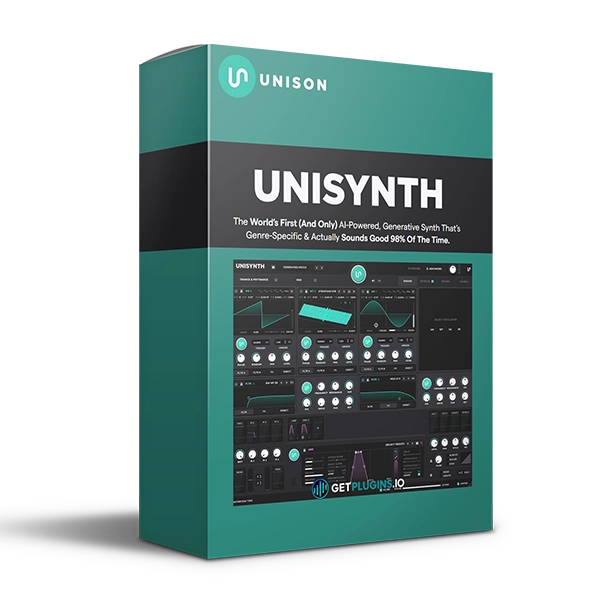
Unison Audio Unisynth is an innovative generative synthesizer designed to help music producers create fresh, genre-focused sounds without spending hours searching through presets or building patches from scratch.
Instead of browsing through hundreds of sounds hoping to find something suitable, Unisynth uses an AI-powered sound generation approach to create new synthesizer sounds based on your selected genre and sound type.
Simply choose your genre, select the sound type, and click Create to generate a new sound. This streamlined workflow gives producers a fast way to explore different basses, leads, pads, plucks, and other synth sounds while staying focused on music creation.
Explore our synthesizer plugins collection for more virtual instruments and sound-design tools.
AI Sound Generation
Unisynth is designed around generative sound creation rather than traditional preset browsing.
Instead of repeatedly searching through preset libraries, you can generate new sounds and quickly audition different ideas.
The workflow is simple:
- Select your genre
- Choose a sound type
- Click Create
- Explore the generated sound
- Customize it to fit your production
This makes sound exploration faster and more creative.
Genre-Focused Sound Design
Unisynth is designed to generate sounds with the selected musical style in mind.
This makes it easier to find sounds that complement the direction of your track rather than starting with completely unrelated presets.
Use it for modern productions across different genres and experiment with fresh sounds whenever your track needs new inspiration.
Stop Searching Through Presets
Traditional synthesizers often require producers to browse through large preset libraries before finding something suitable.
Unisynth takes a different approach by generating new sounds on demand.
Instead of spending significant time searching for the right preset, you can generate multiple ideas quickly and choose the sound that best fits your track.
This can be particularly useful when you're:
- Starting a new track
- Looking for a lead sound
- Building a bassline
- Creating atmospheric pads
- Searching for a unique pluck
- Experimenting with new genres
- Developing new production ideas
For more sound libraries and instruments, explore our virtual instruments collection.
Fresh & Customizable Sounds
Each generated sound is designed to give producers a fresh starting point rather than simply relying on the same commonly used presets.
Once a sound has been generated, you can customize it to better match your production and personal style.
This makes Unisynth useful for producers who want speed and experimentation without giving up control over their sound.
Fast Creative Workflow
Unisynth is built around a simple workflow that reduces the time between an idea and a usable sound.
The streamlined process makes it possible to experiment with numerous sounds in a short period of time.
This is especially useful for modern producers who want to maintain creative momentum instead of interrupting their workflow with lengthy preset searches.
Key Features
- AI-powered generative synthesizer
- Genre-focused sound generation
- Instant sound creation
- Fresh generated sounds
- Selectable sound types
- Fast preset-free workflow
- Customizable synthesizer sounds
- Designed for modern music production
- Creative sound-design workflow
- Ideal for rapid sound exploration
Perfect For
- Music Producers
- EDM Producers
- Hip-Hop Producers
- Electronic Music Producers
- Pop Producers
- House Producers
- Trap Producers
- Sound Designers
- Beat Makers
- Songwriters
- Synth Enthusiasts
- Beginners in Sound Design
Why Choose Unison Audio Unisynth?
Unison Audio Unisynth offers a different approach to synthesizer sound creation. Rather than spending extensive time browsing presets or manually building patches, producers can generate new sounds based on their desired genre and sound type.
Its AI-powered generative workflow is designed to help you explore more ideas in less time, making it a useful tool for producers who want to stay focused on songwriting, arrangement, and production.
Whether you need a bass, lead, pad, pluck, or another synthesizer sound, Unisynth provides a fast starting point for creative sound design.
Explore more AI music production tools and synth plugins for your studio.
For official product information, visit the Unison Audio website


Reviews
There are no reviews yet.