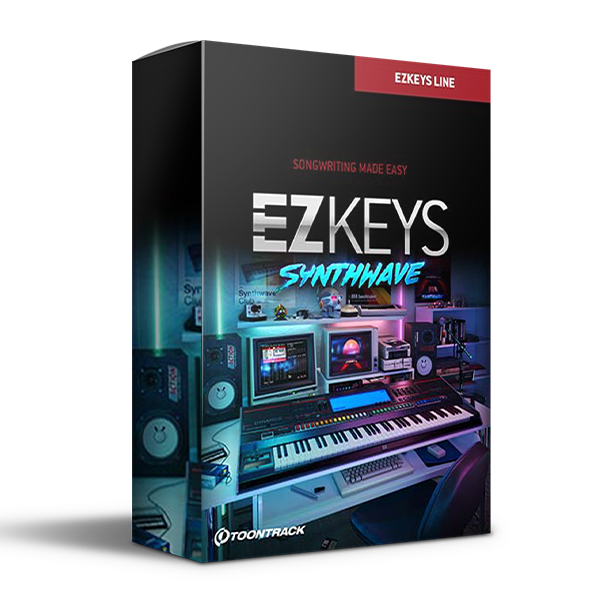
Toontrack – EZkeys With Synthwave (Windows)
£31.99
Discover Toontrack – EZkeys With Synthwave (Windows)
Explore Toontrack – EZkeys With Synthwave (Windows) for your music production setup.
32- and 64-bit AAX, VST, and AU instruments as well as a low latency stand-alone application
Drag and drop the included MIDI straight to the built-in song track
Drag and drop support for your own or third-party MIDI straight into EZkeys
Explore product features & full description
EZKEYS – FEATURE OVERVIEW
- 32- and 64-bit AAX, VST, and AU instruments as well as a low latency stand-alone application
- Drag and drop the included MIDI straight to the built-in song track
- Drag and drop support for your own or third-party MIDI straight into EZkeys
- Drag and drop MIDI from the song track or directly from the song browser to your DAW or to your desktop
- EZkeys will analyze and chord-separate any MIDI on the fly
- Record or overdub MIDI directly in EZkeys
- Use your own, the included, or any third-party MIDI/chord progressions and transform with playing styles found in other MIDI files
- Quickly add basic chords to the timeline or drag and drop any chord from the Chord Wheel
- Real-time chord display that enables you to instantly see what chords you are playing
- Chord selector, based upon the circle of fifths, allowing you to change chords instantly
- Presets for the most commonly used chord types
- Customize the coloration of any chord by opening up the detailed view
- Alter the voicing of a chord on the fly by clicking the – or + buttons in the Chord Wheel
- “Humanize” any pre-quantized MIDI upon import in EZkeys
- Transpose individual song blocks or full songs
- Export songs or files as wave files straight from the EZkeys interface
- Comes with an easy-to-understand music theory document including MIDI examples
- Possibility to tune the piano by octave, semitone, or cents
- Dynamics controls that let you adjust the velocity response to match your keyboard or playing style
- Three pedals: sustain, sostenuto, and damping
- MIDI-learn and automation
- Ready-made presets utilizing high-quality effects from Overloud. The presets range from raw and unprocessed to heavily distorted and tweaked
EZKEYS – MIDI OVERVIEW
- The extensive MIDI library played by a professional session pianist
- All major styles covered (Pop/Rock, Soul/RnB, Country, Gospel, Jazz, Blues, Boogie, Funk)
- All songs performed in full 8-bar or longer blocks
- All songs performed with increasing intensity as intro, verse, pre-chorus, chorus, and bridge variations
- Single, rhythmical, and broken chords in different variations as well as FX and endings
- Straight/swing variations in 4/4 and 6/8
- Intuitive browser that lets you add your own favorites and arrange them in folders
Compatibility checklist
- Windows
- Lifetime Activation & Access To Download
- Full Version
- Intel Core 2 Duo / AMD Athlon 64 X2 or higher, 4GB RAM minimum
- OS Requirements – PC: Windows 7 SP1 or later
- VST2, VST3, and Standalone host.
- 6 GB Hard Disk Or External Drive
- Formats: VST3 · VST2 · Standalone
Requirements vary by supplied version. Confirm your setup with support before purchasing.
Delivery & activation
- Complete your purchaseReview compatibility and purchase details.
- Download your filesAccess available downloads through your order and account.
- Follow the included setup guideContact GetPlugins if you need installation help.
Activation, where included, is provided by GetPlugins. Publisher-account registration, transferable publisher keys and a publisher-issued licence are not included. Read the activation policy.
Frequently asked questions
How do I receive my download?
After payment, access available files from your order details and GetPlugins account. Contact support if a download is missing.
What activation is included?
Follow the activation instructions supplied with your download. Activation is provided by GetPlugins. Confirm device allowances and reinstall arrangements before ordering.
Will this work with my computer and DAW?
Check the compatibility information for this listing and ask us to confirm the exact supplied build. Libraries may require a compatible sampler or additional software.
What if I need installation help?
Email support@getplugins.io with your order number, operating system, DAW and any error message.
Which updates are included?
Activation and updates are separate. Confirm the available version and update arrangements before ordering; do not assume access to future publisher releases.
How do I request a refund?
Contact support with your order number and issue details. Read our Refund Policy for eligibility and the request process.

Reviews
There are no reviews yet.