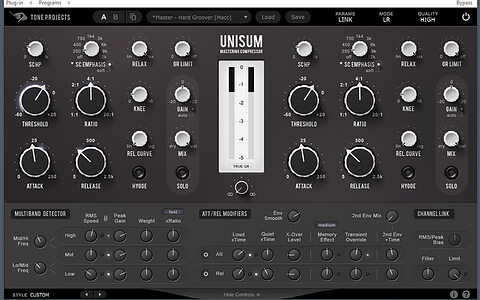
Tone Projects – Unisim (Windows)
£28.00
Discover Tone Projects – Unisim (Windows)
Transform your digital mixes into analog masterpieces with Tone Projects – Unisim (Windows). This innovative plugin brings the legendary warmth, depth, and character of high-end analog consoles to your DAW. Whether you're fine-tuning individual tracks or mastering entire mixes, Unisim provides the tools to inject musicality, rich harmonics, and vintage saturation into your sound. 🌟🎛️
Explore product features & full description
🎚️ Tone Projects – Unisim
Transform your digital mixes into analog masterpieces with Tone Projects – Unisim (Windows). This innovative plugin brings the legendary warmth, depth, and character of high-end analog consoles to your DAW. Whether you're fine-tuning individual tracks or mastering entire mixes, Unisim provides the tools to inject musicality, rich harmonics, and vintage saturation into your sound. 🌟🎛️
🔥 Analog Sound, Digital Flexibility
Crafted for audio engineers and music producers who crave analog-style warmth in a modern, efficient plugin, Unisim combines the best of analog circuitry with the flexibility of digital workflows. Thanks to its advanced DSP technology, Unisim delivers everything from subtle tonal shaping to musical distortion — perfect for adding dimension to your sound without the hassle of analog gear. 🎧🎶
🎚️ Key Features:
✅ Authentic Analog Emulation – Capture the warmth, color, and dynamics of classic analog mixing consoles
✅ Smooth Saturation & Harmonics – Add rich saturation and dynamic color to your tracks with analog-style distortion
✅ Dynamic Compression & EQ – Shape your sound with flexible compression and equalization that preserves natural dynamics
✅ Wide Compatibility – Works seamlessly in all major DAWs on Windows, ensuring a smooth production workflow
✅ High-Quality DSP Engine – Achieve high-fidelity analog emulation with state-of-the-art DSP algorithms
✅ Versatile Use Cases – Ideal for mixing vocals, drums, bass, and full tracks
🎧 Perfect For:
🎶 Mixing Engineers looking to add depth and warmth to digital tracks
🎛️ Mastering Engineers seeking a rich, polished analog sound for their final mixes
🎼 Producers wanting an easy way to emulate classic analog consoles in a modern environment
🎚️ Musicians craving analog saturation for instruments and vocals
Compatibility checklist
- Windows 10,11 (64-bit Only)
- VST3, AAX
- Formats: VST3 · AAX
Requirements vary by supplied version. Confirm your setup with support before purchasing.
Delivery & activation
- Complete your purchaseReview compatibility and purchase details.
- Download your filesAccess available downloads through your order and account.
- Follow the included setup guideContact GetPlugins if you need installation help.
Activation, where included, is provided by GetPlugins. Publisher-account registration, transferable publisher keys and a publisher-issued licence are not included. Read the activation policy.
Frequently asked questions
How do I receive my download?
After payment, access available files from your order details and GetPlugins account. Contact support if a download is missing.
What activation is included?
Follow the activation instructions supplied with your download. Activation is provided by GetPlugins. Confirm device allowances and reinstall arrangements before ordering.
Will this work with my computer and DAW?
Check the compatibility information for this listing and ask us to confirm the exact supplied build. Libraries may require a compatible sampler or additional software.
What if I need installation help?
Email support@getplugins.io with your order number, operating system, DAW and any error message.
Which updates are included?
Activation and updates are separate. Confirm the available version and update arrangements before ordering; do not assume access to future publisher releases.
How do I request a refund?
Contact support with your order number and issue details. Read our Refund Policy for eligibility and the request process.

Reviews
There are no reviews yet.