Steinberg – Backbone v1.6.20
Advanced Drum Resynthesis and Sound Design Instrument
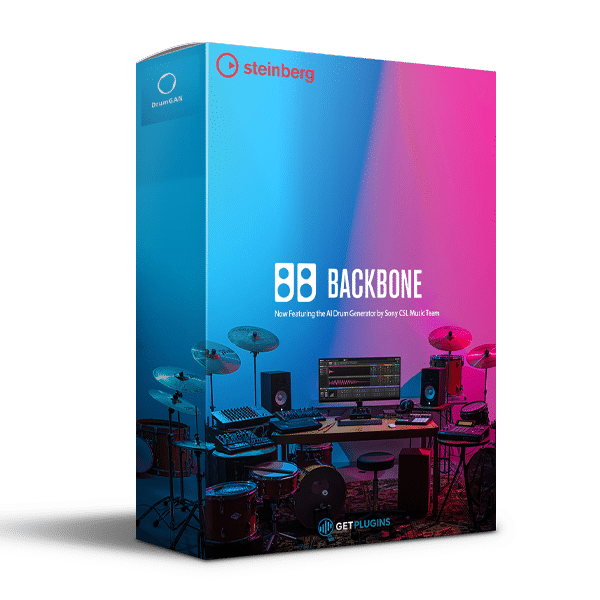
Steinberg Backbone v1.6.20 is a powerful drum resynthesis instrument designed for music producers, composers, sound designers, and electronic music creators who want complete control over their drum sounds. Combining multilayer sample processing, spectral resynthesis, tonal and noise separation, and AI-powered DrumGAN generation, Backbone transforms ordinary samples into distinctive kicks, snares, claps, hi-hats, toms, percussion, cinematic impacts, and experimental sound effects.
With support for up to eight independently processed layers per sound, Backbone lets you combine acoustic recordings, electronic samples, synthesized tones, transients, and noise into custom drum instruments. Its advanced editing tools and flexible effects routing make it suitable for electronic music production, film scoring, game audio, sound design, and modern beat-making.
Create Custom Drum Sounds with Eight Independent Layers
Backbone provides eight layer slots for combining different samples into a single, cohesive drum sound. Build a powerful kick by pairing a sharp transient with a deep tonal body, add acoustic texture to a snare, or combine multiple recordings to create complex percussion and cinematic impacts.
Each layer features independent sample, filter, amplifier, pitch, envelope, resynthesis, and effects controls. You can adjust the timing, tuning, length, dynamics, and tonal character of individual layers without permanently changing the original audio file.
Drag-and-drop sample importing and flexible layer management help streamline the sound-design process, making it easy to experiment with different combinations and develop original drum sounds for your productions.
Separate Tonal and Noise Components with Decompose
The integrated Decompose function separates audio into tonal and noise components, giving you greater control over the individual characteristics of a drum sound.
Process the tonal component to reshape its pitch, body, and sustain, while independently modifying the noise component to refine the transient, attack, and texture. These components can be filtered, layered, and resynthesized to produce tighter kicks, sharper snares, cleaner percussion, and more controlled electronic drum sounds.
This approach is particularly useful when you want to preserve the character of a sample while changing its fundamental sound.
Spectral Resynthesis for Advanced Sound Design
Backbone's spectral resynthesis engine reconstructs sounds using detailed spectral processing, allowing you to transform familiar samples into entirely new sonic material.
Parameters including Purity, Inharmonicity, and Acceleration provide detailed control over the character and behavior of the resynthesized sound. Use these controls to create tuned percussion, metallic hits, unusual textures, synthetic drum layers, and cinematic sound effects.
The resynthesis workflow supports creative experimentation with drum one-shots, loops, and recorded audio, helping producers develop sounds that go beyond conventional sample editing.
AI-Powered Drum Generation with DrumGAN
Backbone integrates DrumGAN, an AI-driven drum-generation technology developed by Sony Computer Science Laboratories. It can generate original kick, snare, and cymbal sounds, as well as create variations related to existing material.
Generated sounds can then be refined using Backbone's layering, filtering, Decompose, resynthesis, and effects tools. This combination of AI-assisted generation and detailed sound editing provides a flexible starting point for developing custom drum collections and discovering new sonic possibilities.
Advanced Pitch, Envelopes, and Filtering
Backbone includes detailed sound-shaping tools for controlling the tonal and dynamic behavior of individual layers.
- Pitch and tuning controls for adjusting drum tone and matching multiple layers.
- Automatic pitch analysis to help identify the tonal characteristics of samples.
- Amplitude and pitch envelopes for shaping attacks, decays, and evolving sounds.
- Advanced envelope editing for precise control over the movement of a sound.
- Multimode and spectral filtering for refining frequency content and creating distinctive timbres.
These tools make it easier to build tight, punchy drums, tune percussion to a track, and create evolving effects for electronic and cinematic productions.
Flexible Effects and Routing
Backbone supports up to eight effects routed through two fully routable effects buses, providing flexible processing options for individual layers and complete drum sounds.
Use effects such as EQ, compression, saturation, distortion, modulation, delay, and reverb to add punch, character, width, depth, and texture. Combine multiple processing stages to create polished production-ready drums or deliberately aggressive and experimental sound effects.
The ability to process layers independently makes it easier to balance transients, shape tonal bodies, and blend different sonic elements into a unified result.
Fast DAW Integration and Audio Export
Backbone fits naturally into sample-based and MIDI-driven production workflows. Import samples using drag-and-drop, build layered drum programs, and export your finished sounds directly into your preferred DAW.
You can drag individual layers or complete processed sounds into your project as audio, making it convenient to arrange, edit, and further process custom drum material alongside other instruments.
Its scalable interface also helps accommodate different screen sizes and production setups.
Expanded Factory Presets and Drum Sounds
Backbone includes a collection of factory samples, layer presets, and multilayer drum programs to help you start designing sounds immediately.
The expanded factory collection includes 250 additional handcrafted single-drum presets, featuring:
- 60 experimental snare presets
- 25 clap presets
- More than 35 tom presets
- Additional hi-hats and percussion sounds
- Factory samples and layer presets
- Individually constructed multilayer drum programs
These resources provide a practical starting point for building custom drum kits, exploring sound-design techniques, and developing original percussion for different musical styles.
Key Features of Steinberg Backbone v1.6.20
- Advanced drum resynthesis and sound-design instrument
- Create kicks, snares, claps, hi-hats, toms, and percussion
- Design cinematic impacts, risers, and experimental sound effects
- Combine up to eight layers in a single sound
- Independent processing controls for every layer
- Integrated spectral resynthesis engine
- Decompose audio into tonal and noise components
- AI-powered DrumGAN generation for kicks, snares, and cymbals
- Generate variations from existing material
- Detailed pitch, tuning, and automatic pitch-analysis tools
- Flexible amplitude and pitch envelopes
- Advanced envelope editor
- Multimode and spectral filtering
- Purity, Inharmonicity, and Acceleration controls
- Up to eight effects with two routable effects buses
- Drag-and-drop sample importing
- Export individual layers or complete sounds into a DAW
- Process drum one-shots, loops, and recorded samples
- Scalable user interface
- Expanded factory preset collection
Who Is Steinberg Backbone For?
Steinberg Backbone is designed for music creators who need more than a conventional drum sampler.
- Electronic Music Producers: Create distinctive kicks, snares, claps, hi-hats, and layered percussion for EDM, techno, house, trance, and other electronic genres.
- Hip-Hop and Beat Producers: Develop punchy drums, custom one-shots, and layered percussion with precise tonal and transient control.
- Film and Game Composers: Design cinematic impacts, transitions, risers, and original percussive textures.
- Sound Designers: Transform ordinary samples into unusual textures using spectral resynthesis, tonal/noise separation, and DrumGAN.
- Mixing and Production Engineers: Refine the tuning, attack, body, and dynamics of drum sounds to fit a mix more precisely.
Explore More Music Production Plugins
Expand your sound-design toolkit with our collection of Drum Plugins and Synthesizer Plugins. Browse the complete getplugins.io software collection to discover more tools for music production, synthesis, and creative sound design.
For additional technical details, visit the official Steinberg Backbone page.
Product Information
Product Name: Steinberg Backbone
Version: 1.6.20
Product Type: Drum Resynthesis and Sound Design Instrument
Key Technologies: Spectral Resynthesis, Tonal/Noise Decomposition, DrumGAN
Primary Applications: Drum Design, Electronic Music Production, Sample Processing, Cinematic Sound Design, and Percussion Creation






Reviews
There are no reviews yet.