Sound Radix – Pi (Windows)
£15.00
Discover Sound Radix – Pi (Windows)
PI is an innovative, multi-channel phase interactions mixer plug-in engine for PC.
Groundbreaking, true multi-channel engine for optimizing phase interactions
Track grouping for related instruments and multi-mic setups
Full Range and Low-Frequency global optimization modes
Explore product features & full description
Pi™
PI is an innovative, multi-channel phase interactions mixer plug-in engine for PC.
Good phase relationships are key to a great-sounding mix. When tracks are summed into a stereo mix bus, instruments tend to overlap and interact with each other across the frequency range and phase position. A bass track could be temporarily out of phase with the kick or rhythm guitar tracks, and when summed together the two instruments would cancel each other out over the overlapping frequency range, causing a temporary “hole” in the low end. Similarly, a snare track could end up sounding thin in a mix when the toms’ resonance is out of phase with the snare.
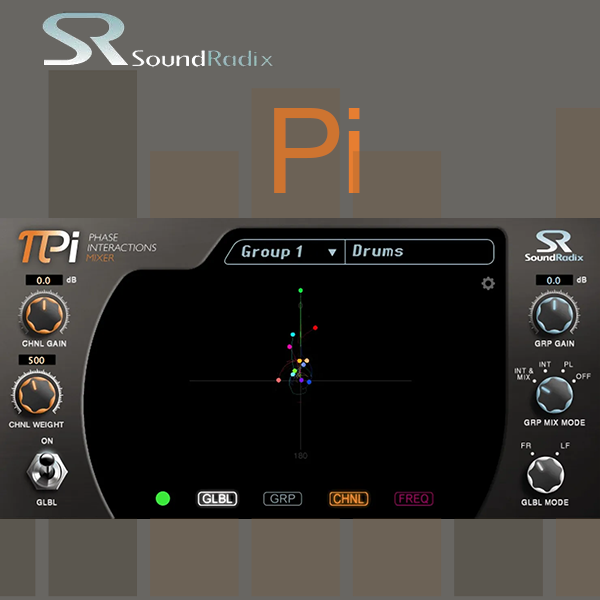
Designed to enhance any mix, PI dynamically rotates the phase of the individual mixer channels to achieve maximum phase correlation within the mix. PI minimizes negative interaction and significantly improves the overall sound of the mix. Just drop PI into the last insert slot of each of your DAW mixer channels and listen.
https://youtu.be/11nXstRgfY4
FEATURES
- Groundbreaking, true multi-channel engine for optimizing phase interactions
- Track grouping for related instruments and multi-mic setups
- Full Range and Low-Frequency global optimization modes
- Unique multi-channel display for viewing phase relationships within the mix
- Internal sample-accurate routing, no side-chaining required
Compatibility checklist
- Windows 10,11 (64Bit Only)
- VST2, VST3, AAX
- Formats: VST3 · VST2 · AAX
Requirements vary by supplied version. Confirm your setup with support before purchasing.
Delivery & activation
- Complete your purchaseReview compatibility and purchase details.
- Download your filesAccess available downloads through your order and account.
- Follow the included setup guideContact GetPlugins if you need installation help.
Activation, where included, is provided by GetPlugins. Publisher-account registration, transferable publisher keys and a publisher-issued licence are not included. Read the activation policy.
Frequently asked questions
How do I receive my download?
After payment, access available files from your order details and GetPlugins account. Contact support if a download is missing.
What activation is included?
Follow the activation instructions supplied with your download. Activation is provided by GetPlugins. Confirm device allowances and reinstall arrangements before ordering.
Will this work with my computer and DAW?
Check the compatibility information for this listing and ask us to confirm the exact supplied build. Libraries may require a compatible sampler or additional software.
What if I need installation help?
Email support@getplugins.io with your order number, operating system, DAW and any error message.
Which updates are included?
Activation and updates are separate. Confirm the available version and update arrangements before ordering; do not assume access to future publisher releases.
How do I request a refund?
Contact support with your order number and issue details. Read our Refund Policy for eligibility and the request process.

Reviews
There are no reviews yet.