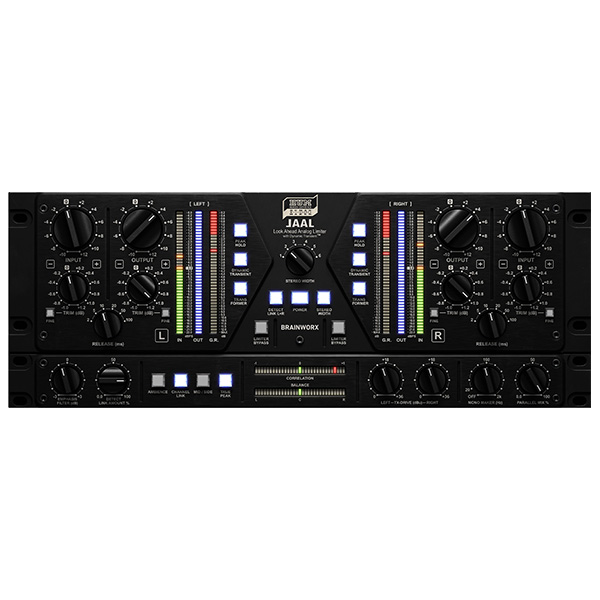
Plugin Alliance – HUM Audio Devices LAAL (Windows)

https://soundcloud.com/pluginalliance/hum-audio-devices-laal-hip-hop-instrumental-bus-dry-1?in=pluginalliance/sets/hum-audio-devices-laal
Formats: VST3 · AAX

£24.00

Discover Plugin Alliance – HUM Audio Devices LAAL (Windows)

https://soundcloud.com/pluginalliance/hum-audio-devices-laal-hip-hop-instrumental-bus-dry-1?in=pluginalliance/sets/hum-audio-devices-laal

Explore product features & full description

https://www.youtube.com/watch?v=P4KXL6Jncsw

https://soundcloud.com/pluginalliance/hum-audio-devices-laal-hip-hop-instrumental-bus-dry-1?in=pluginalliance/sets/hum-audio-devices-laal

🎚️ Plugin Alliance – HUM Audio Devices LAAL
🔊 The Loudness You Crave. The Musicality You Deserve.

Unlock the true potential of your masters with LAAL (Look Ahead Analog Limiter) by HUM Audio Devices – meticulously modeled by Brainworx and available exclusively through Plugin Alliance. LAAL redefines what a limiter can do, blending analog warmth with futuristic precision to deliver powerful, polished loudness without squashing your sound. Whether you're sweetening subtle mixes or slamming club-ready bangers, LAAL brings life, punch, and clarity to every track. 🎛️🔥

🚀 Why LAAL is a Game-Changer
✨ Analog soul. Digital control.

🧠 True Analog Look-Ahead Limiting
Powered by a 0.2 ms analog delay line, LAAL “predicts” peaks before they happen—smoothing transients and preserving detail for a distortion-free, musical response.
🎯 No digital guesswork. Just clean, natural control.

💥 Loud, Clean & Dynamic
Push your mixes to competitive loudness while keeping the air, depth, and microdynamics intact. From cinematic elegance to EDM energy, LAAL adapts effortlessly.
Compatibility checklist

  • Windows 10,11 (64-bit Only)
  • VST3, AAX
  • Formats: VST3 · AAX

Requirements vary by supplied version. Confirm your setup with support before purchasing.

Delivery & activation

  1. Complete your purchaseReview compatibility and purchase details.
  2. Download your filesAccess available downloads through your order and account.
  3. Follow the included setup guideContact GetPlugins if you need installation help.

Activation, where included, is provided by GetPlugins. Publisher-account registration, transferable publisher keys and a publisher-issued licence are not included. Read the activation policy.

Frequently asked questions

How do I receive my download?

After payment, access available files from your order details and GetPlugins account. Contact support if a download is missing.

What activation is included?

Follow the activation instructions supplied with your download. Activation is provided by GetPlugins. Confirm device allowances and reinstall arrangements before ordering.

Will this work with my computer and DAW?

Check the compatibility information for this listing and ask us to confirm the exact supplied build. Libraries may require a compatible sampler or additional software.

What if I need installation help?

Email support@getplugins.io with your order number, operating system, DAW and any error message.

Which updates are included?

Activation and updates are separate. Confirm the available version and update arrangements before ordering; do not assume access to future publisher releases.

How do I request a refund?

Contact support with your order number and issue details. Read our Refund Policy for eligibility and the request process.

Customer Reviews

Reviews

There are no reviews yet.

Be the first to review “Plugin Alliance – HUM Audio Devices LAAL (Windows)”

Your email address will not be published. Required fields are marked *