Newfangled Audio – Articulate (Windows)
£35.00
Discover Newfangled Audio – Articulate (Windows)
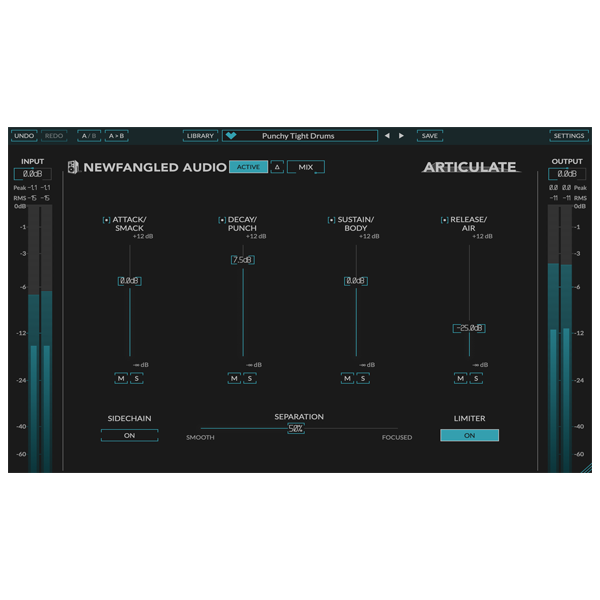
Articulate by Newfangled Audio is a revolutionary vocal processing plugin built for producers, composers, and modern music creators who demand crystal-clear, expressive vocals in every mix. Using advanced spectral shaping technology, Articulate intelligently enhances clarity, presence, and intelligibility, ensuring your vocals sit perfectly in the mix without harshness or over-processing.
Doubles and harmonies
Dialogue, voiceovers, and podcasts
Frequency Emphasis – Target key vocal bands for maximum intelligibility
Explore product features & full description
🎤 Newfangled Audio – Articulate
Next-Level Vocal Clarity and Precision
Articulate by Newfangled Audio is a revolutionary vocal processing plugin built for producers, composers, and modern music creators who demand crystal-clear, expressive vocals in every mix. Using advanced spectral shaping technology, Articulate intelligently enhances clarity, presence, and intelligibility, ensuring your vocals sit perfectly in the mix without harshness or over-processing.
Experience professional vocal polish with minimal effort and maximum creative control.
✨ Intelligent Spectral Processing
Precision control for every vocal track
Articulate analyzes your vocal signal and applies dynamic spectral shaping, emphasizing the frequencies that matter most for clarity and articulation. Say goodbye to muddy or buried vocals and hello to vocals that cut through your mix effortlessly.
Perfect for:
-
Lead vocals
-
Doubles and harmonies
-
Dialogue, voiceovers, and podcasts
🎚️ Advanced Control & Flexibility
Tailor your sound with surgical precision
-
Frequency Emphasis – Target key vocal bands for maximum intelligibility
-
Dynamic Shaping – Automatically adapts to changing vocal intensity
-
Presence & Clarity Controls – Add or tame brightness and articulation
-
Full Automation Support – Control every parameter directly in your DAW
🌊 Smooth, Musical Enhancement
Natural results without harsh artifacts
Unlike conventional EQ or de-esser plugins, Articulate enhances vocal clarity without adding digital harshness. Subtle harmonic enhancement and intelligent transient shaping ensure your vocals remain expressive, natural, and professional-sounding.
🚀 Why Choose Articulate?
-
Next-generation vocal processing for clarity, presence, and intelligibility
-
Dynamic spectral shaping that adapts to every performance
-
Fast, workflow-friendly interface for producers and engineers
-
Ideal for modern music production, podcasts, and dialogue work
Newfangled Audio – Articulate is more than a plugin—it’s a professional-grade vocal clarity and enhancement tool that ensures your vocals shine in any mix, helping you deliver radio-ready performances with ease.
Compatibility checklist
- Windows 10,11 (64-bit Only)
- VST, VST3
- Formats: VST3 · VST
Requirements vary by supplied version. Confirm your setup with support before purchasing.
Delivery & activation
- Complete your purchaseReview compatibility and purchase details.
- Download your filesAccess available downloads through your order and account.
- Follow the included setup guideContact GetPlugins if you need installation help.
Activation, where included, is provided by GetPlugins. Publisher-account registration, transferable publisher keys and a publisher-issued licence are not included. Read the activation policy.
Frequently asked questions
How do I receive my download?
After payment, access available files from your order details and GetPlugins account. Contact support if a download is missing.
What activation is included?
Follow the activation instructions supplied with your download. Activation is provided by GetPlugins. Confirm device allowances and reinstall arrangements before ordering.
Will this work with my computer and DAW?
Check the compatibility information for this listing and ask us to confirm the exact supplied build. Libraries may require a compatible sampler or additional software.
What if I need installation help?
Email support@getplugins.io with your order number, operating system, DAW and any error message.
Which updates are included?
Activation and updates are separate. Confirm the available version and update arrangements before ordering; do not assume access to future publisher releases.
How do I request a refund?
Contact support with your order number and issue details. Read our Refund Policy for eligibility and the request process.

Reviews
There are no reviews yet.