Native Instruments – Supercharger Collection (Windows)

Intel Core i5 or equivalent CPU, 4 GB RAM (6 GB recommended)
Formats: confirm before ordering

£26.99

Discover Native Instruments – Supercharger Collection (Windows)

Intel Core i5 or equivalent CPU, 4 GB RAM (6 GB recommended)

Explore product features & full description

SYSTEM REQUIREMENTS

 Windows 10 or 11 (64-bit, latest Service Pack)

Intel Core i5 or equivalent CPU, 4 GB RAM (6 GB recommended)

An Internet connection and a graphics card that supports OpenGL 2.1 or higher are required to download and activate this product. Once installed and activated, the product can be used offline.

Supported interfaces:
Windows (64-bit only): VST, VST3, AAX

START YOUR ENGINES

Dripping with the high-octane attitude of a one-of-a-kind tube compressor – with an intelligent interface designed for supreme ease of use.

HIGH-OCTANE POWER

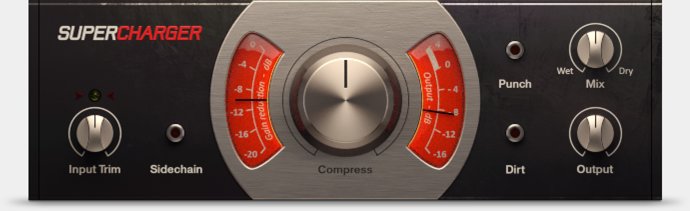
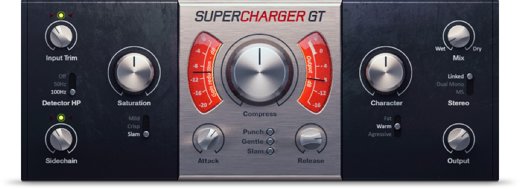
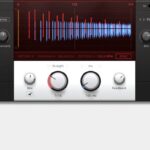
SUPERCHARGER adds unique, colorful character to anything it touches. Inspired by a one-of-a-kind boutique tube compressor, its one-knob simplicity lets you sculpt your dynamics at full speed with total focus on the sound. Designed for versatility, SUPERCHARGER is the perfect all-round tool for anything from warming up a vocal to crushing your drums completely

PERFORMANCE MACHINE

SUPERCHARGER packs plenty of horsepower behind its sleek design. Heat up acoustic guitars and vocals with a hint of SUPERCHARGER’s magic or push your drums to the limit. Create ducking effects that pump with high-energy tube flavor. Add the bite, depth, and character of a souped-up tube compressor to your productions.

INTELLIGENT CONTROL

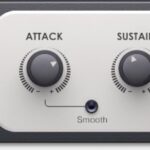
SUPERCHARGER takes the legwork out of perfectly-tuned compression. The Compress knob is the key. Set the input gain once, then start adding thick, harmonic saturation and roaring presence – without having to adjust makeup gain. SUPERCHARGER’s one-knob design controls it all with a sweet spot at every point on the dial.

For additional control, the Punch button adds more detail to your transients. And the Dirt button pours on an extra layer of saturation for tracks that burn with overdrive urgency.
Compatibility checklist

  • Confirm the supplied build, operating system and required host before ordering.

Requirements vary by supplied version. Confirm your setup with support before purchasing.

Delivery & activation

  1. Complete your purchaseReview compatibility and purchase details.
  2. Download your filesAccess available downloads through your order and account.
  3. Follow the included setup guideContact GetPlugins if you need installation help.

Activation, where included, is provided by GetPlugins. Publisher-account registration, transferable publisher keys and a publisher-issued licence are not included. Read the activation policy.

Frequently asked questions

How do I receive my download?

After payment, access available files from your order details and GetPlugins account. Contact support if a download is missing.

What activation is included?

Follow the activation instructions supplied with your download. Activation is provided by GetPlugins. Confirm device allowances and reinstall arrangements before ordering.

Will this work with my computer and DAW?

Check the compatibility information for this listing and ask us to confirm the exact supplied build. Libraries may require a compatible sampler or additional software.

What if I need installation help?

Email support@getplugins.io with your order number, operating system, DAW and any error message.

Which updates are included?

Activation and updates are separate. Confirm the available version and update arrangements before ordering; do not assume access to future publisher releases.

How do I request a refund?

Contact support with your order number and issue details. Read our Refund Policy for eligibility and the request process.

Customer Reviews

Reviews

There are no reviews yet.

Be the first to review “Native Instruments – Supercharger Collection (Windows)”

Your email address will not be published. Required fields are marked *