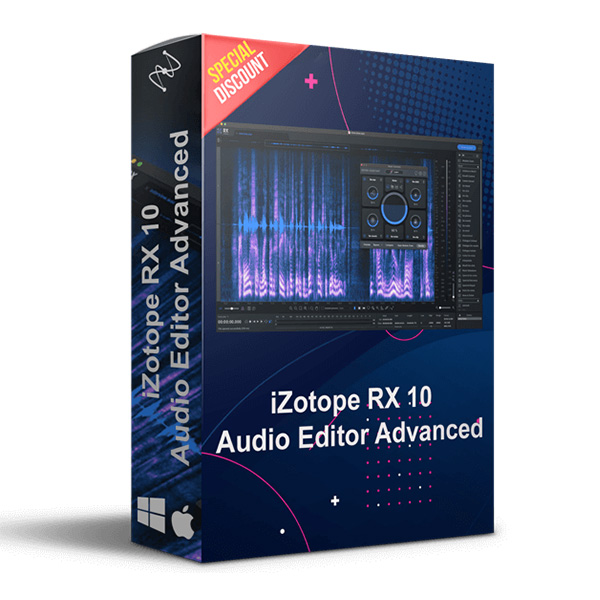
iZotope – RX 10 Pro Audio Editor Advanced (Windows)

RX 10 Advanced is the award-winning audio repair suite trusted by leading post-production engineers to quickly and reliably…
Formats: VST3 · VST2 · AAX

£35.99

Discover iZotope – RX 10 Pro Audio Editor Advanced (Windows)

RX 10 Advanced is the award-winning audio repair suite trusted by leading post-production engineers to quickly and reliably prepare recorded audio for professional release. Navigate by speech, re-synthesize missing frequencies, and much more – with multichannel support (up to 10 channels). Trusted by professional audio engineers to quickly and reliably deliver clean sound. Things break.…

RX 10 plug-ins are not available in VST2 format.

Ambience Match, Dialogue Isolate, and De-rustle plug-ins are AAX Audiosuite for Pro Tools only.

The repair Assistant plug-in is available as Audiosuite only in Pro Tools and VST3 formats in other DAWs.

Explore product features & full description

Notes

*All plug-in formats are 64-bit only.

  • RX 10 plug-ins are not available in VST2 format.
  • Ambience Match, Dialogue Isolate, and De-rustle plug-ins are AAX Audiosuite for Pro Tools only.
  • The repair Assistant plug-in is available as Audiosuite only in Pro Tools and VST3 formats in other DAWs.

RX 10 Advanced is the award-winning audio repair suite trusted by leading post-production engineers to quickly and reliably prepare recorded audio for professional release. Navigate by speech, re-synthesize missing frequencies, and much more – with multichannel support (up to 10 channels). Trusted by professional audio engineers to quickly and reliably deliver clean sound. Things break. So does audio. The recorded sound is rarely perfect— in fact, it's often in really bad shape. That's why you need RX, the industry standard for audio repair that helps restore, clean up, and improve recordings in post-production, music, and content creation..................


 What's New in RX 10?

 Text Navigation
Navigate through words.

Even if you love spectrograms as much as we do, navigating long dialogue files can be time-consuming, especially when seeking specific events in a recording. Now you can see what you hear with the new Text Navigation function. It analyzes dialogue and displays a text transcription above the spectrogram that's in sync with the corresponding audio. So you can now search for specific words in an audio file and also select and edit the recording using text.

Note: This navigation feature will only be available in English for RX 10.


 Multiple Speaker Detection
Who's talking?

Are you working on a single audio track with more than one speaker? Save time navigating through the file by using Multiple Speaker Detection to help find and tag the sections of speech associated with each individual voice. This is incredibly helpful especially when different speakers require different processing.

 RX 10 Advanced features

  • Text Navigation [NEW]
  • Multiple Speaker Detection [NEW]
  • Repair Assistant plug-in [NEW]
  • Selection Feathering [NEW MODE]
  • Spectral Recovery [NEW ALGORITHM]
  • First-time User Experience [NEW]
  • De-hum Dynamic Adaptive Mode [NEW MODE]
  • Dialogue Isolate

Compatibility checklist

  • Windows 10, 11 (64Bit Only)
  • Lifetime Activation & Access To Download
  • Full Version
  • AAX, VST3
  • RX 10 plug-ins are not available in VST2 format.
  • Formats: VST3 · VST2 · AAX

Requirements vary by supplied version. Confirm your setup with support before purchasing.

Delivery & activation

  1. Complete your purchaseReview compatibility and purchase details.
  2. Download your filesAccess available downloads through your order and account.
  3. Follow the included setup guideContact GetPlugins if you need installation help.

Activation, where included, is provided by GetPlugins. Publisher-account registration, transferable publisher keys and a publisher-issued licence are not included. Read the activation policy.

Frequently asked questions

How do I receive my download?

After payment, access available files from your order details and GetPlugins account. Contact support if a download is missing.

What activation is included?

Follow the activation instructions supplied with your download. Activation is provided by GetPlugins. Confirm device allowances and reinstall arrangements before ordering.

Will this work with my computer and DAW?

Check the compatibility information for this listing and ask us to confirm the exact supplied build. Libraries may require a compatible sampler or additional software.

What if I need installation help?

Email support@getplugins.io with your order number, operating system, DAW and any error message.

Which updates are included?

Activation and updates are separate. Confirm the available version and update arrangements before ordering; do not assume access to future publisher releases.

How do I request a refund?

Contact support with your order number and issue details. Read our Refund Policy for eligibility and the request process.

Customer Reviews

Reviews

There are no reviews yet.

Be the first to review “iZotope – RX 10 Pro Audio Editor Advanced (Windows)”

Your email address will not be published. Required fields are marked *