FeelYourSound – ChordConverter (Windows)

Unleash the hidden potential of your chords with ChordConverter by FeelYourSound—a powerful MIDI plugin that transforms simple harmonies…
Formats: VST3 · VST

£18.00

Discover FeelYourSound – ChordConverter (Windows)

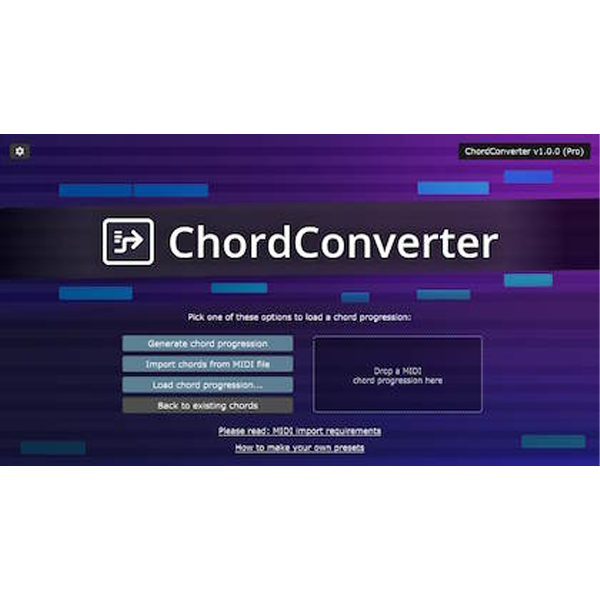
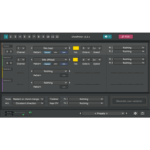
Unleash the hidden potential of your chords with ChordConverter by FeelYourSound—a powerful MIDI plugin that transforms simple harmonies into breathtaking progressions and advanced voicings. Whether you’re producing EDM bangers, cinematic scores, or smooth pop ballads, ChordConverter gives you instant access to fresh musical ideas without interrupting your creative flow. 🚀🎶

Explore product features & full description

FeelYourSound – ChordConverter (Windows) 🎹✨

Unleash the hidden potential of your chords with ChordConverter by FeelYourSound—a powerful MIDI plugin that transforms simple harmonies into breathtaking progressions and advanced voicings. Whether you’re producing EDM bangers, cinematic scores, or smooth pop ballads, ChordConverter gives you instant access to fresh musical ideas without interrupting your creative flow. 🚀🎶

🌟 Key Features

🎵 Instant Chord Transformation – Convert basic triads or MIDI clips into lush progressions, jazzy voicings, and exciting harmonic movements.
🎹 Genre-Based Presets – Ready-to-use templates for EDM, trap, house, cinematic, RnB, and more.
🖥 MIDI Out Support – Send processed chords directly to your favorite synths, samplers, or DAWs.
⚡ Boost Your Workflow – Say goodbye to creative blocks and repetitive patterns.
🔧 Custom Control – Adjust complexity, style, and harmonic direction with ease.

🎯 Why Choose ChordConverter?

✔️ Professional Results – Craft radio-ready progressions in seconds.
✔️ Educational Value – Learn new chord structures while producing.
✔️ Universal Compatibility – Works seamlessly with any DAW supporting VST/VST3 plugins.
✔️ Versatility – Perfect for EDM, pop, hip-hop, film scoring, and experimental music.
Compatibility checklist

  • Windows 10,11 (64Bit Only)
  • VST3, VST
  • Formats: VST3 · VST

Requirements vary by supplied version. Confirm your setup with support before purchasing.

Delivery & activation

  1. Complete your purchaseReview compatibility and purchase details.
  2. Download your filesAccess available downloads through your order and account.
  3. Follow the included setup guideContact GetPlugins if you need installation help.

Activation, where included, is provided by GetPlugins. Publisher-account registration, transferable publisher keys and a publisher-issued licence are not included. Read the activation policy.

Frequently asked questions

How do I receive my download?

After payment, access available files from your order details and GetPlugins account. Contact support if a download is missing.

What activation is included?

Follow the activation instructions supplied with your download. Activation is provided by GetPlugins. Confirm device allowances and reinstall arrangements before ordering.

Will this work with my computer and DAW?

Check the compatibility information for this listing and ask us to confirm the exact supplied build. Libraries may require a compatible sampler or additional software.

What if I need installation help?

Email support@getplugins.io with your order number, operating system, DAW and any error message.

Which updates are included?

Activation and updates are separate. Confirm the available version and update arrangements before ordering; do not assume access to future publisher releases.

How do I request a refund?

Contact support with your order number and issue details. Read our Refund Policy for eligibility and the request process.

Customer Reviews

Reviews

There are no reviews yet.

Be the first to review “FeelYourSound – ChordConverter (Windows)”

Your email address will not be published. Required fields are marked *