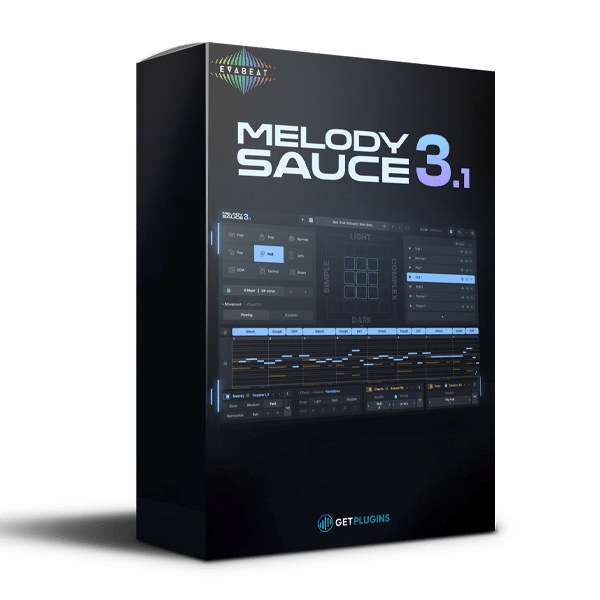
Evabeat – Melody Sauce 3 v3.1.0
Intelligent MIDI Melody, Chord Progression, and Bass Line Generator
Evabeat Melody Sauce 3 v3.1.0 is an intelligent MIDI-generation plugin designed to help music producers, composers, and songwriters create original melodies, chord progressions, and bass lines directly inside their digital audio workstation (DAW). Combining automated composition tools with customizable musical parameters, it makes generating fresh musical ideas faster and more accessible.
Whether you’re producing EDM, house, hip-hop, trap, pop, or cinematic music, Melody Sauce 3 helps turn creative inspiration into editable musical phrases without requiring advanced music-theory knowledge. Choose a musical key, style, and mood, generate an eight-bar idea, and refine the result to fit your production.
Generate Melodies, Chords, and Bass Lines
Melody Sauce 3 brings three essential musical elements together in one intuitive interface: melody generation, chord progression creation, and bass-line generation. Each layer can contribute to a cohesive musical idea while allowing you to customize the individual parts for your arrangement.
- Melody Generator: Create hooks, lead phrases, melodic motifs, and starting points for vocal ideas.
- Chord Progression Generator: Explore harmonic progressions with editable chord voicings to establish the mood and direction of a track.
- Bass-Line Generator: Build bass patterns that follow the selected harmony and complement the melodic arrangement.
With these three layers working together, you can develop a musical foundation quickly and spend more time refining sounds, arranging sections, and producing your track.
Create Musical Ideas in Seconds
The intuitive generation workflow makes it easy to explore different musical directions. Select your preferred genre, style, key, scale, and harmonic character, then use the generator controls to create new musical variations.
Melody Sauce 3 provides eight-bar musical phrase generation, helping you develop ideas that can serve as the foundation for a full production. You can adjust parameters such as rhythm, complexity, movement, and harmonic mood to explore different results.
For producers who prefer more detailed control, Free Mode offers a way to customize musical settings beyond the included style presets. This balance of guided generation and manual adjustment makes the plugin useful for both quick inspiration and more deliberate composition.
Extensive Chord Progressions and Style Presets
Melody Sauce 3 includes a substantial collection of musical resources to help users explore different harmonic and stylistic directions.
Its included content features:
- 1,000+ chord progressions for exploring different harmonic foundations
- 100+ chord voicings for varying the character and arrangement of chords
- 350 style presets for generating ideas across different musical approaches
- 300+ integrated sounds for auditioning and working with generated parts
These resources provide a starting point for discovering new combinations, experimenting with musical moods, and creating variations on familiar songwriting structures.
Integrated Piano-Roll MIDI Editing
Generated musical ideas are not limited to fixed patterns. Melody Sauce 3 includes an integrated piano-roll editor that allows you to refine MIDI notes and customize the generated material.
Adjust note placement, timing, and melodic details to make a phrase fit your track. You can also import MIDI chord material, with automatic key detection helping you establish the musical context for further generation.
This editing flexibility is useful when a generated phrase has the right overall direction but needs adjustments to match your arrangement, groove, or personal creative style.
Use Your Own VST2 and VST3 Instruments
Melody Sauce 3 supports internal hosting of compatible VST2 and VST3 instruments, allowing you to load different instruments for the melody, chord, and bass layers.
Use your preferred synthesizers and samplers to audition generated ideas with your own sounds instead of relying exclusively on the plugin’s integrated instruments. Separate stereo outputs for the musical layers also provide additional flexibility for routing and mixing.
Alternatively, you can send MIDI to external instrument tracks or drag generated MIDI files into your DAW for further editing and sound selection.
Note: Internal instrument hosting is unavailable when using the MIDI FX version. Compatibility and routing options may vary depending on your DAW and plugin format.
MIDI and WAV Audio Export
Melody Sauce 3 integrates with your production workflow through flexible export options. Generated melodies, chords, and bass lines can be exported as editable MIDI, allowing you to modify notes, change instruments, adjust timing, and develop the parts further inside your DAW.
The plugin also supports WAV audio rendering, including a complete mix and individual stems for the musical layers. This gives you the flexibility to use generated parts as audio when appropriate or continue working with MIDI for more detailed production control.
Generated output is described by Evabeat as 100% royalty-free for personal and commercial music productions, making it suitable for developing original tracks and production projects.
Designed for Modern Music Production
Melody Sauce 3 can support a wide range of creative workflows:
- EDM and House: Generate melodic hooks, chord sequences, bass lines, and repeating musical ideas.
- Hip-Hop and Trap: Explore melodic loops, harmonic foundations, and bass patterns for beat production.
- Pop and Songwriting: Develop catchy melodic motifs and chord progressions as starting points for songs.
- Cinematic Composition: Experiment with harmonic moods and melodic phrases for underscore and soundtrack ideas.
- Electronic Sound Design: Combine generated MIDI with synthesizers, samplers, and custom presets to create distinctive musical parts.
- Beginner Music Production: Explore melody and harmony creation without needing to construct every phrase manually.
- Experienced Producers: Accelerate idea generation and use the MIDI output as a foundation for detailed editing and arrangement.
Key Features of Evabeat Melody Sauce 3 v3.1.0
- Intelligent MIDI melody, chord, and bass-line generator
- Three independent musical generation layers
- Eight-bar musical phrase generation
- 1,000+ chord progressions
- 100+ chord voicings
- 350 style presets
- 300+ integrated sounds
- Adjustable key and scale
- Customizable rhythm, complexity, movement, and harmonic character
- Free Mode for additional customization
- Integrated piano-roll MIDI editor
- MIDI chord import with automatic key detection
- Drag-and-drop MIDI export
- WAV mix and individual stem export
- Internal VST2 and VST3 instrument hosting
- Separate stereo outputs for musical layers
- MIDI routing to external instruments
- Royalty-free generated output for personal and commercial use, according to Evabeat
Why Choose Evabeat Melody Sauce 3?
Evabeat Melody Sauce 3 combines intelligent musical idea generation with editable MIDI, flexible instrument options, and straightforward export workflows. Instead of starting every composition with an empty piano roll, you can generate melodies, chords, and bass lines, explore alternative variations, and customize the results to suit your track.
Its combination of style presets, chord resources, integrated editing, and MIDI export makes it a practical creative assistant for producers who want to improve their workflow without sacrificing control over the final composition.
Whether you’re building a new beat, developing a melodic hook, experimenting with chord progressions, or looking for inspiration for your next production, Melody Sauce 3 provides a flexible starting point for turning musical ideas into finished arrangements.
Explore More Music Production Tools
Discover more creative instruments in our Synthesizer Plugins collection, or browse our DAW Software category for tools to build and enhance your music-production setup.
For official product information, updates, and compatibility details, visit the Evabeat website.






Reviews
There are no reviews yet.