Nearizer FX – Professional Proximity Processing for Modern Music Production
Bring Your Mix Closer to the Listener
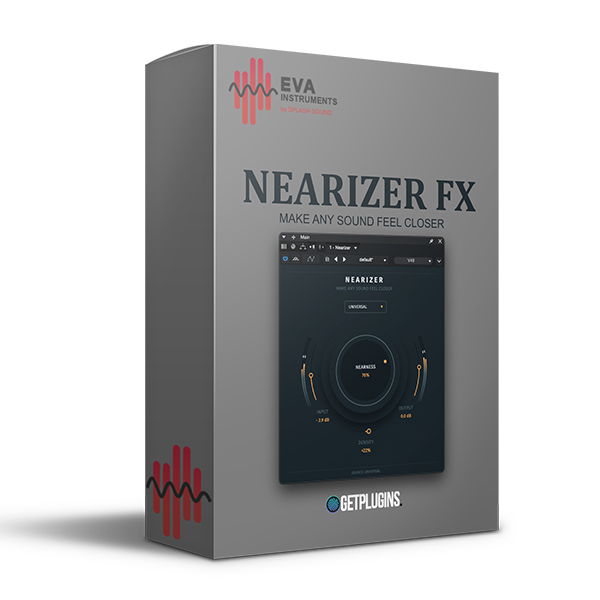
Nearizer FX is an advanced proximity processing plugin designed to make vocals, instruments, and complete mixes feel closer, more focused, and more engaging. Instead of simply increasing volume, Nearizer intelligently reshapes the perception of distance by combining spectral processing, harmonic enhancement, transient control, stereo imaging, and dynamic processing into a single streamlined workflow.
Whether you're mixing vocals, guitars, drums, synths, or full stereo mixes, Nearizer helps your audio cut through the mix while maintaining a natural, professional sound.
Intelligent Distance Control
Traditional EQ and compression cannot fully recreate the feeling of proximity. Nearizer solves this by analyzing multiple aspects of your audio simultaneously, including attack, room ambience, stereo width, harmonic content, and frequency balance.
The result is a source that sounds naturally closer without becoming harsh, muddy, or over-processed.
Perfect for:
- Vocals that feel too far back
- Guitars lacking presence
- Synths buried in dense mixes
- Drum loops needing more impact
- Podcasts and voiceovers
- Full mix enhancement
Nearness Control
The dedicated Nearness control adjusts how close your sound appears to the listener.
Lower settings provide subtle focus and clarity, while higher values dramatically reduce the perception of distance, making the source sound more immediate, intimate, and present.
Instead of simply boosting high frequencies, Nearizer intelligently adjusts multiple processing stages to create a realistic sense of proximity.
Independent Density Control
Nearizer separates proximity from tonal weight.
The Density control adds harmonic richness, body, and saturation independently from the Nearness control.
- Lower Density keeps sounds clean and transparent.
- Higher Density adds warmth, thickness, and analog-style character.
This allows producers to create a closer sound without making the source overly compressed or muddy.
10 Intelligent Source Profiles
Nearizer includes dedicated processing profiles optimized for different audio sources. These are far more advanced than simple EQ presets, automatically adjusting multiple internal processing algorithms.
Included profiles:
- Universal
- Vocal
- Drums
- Bass
- Acoustic
- Electric Guitar
- Keys
- Synth
- Pad
- Mix
Each profile is carefully tuned to enhance the natural characteristics of its intended source while preserving musicality and balance.
Professional Stereo & Harmonic Processing
Nearizer combines several modern processing techniques into one powerful workflow:
- Dynamic transient enhancement
- Harmonic saturation
- Spectral balancing
- Stereo focus optimization
- Presence enhancement
- Room reduction processing
- Intelligent depth control
- Natural spatial correction
Together, these processes create mixes that feel more direct, punchy, and professionally balanced.
Perfect Companion to Virtual Stage FX
While Virtual Stage FX is designed to place sounds deeper into a virtual acoustic space, Nearizer FX works in the opposite direction by bringing sounds forward toward the listener.
Used together, they provide complete control over front-to-back positioning inside your mix.
Key Features
- Intelligent proximity enhancement
- Dynamic spectral processing
- Harmonic saturation control
- Stereo focus optimization
- Independent Nearness & Density controls
- 10 intelligent source profiles
- Natural room reduction
- Enhanced vocal clarity and presence
- Works on instruments, vocals, buses, and full mixes
- Fast workflow with professional results
- Suitable for mixing, mastering, podcast production, and sound design
Why Choose Nearizer FX?
Nearizer FX offers a smarter approach to creating depth and presence in your mixes. Rather than relying on traditional EQ or volume adjustments, it intelligently enhances the perception of proximity through advanced multi-stage processing. Whether you're producing music, mixing vocals, designing sound, or mastering tracks, Nearizer delivers polished, modern results while preserving the natural character of your audio









Reviews
There are no reviews yet.