Cherry Audio – Blue3 Organ (Windows)
£15.00
Discover Cherry Audio – Blue3 Organ (Windows)
Blue3 is a meticulously modeled, not sampled, virtual instrument that reproduces the world’s most famous tone wheel organs: the B-3, C-3, A-100, L-100, CV, and M-3 models. With 31 sets of tone wheels that accurately convey the differences between vintage instruments, 91 modeled, phase-locked tone wheels, and faithfully emulated scanner vibrato/chorus, Blue3 delivers the iconic,…
Explore product features & full description
Blue3 is a meticulously modeled, not sampled, virtual instrument that reproduces the world’s most famous tone wheel organs: the B-3, C-3, A-100, L-100, CV, and M-3 models. With 31 sets of tone wheels that accurately convey the differences between vintage instruments, 91 modeled, phase-locked tone wheels, and faithfully emulated scanner vibrato/chorus, Blue3 delivers the iconic, soulful sounds associated with nearly a century of blues, gospel, rock, and jazz classics.
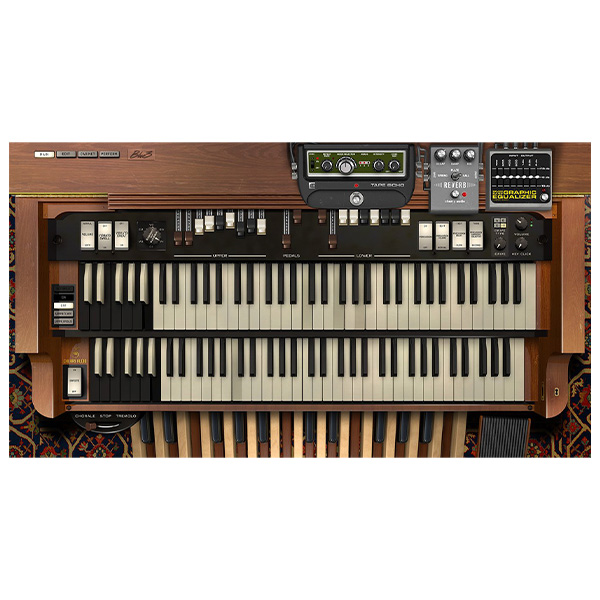
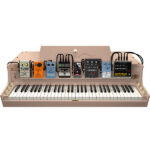
Cherry Audio’s Blue3 features a new, beautifully designed user interface with the Main, Edit, Cabinet, and Perform sections. It goes beyond the traditional B3 sound by adding three studio-quality stompbox-style effects: Tape Echo Delay, Reverb with spring, plate, and hall, and a seven-band graphic EQ.
Blue3 offers full polyphony for the upper, lower, and pedal manuals, a customizable keyboard split function, and handy drawbar utilities including Copy, Swap, Reset, and Randomize. The tone can be further refined with settings for Status, Key Click, Percussion, and multiple overdrive options.
The Cabinet page features six speaker options and adjustable rotation speed with acceleration and deceleration. The microphone simulation includes spread and distance controls, four mic options, and click-and-drag placement in a refreshed user interface.
With MIDI mapping and a rich library of over 200 presets covering classic and modern tones, Blue3 is the perfect package for both stage and studio.
Compatibility checklist
- Windows 10,11 (64 Bit Only)
- Standalone, VST, VST3, AAX
- Formats: VST3 · AAX · Standalone · VST
Requirements vary by supplied version. Confirm your setup with support before purchasing.
Delivery & activation
- Complete your purchaseReview compatibility and purchase details.
- Download your filesAccess available downloads through your order and account.
- Follow the included setup guideContact GetPlugins if you need installation help.
Activation, where included, is provided by GetPlugins. Publisher-account registration, transferable publisher keys and a publisher-issued licence are not included. Read the activation policy.
Frequently asked questions
How do I receive my download?
After payment, access available files from your order details and GetPlugins account. Contact support if a download is missing.
What activation is included?
Follow the activation instructions supplied with your download. Activation is provided by GetPlugins. Confirm device allowances and reinstall arrangements before ordering.
Will this work with my computer and DAW?
Check the compatibility information for this listing and ask us to confirm the exact supplied build. Libraries may require a compatible sampler or additional software.
What if I need installation help?
Email support@getplugins.io with your order number, operating system, DAW and any error message.
Which updates are included?
Activation and updates are separate. Confirm the available version and update arrangements before ordering; do not assume access to future publisher releases.
How do I request a refund?
Contact support with your order number and issue details. Read our Refund Policy for eligibility and the request process.

Reviews
There are no reviews yet.