
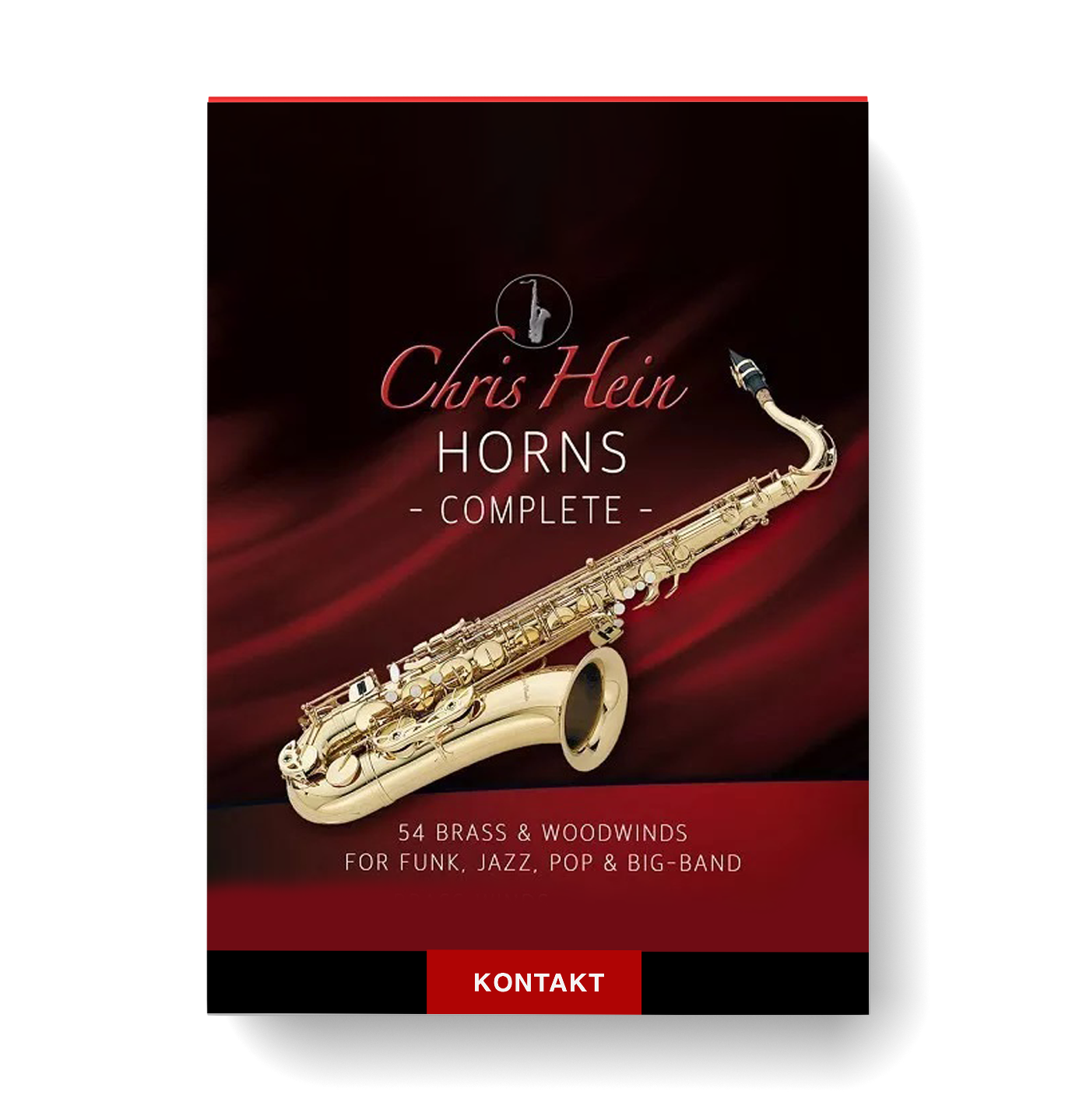
Discover Best Service – Chris Hein Horns Pro Complete
You Must Purchase Kontakt Pro From Us To Install & Use This Library In Full Version Click Here
Extensive Instrument Collection: 54 Solo Instruments & 32 Section Instruments
Instruments include Trumpet, Trombone, Saxophones, Flute, and more
Over 80,000 samples (approximately 44GB of content)
Explore product features & full description
https://www.youtube.com/watch?v=pbGUXuyH4Ls&list=PLusmWhATJ6kf5O2-Gp0A1NFAhFaDuXlHn

Chris Hein Horns Pro Complete: The Ultimate Virtual Instrument Library for Brass & Woodwind
Chris Hein Horns Pro Complete is the most comprehensive virtual instrument library for Brass & Woodwind instruments, designed for use in Jazz, Pop, Big-Band, Funk, and even Cinematic & Orchestral productions. This library offers 54 solo instruments and 32 section instruments across four volumes, featuring different instrument groups that work harmoniously together. The latest Pro update introduces phase-synchronized samples, providing perfect velocity crossfades for smooth transitions from soft to loud dynamics.

Key Features:
- Extensive Instrument Collection:
- 54 Solo Instruments & 32 Section Instruments
- Instruments include Trumpet, Trombone, Saxophones, Flute, and more
- Over 80,000 samples (approximately 44GB of content)
- Innovative Performance Capabilities:
- Phase-Synchronized Samples for seamless velocity blending
- Dynamic Crossfades for smooth transitions from piano to forte
- Full dynamic range for expressive performances
- Advanced Articulation Management:
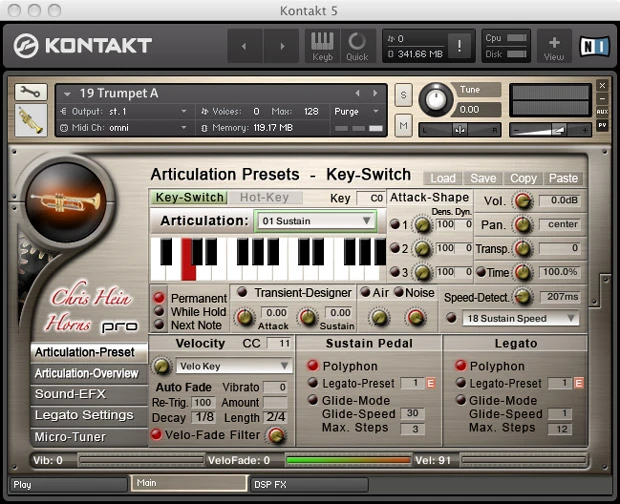
- Up to 38 articulations per instrument
- 18 different playing techniques with intuitive key-switching
- Highly customizable articulation presets for tailored sounds
- New Key-Switch Preset Management for quick access to preferred settings
- User-Friendly Interface:
- New Graphical User Interface for easy sound sculpting
- Real-time control via iPad/iPhone (using TouchOSC)
- Adjustable speed for all articulations to fit your composition’s tempo
- Enhanced Sound Design Tools:
- Transient Designer and Velocity Fade Filter for precise control
- Up to 16 Reverb Impulses for various acoustic environments
- Assignable Pitch-Bend for expressive effects like falls and shakes
- Optimized Memory Management:
- Customizable Hot-Key Management to minimize memory usage
- Unload articulations to save memory without compromising sound quality
- Expanded Articulation Options:
- Two independent, intelligent LFO Vibratos
- Auto-Vibrato and Auto X-Fade Modes for realistic tempo-synced performance
- Multiple velocity X-Fade Modes for ultimate control over dynamics
- Support for Live Performances:
- Real-time articulation triggering using key-switches and midi controllers
- Section Mode for combining solo instruments into full sections
- Hot-Key and Key-Switch Customization for live tweaking
- Professional-Level Sampling:
- Sampled by famous big-band musicians for authentic sound
- Detailed instrument playing styles such as Non-Vibrato, Vibrato, Singing, and even Shakuhachi Style for unique tonal colors
Volume Breakdown:
- Solo Instruments (Vol 1): Includes Alto Sax, Tenor Sax, Trumpet, Trombone, and C Flute with over 4,000 samples.
- Brass & Woodwind Sections (Vol 2): Includes Sax Sections, Trumpet Sections, and Trombones for full orchestration.
- Muted Brass (Vol 3): Features Muted Trumpet and Muted Trombone sections for unique muted sounds.
- More Brass & Woodwinds (Vol 4): Includes Clarinet, Saxophones, Flugelhorns, and Alphorns for extended orchestral possibilities.
System Requirements:
Mac:
- macOS 10.14 or higher
- 64-bit
- Intel Core i5 or Apple M1 (native)
- 4GB RAM (6GB recommended)
Windows:
- Windows 10 or higher
- 64-bit
- Intel Core i5 or similar CPU
- 4GB RAM (6GB recommended)
Supported Interfaces:
- Mac (64-bit only): Stand-alone, VST, VST3, AU, AAX
- Windows (64-bit): Stand-alone, VST, VST3, AAX
Compatibility checklist
- Confirm the supplied build, operating system and required host before ordering.
Requirements vary by supplied version. Confirm your setup with support before purchasing.
Delivery & activation
- Complete your purchaseReview compatibility and purchase details.
- Download your filesAccess available downloads through your order and account.
- Follow the included setup guideContact GetPlugins if you need installation help.
Activation, where included, is provided by GetPlugins. Publisher-account registration, transferable publisher keys and a publisher-issued licence are not included. Read the activation policy.
Frequently asked questions
How do I receive my download?
After payment, access available files from your order details and GetPlugins account. Contact support if a download is missing.
What activation is included?
Follow the activation instructions supplied with your download. Activation is provided by GetPlugins. Confirm device allowances and reinstall arrangements before ordering.
Will this work with my computer and DAW?
Check the compatibility information for this listing and ask us to confirm the exact supplied build. Libraries may require a compatible sampler or additional software.
What if I need installation help?
Email support@getplugins.io with your order number, operating system, DAW and any error message.
Which updates are included?
Activation and updates are separate. Confirm the available version and update arrangements before ordering; do not assume access to future publisher releases.
How do I request a refund?
Contact support with your order number and issue details. Read our Refund Policy for eligibility and the request process.



Reviews
There are no reviews yet.