

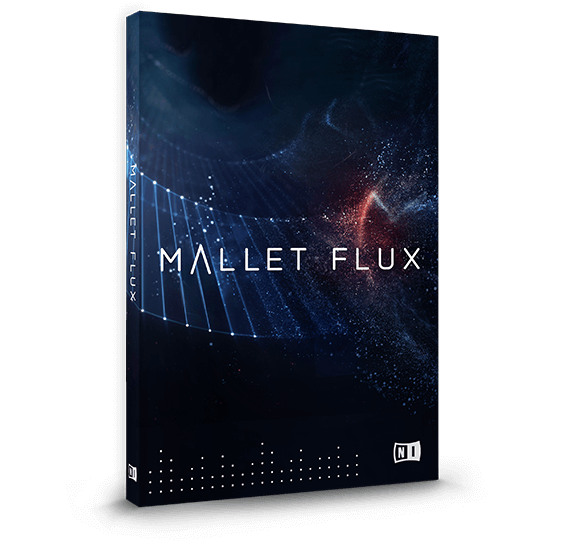
Discover Native Instruments – Mallet Flux
You Must Purchase Kontakt Pro From Us To Install & Use This Library In Full Version Click Here
Beautifully sampled mallets meet innovative arrangement sequencing
Compose quickly with 270 customizable preset ensemble scenes
Customize and build complex sequences with Flux Engine pattern automation
Explore product features & full description
CONTEMPORARY MALLETS IN MOTION
- Beautifully sampled mallets meet innovative arrangement sequencing
- Compose quickly with 270 customizable preset ensemble scenes
- Customize and build complex sequences with Flux Engine pattern automation

MORE THAN JUST MALLETS
 FLUX ENGINE FOR INNOVATIVE SEQUENCES
Create complex rhythmic phrases and intricate arrangements by playing simple chords – the Flux Engine is an innovative pattern automation feature that takes your ideas to completely new heights.
SCENES FOR FASTER SCORING
Go beyond presets: 270 preset ‘scenes’ – predesigned arpeggios, sequences, and single hits in multi-instrument arrangements – help you start writing quickly. Find what you need by selecting note values and time signature. Then play notes or chords to generate unique, customizable patterns from the innovative automation engine.
Flux and drone scenes use complex effect chains to produce celestial sounds and imaginative textures. Morph scenes let you use the mod wheel to dynamically alter rhythms. Customize scene parameters to create something completely new.

CUSTOMIZABLE MIX OPTIONS

PLAY IT ON KOMPLETE KONTROL

CREATED WITH SONUSCORE

Compatibility checklist
- Confirm the supplied build, operating system and required host before ordering.
Requirements vary by supplied version. Confirm your setup with support before purchasing.
Delivery & activation
- Complete your purchaseReview compatibility and purchase details.
- Download your filesAccess available downloads through your order and account.
- Follow the included setup guideContact GetPlugins if you need installation help.
Activation, where included, is provided by GetPlugins. Publisher-account registration, transferable publisher keys and a publisher-issued licence are not included. Read the activation policy.
Frequently asked questions
How do I receive my download?
After payment, access available files from your order details and GetPlugins account. Contact support if a download is missing.
What activation is included?
Follow the activation instructions supplied with your download. Activation is provided by GetPlugins. Confirm device allowances and reinstall arrangements before ordering.
Will this work with my computer and DAW?
Check the compatibility information for this listing and ask us to confirm the exact supplied build. Libraries may require a compatible sampler or additional software.
What if I need installation help?
Email support@getplugins.io with your order number, operating system, DAW and any error message.
Which updates are included?
Activation and updates are separate. Confirm the available version and update arrangements before ordering; do not assume access to future publisher releases.
How do I request a refund?
Contact support with your order number and issue details. Read our Refund Policy for eligibility and the request process.

Reviews
There are no reviews yet.