Auto-Tune EFX+ 10 (Windows)
£20.00
Discover Auto-Tune EFX+ 10 (Windows)
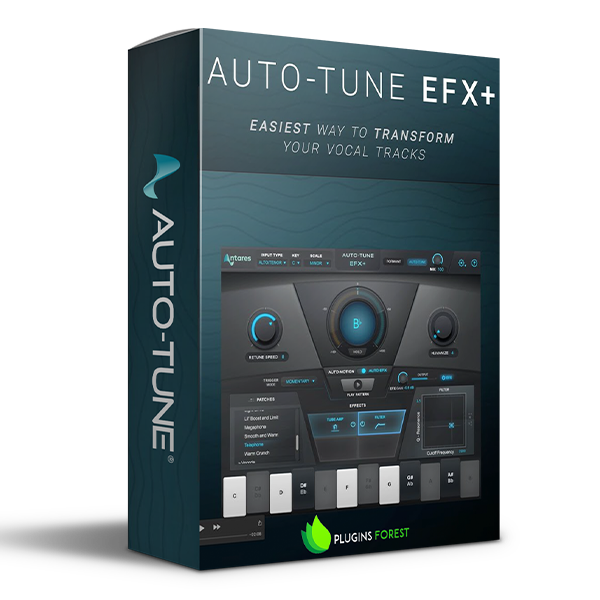
Auto-Tune EFX+ 10 combines the core features of Auto-Tune with the powerful EFX modular multi-effects rack.
Explore product features & full description
Auto-Tune EFX+ 10
Creative Effects to Transform Your Vocal Tracks
Auto-Tune EFX+ 10 combines the core features of Auto-Tune with the powerful EFX modular multi-effects rack.
Why Auto-Tune EFX+?
With over 100 effects, Auto-Tune EFX+ delivers all the tools you need to craft professional and ready-to-publish vocal tracks. Some of the effects included have been designed specifically for Auto-Tune EFX+ by worldwide-known artists and audio engineers, and the seamless compatibility with Auto-Key makes Auto-Tune EFX+ the perfect tool for all music makers. Pitch and formant shifting in real-time on Auto-Tune EFX+ are ideal for live performances, as well as lightning-fast audio editing in the recording studio. With the Auto-Motion pitch-shifting melodic pattern generator, you can pitch-shift your vocals and create new melodies in seconds without re-recording your track. Finally, the legendary Auto-Tune pitch correction effect is included.
What is a vocal production tool?
A vocal production tool is an effect or plug-in whose purpose is to correct, improve and enhance voice recordings. Some of the most popular vocal production effects include real-time tuning, compression EQ, noise removal plug-ins, and more. Vocal production tools are essential pieces of equipment for audio engineers and music producers, as they improve the audio signal’s quality dramatically and bring to life industry-standard audio productions.
How does Auto-Tune EFX+ work?
Just add the Auto-Tune EFX+ plug-in to your vocal track and choose between the over 100 vocal effects available in the effect’s library. Some of the most popular vocal effects include a high-pass filter, audio mutation effect, realistic doubling, vocoder emulation, tube distortion, warmth enhancer, and much more. After applying the desired effect, you can use the Mix control knob to choose how to blend the natural vocal sound and the EFX+ Effect.

Compatibility checklist
- Confirm the supplied build, operating system and required host before ordering.
- Formats: VST3 · AAX
Requirements vary by supplied version. Confirm your setup with support before purchasing.
Delivery & activation
- Complete your purchaseReview compatibility and purchase details.
- Download your filesAccess available downloads through your order and account.
- Follow the included setup guideContact GetPlugins if you need installation help.
Activation, where included, is provided by GetPlugins. Publisher-account registration, transferable publisher keys and a publisher-issued licence are not included. Read the activation policy.
Frequently asked questions
How do I receive my download?
After payment, access available files from your order details and GetPlugins account. Contact support if a download is missing.
What activation is included?
Follow the activation instructions supplied with your download. Activation is provided by GetPlugins. Confirm device allowances and reinstall arrangements before ordering.
Will this work with my computer and DAW?
Check the compatibility information for this listing and ask us to confirm the exact supplied build. Libraries may require a compatible sampler or additional software.
What if I need installation help?
Email support@getplugins.io with your order number, operating system, DAW and any error message.
Which updates are included?
Activation and updates are separate. Confirm the available version and update arrangements before ordering; do not assume access to future publisher releases.
How do I request a refund?
Contact support with your order number and issue details. Read our Refund Policy for eligibility and the request process.

Reviews
There are no reviews yet.