Arturia Pigments 6 (Windows)

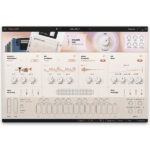
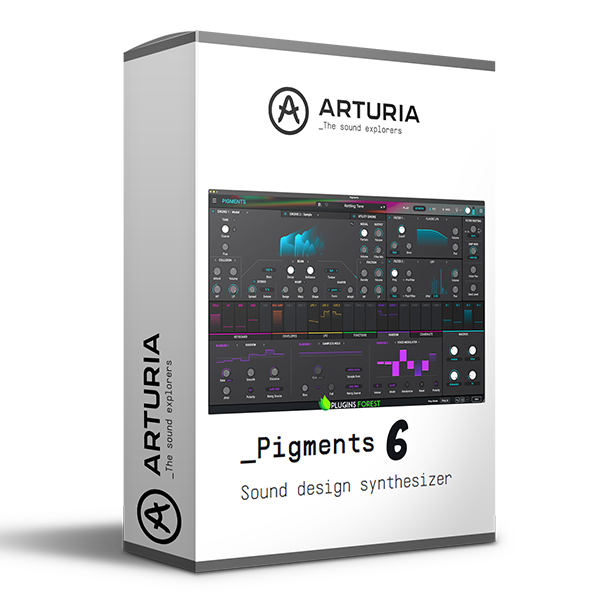
Arturia Pigments 6 pushes the boundaries of modern sound design. It seamlessly blends six powerful synthesis engines, intuitive…
Formats: VST3 · AAX · Standalone · VST

£35.00

Discover Arturia Pigments 6 (Windows)

Arturia Pigments 6 pushes the boundaries of modern sound design. It seamlessly blends six powerful synthesis engines, intuitive modulation, premium effects, and a sleek, color-coded interface. Whether you're crafting cinematic soundscapes, infectious melodies, or evolving textures, Pigments 6 unlocks infinite creative potential.

Cluster Filter: Perfect for swirling, stacked textures.

Multimode V2: Enhanced analog warmth and flexibility.

LoFi Filter: Add vintage crispness and nostalgic tones.

Explore product features & full description

Arturia Pigments 6: The Ultimate All-in-One Software Synthesizer 🎹✨

Arturia Pigments 6 pushes the boundaries of modern sound design. It seamlessly blends six powerful synthesis engines, intuitive modulation, premium effects, and a sleek, color-coded interface. Whether you're crafting cinematic soundscapes, infectious melodies, or evolving textures, Pigments 6 unlocks infinite creative potential.


What’s New in Pigments 6?

🎶 New Modal Engine
Generate physically modeled sounds using beam or string resonators, delivering unique decay and friction-based textures — a bold evolution in hybrid synthesis.

🎛 New Filters

  • Cluster Filter: Perfect for swirling, stacked textures.
  • Multimode V2: Enhanced analog warmth and flexibility.
  • LoFi Filter: Add vintage crispness and nostalgic tones.

🤖 New Vocoder Effect
You can create everything from classic robotic voices to avant-garde textures, modulated by external audio, synthesis engines, or filters.

⚡ Enhanced Modulation Tools

  • Per-Voice Modulation Assignments: Greater expressive control.
  • Sound-Based Envelope Triggers: Respond dynamically to audio inputs.
  • Advanced Curve Generation: Build sophisticated modulation curves effortlessly.

🌌 Granulator Improvements

  • Browse samples during playback for real-time time-stretching atmospheres.
  • Randomize grain playback for evolving textures.
  • Adjust grain size for smooth soundscapes.

🎨 User Experience and Interface Upgrades

  • Refined drag-and-drop modulation workflow.
  • Improved file browser for faster sound discovery.
  • Sleek light theme and polished layout for better navigation.

v6.0.1 Feature Enhancements:

🎵 Sample Engine Updates:

  • New Granular Scan and Continuous Grain Size Ratio Options.
  • Assign Round Robin and Random Samples with key/gain variations.
  • BitCrush Decimate Mode with selectable downsampling colors.

🎚 New Filters & Effects:

  • Cluster Filter: Perfect for both formant-style and bass-heavy designs.
  • LoFi Filter: Voice-based downsampler for vintage sound coloration.
  • Vocoder Enhancements: Ideal for experimental vocal synthesis.

⚙️ Modulation Enhancements:

  • New Random Modulator for Dynamic Sound Shaping.
  • Voice Modulator: Vintage-style per-voice modulation values.
  • Envelope Follower: Modulate any parameter with real-time amplitude tracking.

Why Choose Pigments 6?

With cutting-edge synthesis engines, unmatched modulation flexibility, and next-level sound design capabilities, Pigments 6 is a must-have tool for modern producers, composers, and sound designers.

🚀 Get Arturia Pigments 6 and Craft Sounds Beyond Imagination! 🎛🎶
Compatibility checklist

  • Windows 10,11 (64Bit Only)
  • VST, VST3, AAX, and Standalone
  • Formats: VST3 · AAX · Standalone · VST

Requirements vary by supplied version. Confirm your setup with support before purchasing.

Delivery & activation

  1. Complete your purchaseReview compatibility and purchase details.
  2. Download your filesAccess available downloads through your order and account.
  3. Follow the included setup guideContact GetPlugins if you need installation help.

Activation, where included, is provided by GetPlugins. Publisher-account registration, transferable publisher keys and a publisher-issued licence are not included. Read the activation policy.

Frequently asked questions

How do I receive my download?

After payment, access available files from your order details and GetPlugins account. Contact support if a download is missing.

What activation is included?

Follow the activation instructions supplied with your download. Activation is provided by GetPlugins. Confirm device allowances and reinstall arrangements before ordering.

Will this work with my computer and DAW?

Check the compatibility information for this listing and ask us to confirm the exact supplied build. Libraries may require a compatible sampler or additional software.

What if I need installation help?

Email support@getplugins.io with your order number, operating system, DAW and any error message.

Which updates are included?

Activation and updates are separate. Confirm the available version and update arrangements before ordering; do not assume access to future publisher releases.

How do I request a refund?

Contact support with your order number and issue details. Read our Refund Policy for eligibility and the request process.

Customer Reviews

Reviews

There are no reviews yet.

Be the first to review “Arturia Pigments 6 (Windows)”

Your email address will not be published. Required fields are marked *