Introducing the New Auto-Tune Pro X!
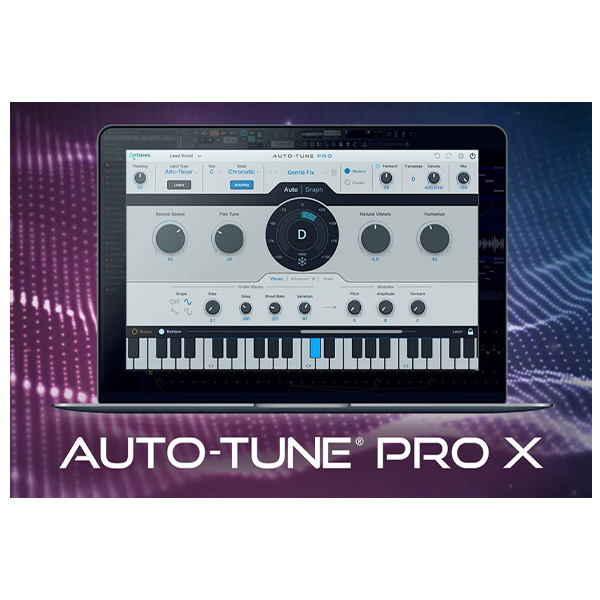
Antares Audio Technologies is thrilled to release the new Auto-Tune Pro X. Redesigned and reimagined to meet tomorrow’s vocal production demands, Auto-Tune Pro X is the modern edition of our flagship vocal tuning software. Auto-Tune Pro X picks up where the original (and celebrated) Auto-Tune Pro left off, and is packed with new features and dozens of new workflow improvements and enhancements. Auto-Tune Pro X marks a major leap forward in the speed and ease-of-use of one of most influential audio production tools ever made.
Graph Mode
Auto-Tune Pro X features a looping capability in our time ruler that also has bi-directional sync with the host’s looping ruler. Basically, when you make a loop in our Graph, the DAW puts the same loop points in its timeline or the other way around, DAW-to-Graph. This makes Graph Mode feel like it’s an integrated part of the DAW.
Another key highlight is the bi-directional sync of our time ruler and the host’s. When you click on a spot in our Graph the DAW playhead automatically goes to the same spot. And vice versa. This is a huge time saver because it lets you stay focused on the Graph without bouncing between our controls and the DAW’s controls.
Of course, you don’t need to be a pro to get going with Auto-Tune Pro (even though it’s in the name). Just want to jump right in? Auto-Tune Pro X boasts dozens of exclusive artist presets and a new, time-saving Presets Manager that lets you save your most commonly used settings for a quick start on any project.
MULTI-VIEW
And for when you’ve got a ton of tracks running at the same time, the new Multi-View feature comes into play. With Multi-View, you can quickly switch between separate Auto-Tune tracks in a single window to edit multiple vocals, faster. Previously, you needed to navigate to a track, find the effects section, open Auto-Tune, adjust parameters, close Auto-Tune, find the next track, click on it, go to its effect section, open up Auto-Tune, adjust parameters…etc. With Auto-Tune Pro X you can make all your adjustments from one window!
Another useful feature of Multi-View is that we automatically fetch the custom track names from the DAW host to populate the Multi-View list. For instance, when you’ve made names like ‘Lead Vocal’, ‘Doubled Vocal’, ‘BG Vox 1’, etc. on your DAW channels, all those track names automatically show up in our Multi-View list. This gets rid of a lot of those labeling headaches and makes Auto-Tune Pro X faster and more convenient when you are working with a lot of tracks.








Reviews
There are no reviews yet.